





Home Appliances
•05 min read


<p>Danger can overpower you at any time and your voice will not be enough in such situations to get the required aid. The amazing new <strong>Juvo PSB01 Personal Alarm</strong> is crafted for all ages and is a necessary precaution from all kinds of danger. It rings a very loud alarm at 120 dB as well as flashes the torch to warn people nearby about a danger. Whether you have a medical emergency or you are attacked by predators your voice may not be heard but this alarm will be enough to deter attackers or draw attention of people close by to give you the immediate assistance required.</p> <p><strong>Extremely Easy To Use</strong></p> <p>The <strong>Juvo PSB01 Personal Alarm</strong> is small and portable, can be attacked to even a keychain if you want. To start the siren all you need to do is separate or pull the metal key chain from the main black unit. The siren may go on for 1 1/2 hours in case nobody heard it in the first minutes. This is very important for girls returning home alone at night as it acts as a security anti-attack panic alarm that is sure to scare off a molester. Its easy portability accentuates its use.</p> <p><strong>Lights Your Way</strong></p> <p>The little and portable <strong>Juvo PSB01 Personal Alarm</strong> also features a small LED torch that helps you find your way in the dark. Don’t be scared of dark alleys when you have this with you because it is equipped to save you from all dangers.</p>

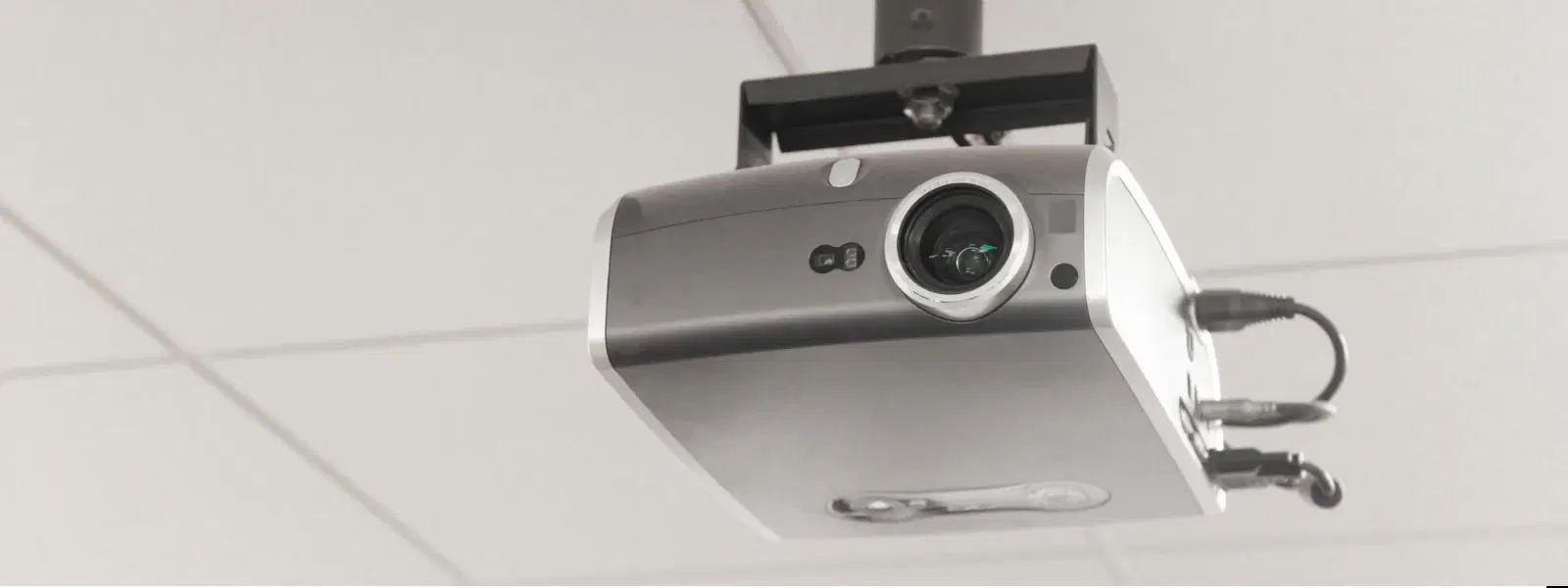
Whether you're setting up a home theatre, preparing a presentation, or hosting a movie night, picking the right projector port is essential for seamless connectivity and optimal performance. In this guide, you'll learn about various projector ports, what to consider when choosing them, and how to troubleshoot common connectivity issues. By the end, you’ll have all the information you need to create a smooth, high-performance setup that meets your unique requirements.
A projector port is a connection interface that allows your devices to send audio and video signals to a projector. This interface can be either physical or wireless, making it possible to connect laptops, gaming consoles, or even smartphones to your projector. Common examples include the projector port options such as HDMI, USB, and VGA, as well as modern wireless solutions. Each type of port has its own role in ensuring a clear, high-quality output.
Choosing the correct port affects video quality, device compatibility, and overall user convenience. For instance, using an outdated port or a mismatched connection can result in poor image quality or even prevent your setup from working. It is crucial to verify that your devices support the available connection type to maintain an optimal viewing or presentation experience. Making an informed choice now can save you time and frustration later.
HDMI is widely considered the best option for transmitting high-definition audio and video signals. Many modern devices such as laptops, gaming consoles, and streaming devices offer HDMI connectivity, which ensures excellent quality and minimal lag. When your setup relies on an HDMI port for projector connectivity, you get both sharp visuals and crystal-clear audio that are essential for immersive experiences.
USB ports facilitate file sharing, firmware updates, and even power external devices directly through the projector. While it's a versatile option, a USB connection for projector tends to have limitations compared to HDMI or VGA when it comes to delivering high-definition video. However, its utility cannot be ignored, especially in setups predominantly used for presentations or document sharing.
Despite being on the legacy side, the VGA port remains relevant for older devices. The VGA port compatibility allows users with previous-generation equipment to hook up their devices without needing adapters. While VGA offers a reliable connection, its analogue nature may result in lower image quality compared to digital alternatives. Weighing its pros and cons in your setup is essential if you’re connecting older hardware.

<b>Why Buy Environics Device Disinfector</b><ul><li><b></b> for optimised disinfection</li><li><b></b> makes sure all the germs are killed</li></ul><p>To prevent harmful bacteria and fungi from getting in contact with you, buy <b>Environics Device Disinfector</b>. The usability of your device disinfector may be affected if its installation is complex. As this device disinfector has the it prevents the extra-spill and wastage of sanitizer. Your residence and office will stay clean and hygienic with products from this device disinfector that have 99.99% high resistance against germs and viruses. </p><p>The <b>Environics Device Disinfector's</b> price is cost-effective so you don't have to adjust your budget. The longer it takes for the device disinfector to disinfect, the longer you will have to wait. As a result of its efficient and effective operation, this device disinfector requires only to inject. Your device disinfector needs to have the latest technology to make sure it kills all the germs. As this device disinfector has the to prevent viruses, you can rest assured. Purchase the <b>Environics Device Disinfector</b> online at this instant!</p>
The advancement in technology has paved the way for wireless projector setups. Using Wi-Fi or Bluetooth, a wireless projector setup eliminates the hassle of tangled cables, offering flexibility especially in home theatres and corporate environments. Wireless connections not only allow for cleaner setups but also provide the convenience of repositioning your projector without reconfiguring cables.
Pro Tip from Tata Neu: "Did you know? HDMI cables offer the best audio-video synchronization for projectors, making them ideal for home theatres and presentations. Always check your projector's specifications to ensure compatibility with your devices."
Projector input options vary between wired and wireless connections. Each option has its merits depending on the use case. While wired connections via HDMI, VGA, or USB provide stable and high-quality signals, wireless options offer ease of use and flexibility. Evaluating projector input options according to your equipment portfolio ensures that every device can connect efficiently, whether for a professional presentation or a family movie night.
The cables you choose play a significant role in your projector setup's efficiency. Projector cable types include HDMI cables, VGA cables, USB cables, and even specific audio cables such as optical or 3.5mm connectors. When selecting a cable, always consider the device compatibility, the expected resolution, and whether the cable supports both audio and video transmission. For the best experience, opt for cables that meet high-quality standards and are compatible with your projector's input options.
An often overlooked aspect of projector setups is the audio component. A dedicated audio output for projector allows you to connect to external speakers, ensuring that the sound quality matches the high-definition visuals. Common options include 3.5mm jacks and optical connections, which offer flexibility and compatibility with various speaker systems. Prioritising audio output enhances the overall experience, especially in environments where sound plays an equally critical role as visuals.
Connecting your devices to a projector is straightforward once you understand the correct ports and cables. Whether it's a laptop, smartphone, or gaming console, matching your device’s output to the corresponding projector port is vital. Follow a simple step-by-step process: identify the available port on your projector, select the correct cable, and connect your device. Should you encounter connectivity issues, rechecking the cable connections and reviewing device settings can often resolve the problem. This systematic approach simplifies the entire process of connecting devices to projector.
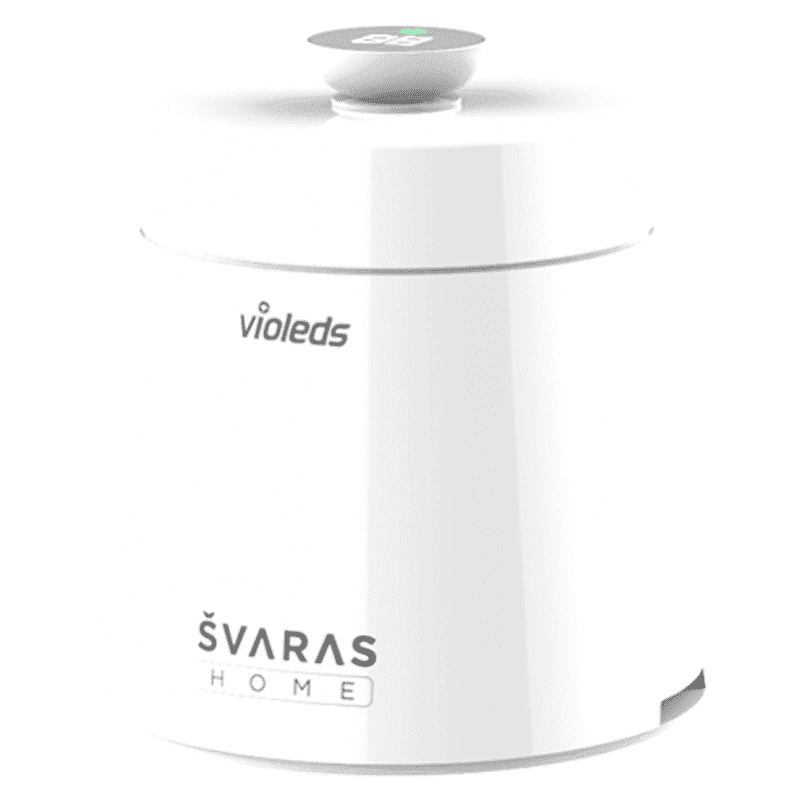
<p><b>HEUV Technology</b><br/><br/>Thanks to the HEUV technology, the SVARAS Home X2 Pro UV Steriliser effectively targets and eliminates a wide range of viruses and bacteria, including those responsible for illnesses such as the coronavirus. As a result, you can have peace of mind knowing that you can effectively protect yourself and your family from potential health threats.<br/><br/><br/><b>Enhanced Sterilisation</b><br/><br/>This rechargeable UV steriliser provides optimal sterilisation capabilities, which eliminates harmful germs. This high level of effectiveness makes it an ideal choice for homes, offices, and shops, ensuring that surfaces remain clean and safe. Thus, you can trust this steriliser to protect your health and the health of your loved ones by efficiently disinfecting various surfaces.<br/><br/><br/><b>User-Friendly Functionality</b><br/><br/>This home steriliser boasts convenient features that enhance its usability. It includes a voice alarm that signals when the sterilisation process is complete, ensuring you never forget to turn it off. Additionally, the device offers a safe automatic power-off feature, which enhances safety during operation. Convenient charging capabilities further simplify the user experience, which makes it easy to keep the steriliser ready for action.<br/><br/><br/><b>Eco-Friendly Design</b><br/><br/>Designed with sustainability in mind, this SVARAS steriliser promotes an eco-friendly lifestyle. It operates without mercury or harsh chemicals, which makes it safe for both users and the environment. This design choice allows you to maintain a clean living space while reducing your ecological footprint. Moreover, the sleek, modern appearance of the steriliser ensures that it complements any decor.</p>
Selecting the ideal projector interface entails assessing multiple factors. Key considerations include the compatibility of your devices, the specific requirements of your setup (be it for a home theatre or an office presentation), and your budget. By future-proofing your setup with versatile ports, you ensure that your projector investments remain valuable over time, even as technology evolves. This balanced approach not only promotes high performance today but also guarantees longevity and adaptability for future needs.
An effective projector interface guide matches your devices with the appropriate ports and cables. For home projector connectivity, this means opting for an HDMI port where high-definition visuals are crucial, while retaining a USB or VGA port for older or less demanding devices. Clear guidelines on how to combine these interfaces can transform your setup from a simple display to an engaging and technologically advanced environment.
A projector port is a physical or wireless interface that allows devices to transmit audio and video signals to a projector.
Common computer ports include HDMI, VGA, and USB. The best choice depends on the projector model and device compatibility.
The name of the port typically reflects the type of connection it supports, such as an HDMI port, VGA port, or USB port.
The USB port is often used for file sharing, firmware updates, or powering external devices like streaming sticks.
Choosing the right projector port is key to a seamless and efficient setup. Understanding the different options—whether it's the advanced capabilities of an HDMI port, the versatile aspects of a USB connection, or the legacy support from VGA—equips you with the knowledge needed to create an optimal viewing experience. Embracing wireless setups can further enhance convenience and flexibility. Remember, a well-matched port and cable combination will elevate the performance of your entire system.
Armed with these insights, you can confidently select the best projector port tailored to your specific needs and enjoy the benefits of advanced technology paired with trusted after-sales support. The journey to a flawlessly connected display starts with informed decisions, ensuring every movie night, presentation, and gaming session is a testament to smart, seamless connectivity.
