





Consumer Electronics
•04 min read

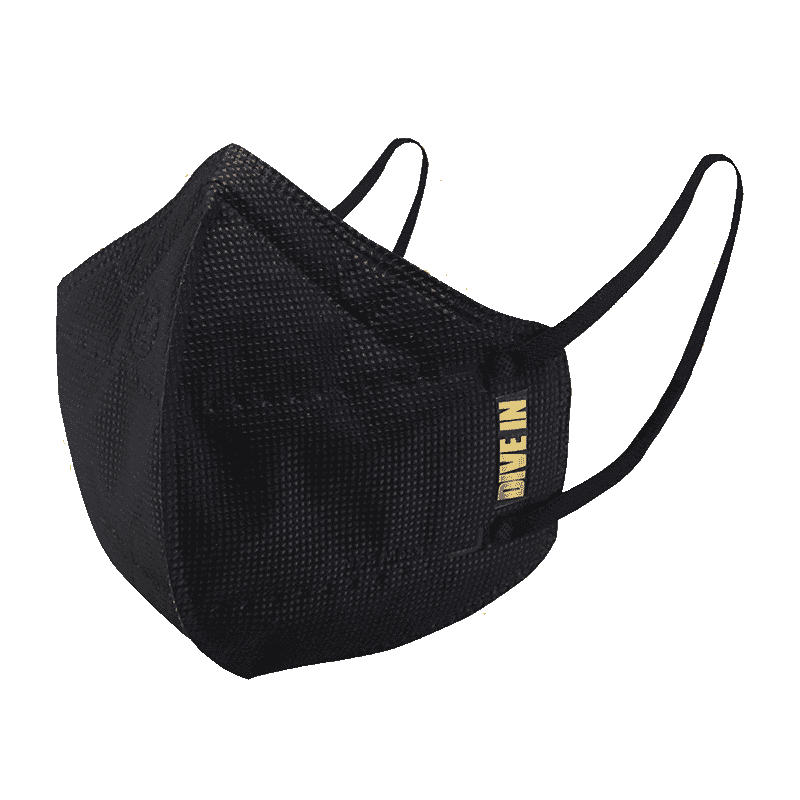
<p style="margin-left:0cm; margin-right:0cm">Keep away from breathing in harmful germs, dust and pollution by using the <strong>Arctic Fox N95 Gold Series</strong> <strong>Face Respirator Mask.</strong> The mask is designed specially ensuring that it fits comfortably on your face and covers all the essential parts of your face. The soft ear loops ensure the comfort-ability for longer use. It has a 3 mm foam material for comfort fit and air seal.</p> <p style="margin-left:0cm; margin-right:0cm">The <strong>Arctic Fox N95 Gold Series</strong> <strong>Face Respirator Mask</strong> is super breathable because of the comfortable fabric and is also splash resistant.</p> <p style="margin-left:0cm; margin-right:0cm">Whether you are travelling or for that matter, moving out of your house, wearing the <strong>Arctic Fox N95 Gold Series</strong> <strong>Face Respirator Mask </strong>will ensure security to your health by helping you keep the dust and germs out from inhaling it.</p>

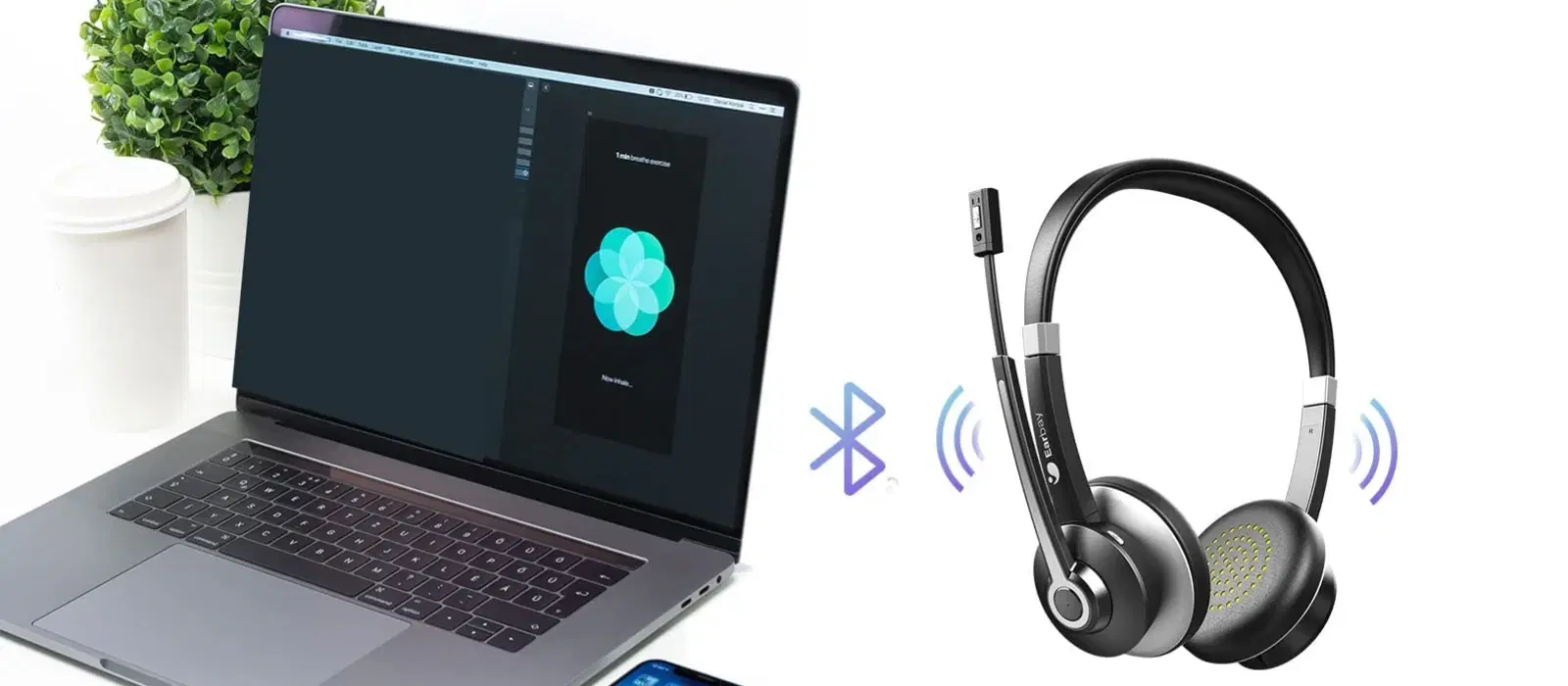
Picture this: you're all set to play your favourite playlist or take an important call, but your Bluetooth device just won't connect to your phone. It’s a common issue that disrupts our everyday routine. In this guide, we clarify why my Bluetooth is not connecting to my phone, addressing common Bluetooth connection issues, troubleshooting steps and suggesting advanced solutions for persistent problems. By reading this post, you will gain clear insights to resolve Bluetooth pairing failed dilemmas and learn how to fix Bluetooth connectivity once and for all.
Bluetooth connectivity problems are usually due to interference from other devices, outdated software, a low battery, or even incorrect settings. When multiple gadgets are connected in close proximity, interference is often a culprit. Additionally, many devices in today’s fast-paced life might run on old firmware, resulting in Bluetooth not working on phone. Ensuring that your devices have up-to-date software can play a big part in resolving these issues.
There are several reasons why your phone may not pair with Bluetooth. Devices must be close enough to each other and in pairing mode. Sometimes, a mismatched Bluetooth protocol between devices can also be the problem. If your device is out of range or not visible, expect issues with connectivity. Addressing these issues promptly will help you fix Bluetooth connectivity faster.
Before diving into more complex troubleshooting measures, make sure that the basics are covered. Begin by ensuring that Bluetooth is enabled on your phone, and that both your phone and the Bluetooth device are powered on and sufficiently charged. Checking that the devices are within pairing range can eliminate common issues related to why Bluetooth won't connect.
Follow these six straightforward steps to resolve most Bluetooth connection issues:
Step 1: Restart both your phone and the Bluetooth device. This simple action often resets minor glitches that might be causing the issue.
Step 2: Forget and re-pair your Bluetooth device on your phone. By removing it from your paired devices list and reconnecting, you can clear outdated connections.
Step 3: Reset Bluetooth settings on your phone. This often involves clearing any cached data that might be interfering with normal functions.

<p><strong>Why buy Environics Enviroglobe Anti Radiation Ball for House & Car</strong></p> <p> </p> <ul> <li><strong>Provides E-Smog and Radiation Protection</strong> for healthier homes and families</li> <li><strong>It Covers A Radius</strong> of 250 sq.ft protect you and your loved ones from harmful radiation</li> <li><strong>Clinically Tested EMF Harmonizer</strong> that provides us 360-degree protection from radiation sources that are beyond our control</li> </ul> <p> </p> <p>Buy the <strong>Environics Enviroglobe Anti Radiation Ball for House & Car</strong> which is based on Envirochip’s radiation protection technology that helps you protect you and your loved ones from harmful radiation within an area of 250 sq. feet. You can extend the range of protection by placing multiple Enviroglobes at equal distances from one another. It is a clinically tested EMF harmonizer and provides us 360-degree protection from radiation sources that are beyond our control. Electromagnetic Radiation (EMR) refers to the constant waves of the electromagnetic field (EMF) produced by wireless communication devices such as mobile phones, laptops, Wi-Fi routers, and other sources such as mobile towers and high-tension wirelines, etc. However, The human body is accustomed to random waves and hence the constant exposure to electromagnetic radiation causes serious biological disorders such as higher stress and fatigue, irritation, headache, weakened immunity, cancer, fertility issues to name a few. The technology used in Enviroglobe changes the nature of electromagnetic radiation from constant to random waveform making it human body-friendly.</p> <p> </p> <p>When you get <strong>Environics Enviroglobe Anti Radiation Ball for House & Car</strong> online, you also get awesome companion for your home. It comes with Internationally tested and certified technology. No need of batteries or adaptors, you can simply charge by placing it under the sunlight, for only a couple of minutes every week. Enviroglobe is simple to use. Simply place it at your desk, table, living room, bedroom, car, office space, absolutely wherever you want, and get a radiation protected zone of up to 250 sq. feet. It provides e-smog and radiation protection for healthier homes and families. Purchase <strong>Environics Enviroglobe Anti Radiation Ball for House & Car</strong> online, now!</p>
Step 4: Update your phone’s operating system to the latest version or consider rolling back if a recent update has introduced new challenges. In many cases, software inconsistencies are at the root of these issues.
Step 5: Check for firmware updates on your Bluetooth device. Manufacturers sometimes release updates to fix known bugs and improve connectivity, which can be essential for resolving persistent issues.
Device-specific tweaks can help when basic troubleshooting hasn’t resolved the issue. For Android users, resetting network settings or clearing the Bluetooth cache may offer benefits. Meanwhile, iPhone users can try a hard reset or check for the latest iOS updates, ensuring compatibility. Both options assist in rectifying why my Bluetooth is not connecting to my phone seamlessly.
If your phone is not pairing with Bluetooth, ensure the device in question is set to pairing mode. Additionally, pull your gadgets away from potential sources of interference such as Wi-Fi routers, smart home devices, or even USB 3.0 ports, which may disrupt the signal. These steps can lead to a more stable connection.
Many modern Bluetooth devices attempt multipoint pairing, meaning they try to connect to more than one device. This advanced feature sometimes leads to complications if not managed correctly. To fix multipoint issues or problems with auto-reconnection, explore your settings to limit the number of simultaneously connected devices, ensuring a consistent performance. Once the settings are fine-tuned, you could experience a hassle-free connectivity experience.
Expert Tip: The Power of Resetting Bluetooth Settings
Did you know that resetting your phone’s Bluetooth settings can resolve most connectivity issues in seconds? This simple step clears cached data and restores default settings, making it easier for devices to pair successfully.
Keeping your devices in tip-top condition is pivotal to avoid recurring issues. Regularly updating software and firmware can ensure that any bugs or glitches are ironed out. It is equally important to maintain your devices by keeping them charged and clean. Also, try to avoid pairing with too many devices at once since it may lead to confusion on your phone regarding which connection to prioritise. Maintaining best practices keeps the functionality of your devices optimal.

<p>Danger can overpower you at any time and your voice will not be enough in such situations to get the required aid. The amazing new <strong>Juvo PSB01 Personal Alarm</strong> is crafted for all ages and is a necessary precaution from all kinds of danger. It rings a very loud alarm at 120 dB as well as flashes the torch to warn people nearby about a danger. Whether you have a medical emergency or you are attacked by predators your voice may not be heard but this alarm will be enough to deter attackers or draw attention of people close by to give you the immediate assistance required.</p> <p><strong>Extremely Easy To Use</strong></p> <p>The <strong>Juvo PSB01 Personal Alarm</strong> is small and portable, can be attacked to even a keychain if you want. To start the siren all you need to do is separate or pull the metal key chain from the main black unit. The siren may go on for 1 1/2 hours in case nobody heard it in the first minutes. This is very important for girls returning home alone at night as it acts as a security anti-attack panic alarm that is sure to scare off a molester. Its easy portability accentuates its use.</p> <p><strong>Lights Your Way</strong></p> <p>The little and portable <strong>Juvo PSB01 Personal Alarm</strong> also features a small LED torch that helps you find your way in the dark. Don’t be scared of dark alleys when you have this with you because it is equipped to save you from all dangers.</p>
Optimising the performance of your Bluetooth connection can be as simple as placing your devices closer together during the pairing process. Additionally, promptly disabling unused connections reduces interference from surrounding signals. These small adjustments not only resolve current problems but also prevent future occurrences, allowing you to enjoy a smooth and reliable experience with minimal disruption.
In parallel with managing your personal tech, make sure to explore rewarding experiences on Tata Neu. Enjoy the benefits of earning NeuCoins with every transaction, and unlock special offers that enhance your tech shopping. With Tata Neu, your smart shopping journey is backed by trust and innovation, making your everyday tech experiences richer and more rewarding.
Restart both devices, ensure they are in pairing mode, and forget/re-pair the device in your phone’s Bluetooth settings.
Go to your phone’s settings, navigate to Bluetooth, and select Reset or Forget All Devices, then restart your phone.
Ensure your earphones are charged and in pairing mode, and check for interference or outdated software on your phone.
Make sure your Bluetooth device is discoverable, refresh your phone’s Bluetooth search list, and restart both devices if necessary.
Ensure your device is in pairing mode, move closer to the device, and clear your phone’s Bluetooth cache to refresh the connection.
In summary, Bluetooth connectivity issues can really disrupt your day-to-day life, but they are often easy to resolve with the right steps. By understanding the common causes, following step-by-step troubleshooting guides, and utilising advanced solutions when necessary, you can overcome the hurdles of why my Bluetooth is not connecting to my phone. Remember, regular maintenance and smart practices can go a long way in preventing these issues from recurring. Enjoy seamless connectivity and a rewarding tech experience on Tata Neu where reliability, technology, and trust merge to elevate your everyday life.
