





%20(Presentation)%20(1600%20x%20600%20px)(20)-e373b4ed-7ebb-4e61-b4ef-18660c261d5b.webp&w=3840&q=75)
Consumer Electronics
•04 min read


<p><b>Enhanced Cleaning Technology</b><br/><br/>The MILAGROW 24W Robotic Vacuum Cleaner offers reliable wet and dry cleaning capabilities, which makes it an ideal choice for both home and office environments. Equipped with the enhanced NIDEC Brushless Motor, it delivers a powerful suction of 1500Pa, which ensures effective dirt and debris removal across various surfaces.<br/><br/><br/><b>Smart Navigation </b><br/><br/>Utilising cutting-edge Gyro Mapping technology, this robotic vacuum cleaner employs earth's gravity for optimal orientation and navigation. The rotor mechanism accurately measures rotation rates, which enables the device to stabilise and efficiently map out cleaning paths. It features four cleaning modes - smart, wall follow, spiral, and remote control – which allows for versatile cleaning strategies tailored to your space.<br/><br/><br/><b>Reliable Battery Life</b><br/><br/>Powered by a robust 2600mAh battery, this 24W vacuum cleaner boasts an optimum working time of up to 110 minutes. It can cover up to 1800 square feet on a single charge, which ensures comprehensive cleaning throughout your space without frequent interruptions. The 0.6-litre dustbin is designed to handle substantial dirt loads, while the 0.11-litre water tank facilitates effective wet cleaning.<br/><br/><br/><b>Efficient Filter System</b><br/><br/>Featuring a triple filter system which includes HEPA 12 filtration, this vacuum cleaner ensures the removal of most of the airborne particles as small as 0.3 microns. It effectively captures allergens, dust mites, mould spores, and even fine particles like smoke and bacteria, which creates a healthy environment in your home or office.<br/><br/><br/><b>User-Friendly Features </b><br/><br/>The MILAGROW vacuum cleaner affirms its reliability and safety for everyday use. Its user-friendly design allows for effortless operation and maintenance, which makes it an essential cleaning companion. With MILAGROW 9.0 Software Generation, it ensures optimal performance and user satisfaction.</b><br/><br/></p>

Imagine a world without USB connections—no quick file transfers, no effortless device charging, and no seamless peripheral connections. USB Type A has long been the standard in technology, powering our digital lives with reliability and ease. Even in the age of evolving modern interfaces, understanding what is USB Type A remains crucial for anyone using technology today.
USB Type A is the original standard USB connector that most of us recognise by its unmistakable rectangular shape. Introduced in the late 1990s, this connector design quickly became the standard for transferring data and providing power to our devices. Its robustness and familiarity have made it the quintessential choice for connecting a vast range of gadgets.
The functionality of the USB Type A connector is defined by its distinct pinout. Each pin plays a role in ensuring seamless data transfer and power delivery. When you plug in a standard USB connector, you benefit from efficient charging and reliable communication between devices. This distinction underlines why many still trust the traditional USB Type A for everyday connections.
One of the most significant advantages of using a USB Type A connector is its compatibility. This connector is designed to work with a wide array of devices—from computers and TVs to gaming consoles and digital cameras. It also maintains backward compatibility with older versions of USB (USB 1.0, USB 2.0, and USB 3.0), ensuring that even legacy devices can connect smoothly.
Reliable data transfer is at the core of USB Type A. Whether you're transferring files between your computer and an external hard drive or linking a printer to a desktop, USB Type A remains the foundation of connectivity. Its well-known performance makes it a key player in maintaining seamless data exchanges across devices.
Beyond transferring data, USB Type A is also instrumental in powering devices. It can effectively charge smartphones, tablets, and portable speakers, making it an indispensable tool for powering everyday electronics. Many accessories and devices still rely on the robust design of a type a usb cable to get the job done, marking its importance in the ecosystem of digital devices.
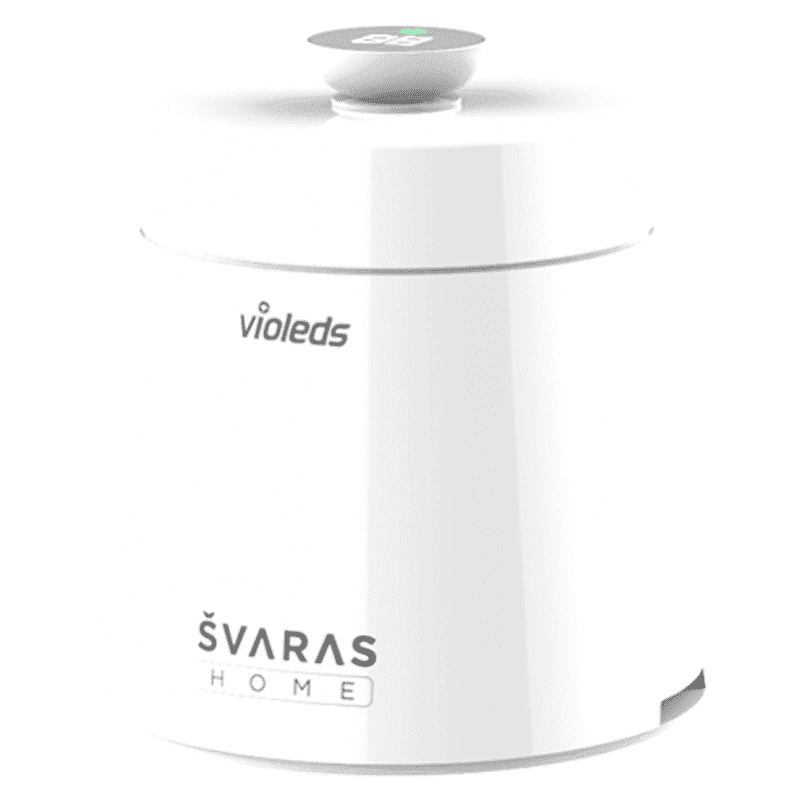
<p><b>HEUV Technology</b><br/><br/>Thanks to the HEUV technology, the SVARAS Home X2 Pro UV Steriliser effectively targets and eliminates a wide range of viruses and bacteria, including those responsible for illnesses such as the coronavirus. As a result, you can have peace of mind knowing that you can effectively protect yourself and your family from potential health threats.<br/><br/><br/><b>Enhanced Sterilisation</b><br/><br/>This rechargeable UV steriliser provides optimal sterilisation capabilities, which eliminates harmful germs. This high level of effectiveness makes it an ideal choice for homes, offices, and shops, ensuring that surfaces remain clean and safe. Thus, you can trust this steriliser to protect your health and the health of your loved ones by efficiently disinfecting various surfaces.<br/><br/><br/><b>User-Friendly Functionality</b><br/><br/>This home steriliser boasts convenient features that enhance its usability. It includes a voice alarm that signals when the sterilisation process is complete, ensuring you never forget to turn it off. Additionally, the device offers a safe automatic power-off feature, which enhances safety during operation. Convenient charging capabilities further simplify the user experience, which makes it easy to keep the steriliser ready for action.<br/><br/><br/><b>Eco-Friendly Design</b><br/><br/>Designed with sustainability in mind, this SVARAS steriliser promotes an eco-friendly lifestyle. It operates without mercury or harsh chemicals, which makes it safe for both users and the environment. This design choice allows you to maintain a clean living space while reducing your ecological footprint. Moreover, the sleek, modern appearance of the steriliser ensures that it complements any decor.</p>
The versatility of USB Type A also extends to connecting peripherals such as keyboards, mice, and gaming controllers. In numerous households and offices alike, USB Type A ports provide the much-needed interface to easily link these essential peripherals to your main computing device.
One of the most frequently asked questions in the tech community today is how USB Type A compares with the more recent USB Type C. While USB Type C offers benefits like reversibility and, in certain cases, faster data speeds, USB Type A remains invaluable due to its established ubiquity and reliability. For many consumers who are upgrading their technology, the tried and tested USB Type A continues to be trusted for its consistent performance and broad compatibility.
Another common comparison involves USB Type B, which finds its niche primarily in devices like printers and scanners. In contrast, the USB Type A connector is more versatile, offering a wider range of applications in consumer electronics. From supporting high-speed data transfer to providing adequate power delivery, its universal design ensures that it continues to serve multiple purposes effortlessly.
Micro and Mini USB connectors have been popular in mobile devices and smaller gadgets. Despite their compact size, there are several situations where the standard usb connector provided by USB Type A offers superior durability and compatibility. The robust design of USB Type A ports proves beneficial in scenarios where a reliable connection is paramount, illustrating why it remains a standard even in a rapidly changing technological landscape.
Identifying a USB Type A connector is straightforward. Look for the rectangular design with a consistent shape on both the cable and the port. Typical USB Type A ports are found on many devices such as computers, TVs, and other consumer electronics. Familiarity with these visual cues can help ensure you always know which connector you’re dealing with.
Data Transfer: Use USB Type A connectors to transfer files from external hard drives, flash drives, cameras, and more.
Power Delivery: Charge your phones, tablets, and various other devices using the reliable power delivery function of USB Type A.
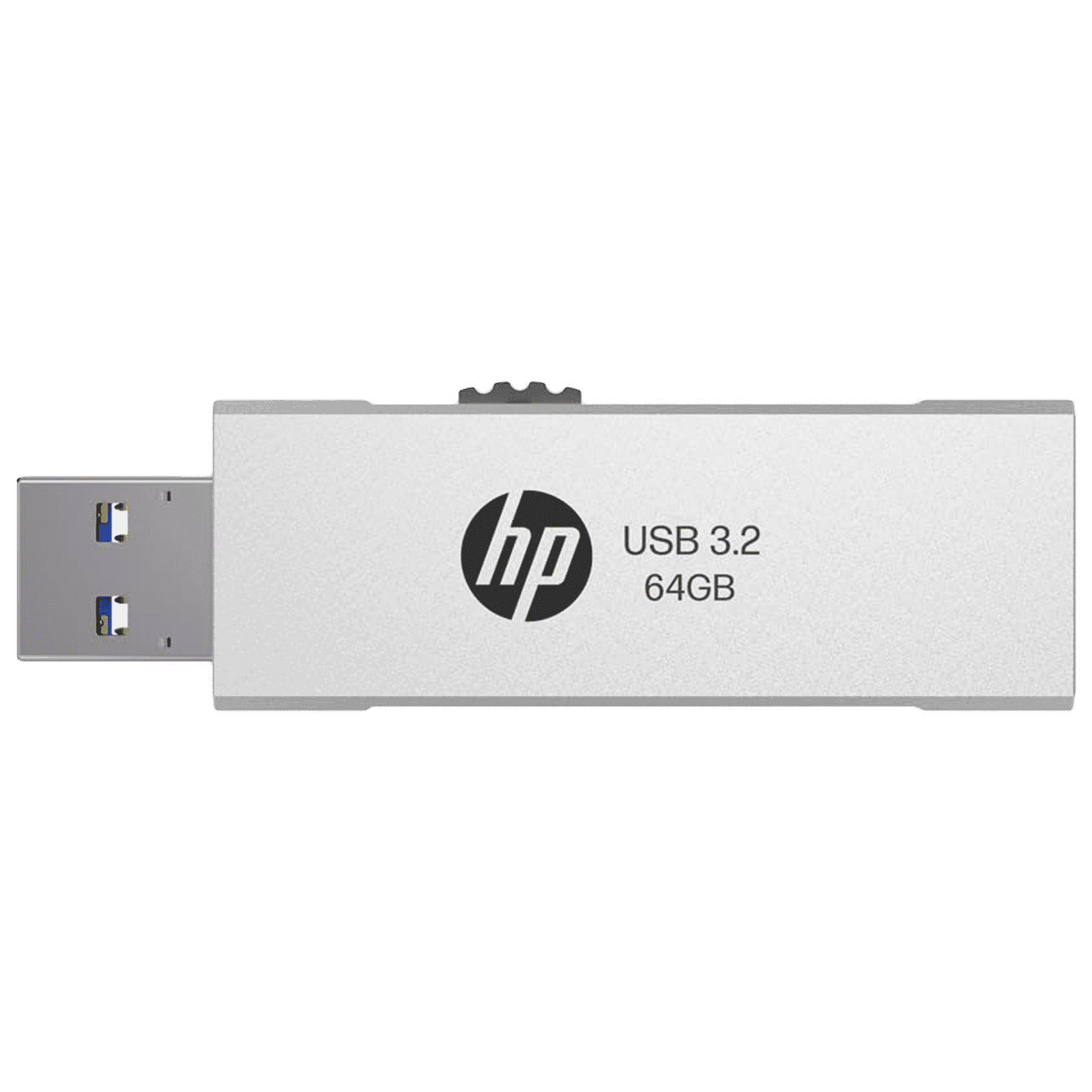
Buy HP 818w 64GB USB Type-A (3.2) Pen Drive (Integrated Key Ring Loop, Silver) online at best prices from Croma. Check product details, reviews & more. Shop now!
Peripheral Connectivity: Connect your keyboards, mice, gaming controllers, and other peripherals seamlessly using a type a usb port.
To ensure you get the most out of your USB Type A devices, consider investing in high-quality type a usb cables that are designed for longevity and efficiency. Additionally, if you need to connect a device with a USB Type A port to a newer USB Type C interface, reliable adapters are available so that you maintain the performance and compatibility you expect. Always check the specifications and compatibility guidelines before making a purchase to ensure smooth integration with your existing devices.
Insight Corner: "Did You Know? USB Type A connectors are still widely used in consumer electronics because of their durability and universal compatibility. Despite the rise of USB Type C, Type A remains the go-to standard for many devices."
Look at the connector shape: USB Type A is rectangular, while USB Type C is smaller, oval-shaped, and reversible.
USB Type A is commonly used for connecting personal devices such as computers and peripherals, while USB Type B is generally seen in devices like printers and scanners.
USB Type A is essential for data transfer, charging devices, and linking peripherals such as keyboards and mice.
USB Type A has remained a cornerstone in modern electronics over many decades. While technology continues to evolve and newer standards like USB Type C are gaining attention, the tried and tested reliability of USB Type A allows it to retain its relevance in our day-to-day digital interactions. Its ability to provide robust data transfer, effective power delivery, and effortless peripheral connectivity means that, regardless of advancements, it continues to serve as a dependable interface for millions of devices.
This checklist has provided a comprehensive guide on what is USB Type A, exploring its key functions, compatibility, and practical applications. Whether you are managing everyday tech tasks, setting up home entertainment, or ensuring your devices are charged and connected, a solid understanding of USB Type A can simplify your journey in the expanding world of consumer electronics. Remember, even as you explore innovative technologies on platforms such as Tata Neu, integrating dependable features like NeuCoins rewards and express delivery keeps your tech experience both cutting edge and customer-friendly.
With this knowledge in hand, you are now better equipped to make informed decisions about your electronic devices and connections. Embracing the balance between classic reliability and modern advancements ensures you can maximise your technology investments both confidently and efficiently.
