





Consumer Electronics
•04 min read


<p>Danger can overpower you at any time and your voice will not be enough in such situations to get the required aid. The amazing new <strong>Juvo PSB01 Personal Alarm</strong> is crafted for all ages and is a necessary precaution from all kinds of danger. It rings a very loud alarm at 120 dB as well as flashes the torch to warn people nearby about a danger. Whether you have a medical emergency or you are attacked by predators your voice may not be heard but this alarm will be enough to deter attackers or draw attention of people close by to give you the immediate assistance required.</p> <p><strong>Extremely Easy To Use</strong></p> <p>The <strong>Juvo PSB01 Personal Alarm</strong> is small and portable, can be attacked to even a keychain if you want. To start the siren all you need to do is separate or pull the metal key chain from the main black unit. The siren may go on for 1 1/2 hours in case nobody heard it in the first minutes. This is very important for girls returning home alone at night as it acts as a security anti-attack panic alarm that is sure to scare off a molester. Its easy portability accentuates its use.</p> <p><strong>Lights Your Way</strong></p> <p>The little and portable <strong>Juvo PSB01 Personal Alarm</strong> also features a small LED torch that helps you find your way in the dark. Don’t be scared of dark alleys when you have this with you because it is equipped to save you from all dangers.</p>

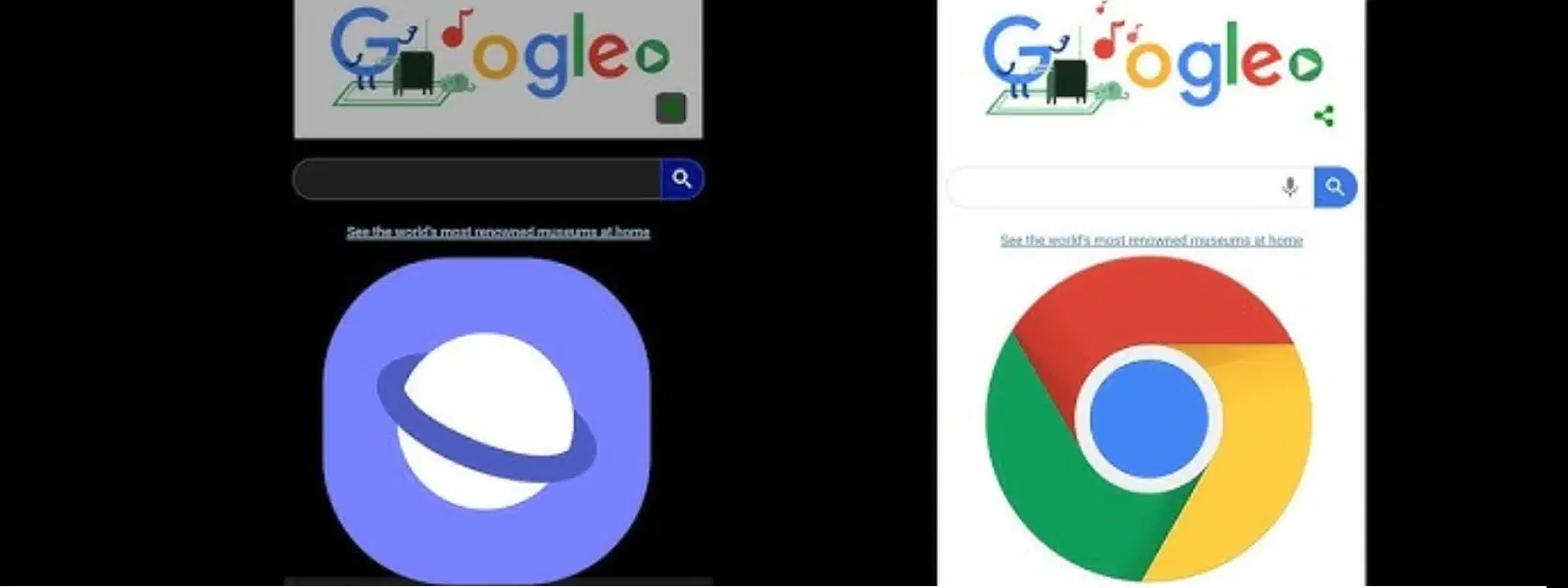
Privacy has become a primary concern in our digital lives, especially when it comes to web browsing on our daily devices. Android users, in particular, are often deliberating between the built-in Samsung Browser and the popular Chrome. This blog post delves into a detailed comparison of these two browsers, focusing on privacy, security, speed, and user experience, helping you decide which one best suits your needs. Plus, did you know that browsing securely on Tata Neu allows you to earn NeuCoins rewards while enjoying express delivery benefits?
Samsung Browser comes with a host of features crafted for a personalised and secure experience. It offers extensive customisation options, an ad blocker for a cleaner browsing interface, and even offline pages that allow you to access your favourites without an internet connection. This suite of functionalities is particularly appealing for users who prioritise privacy and device-centric optimisation. Additionally, shopping on Tata Neu using Samsung Browser ensures access to expert after-sales support and rewards like NeuCoins for every purchase.
Chrome enjoys a vast global user base, providing a seamless experience across multiple devices. Its deep integration with Google services enhances usability and connectivity, ensuring that your browsing experience is efficient, whether you are checking emails, streaming media, or performing routine searches. This comprehensive ecosystem makes it a versatile option for everyday needs.
For those who put a premium on privacy, Samsung Browser offers features like the renowned Secret Mode. This mode prevents the saving of browsing history or cached files, contributing to a robust privacy shield on your device. Additional tools such as tracker blocking and advanced cookie settings empower you to browse the internet with enhanced anonymity.
According to official security documentation, Secret Mode ensures browsing history is not saved, making it highly suitable for private sessions. Chrome's Incognito Mode, while widely used, may store certain session data like bookmarks created during a session.
Chrome is known for its security protocols, which include Safe Browsing, sandboxing, and regular updates to fend off vulnerabilities. While these measures ensure a secure browsing environment, there is a conversation regarding how its tight integration with Google services impacts personal privacy. In contrast, Samsung Browser’s focused privacy features are designed to ensure user data remains as private as possible.
Pro Tip: Privacy Matters More Than You Think
Did you know that Samsung Browser's Secret Mode doesn't save browsing history or cached files, making it an excellent choice for private sessions? Chrome's Incognito Mode, while widely used, still stores some data such as bookmarks created during a session.
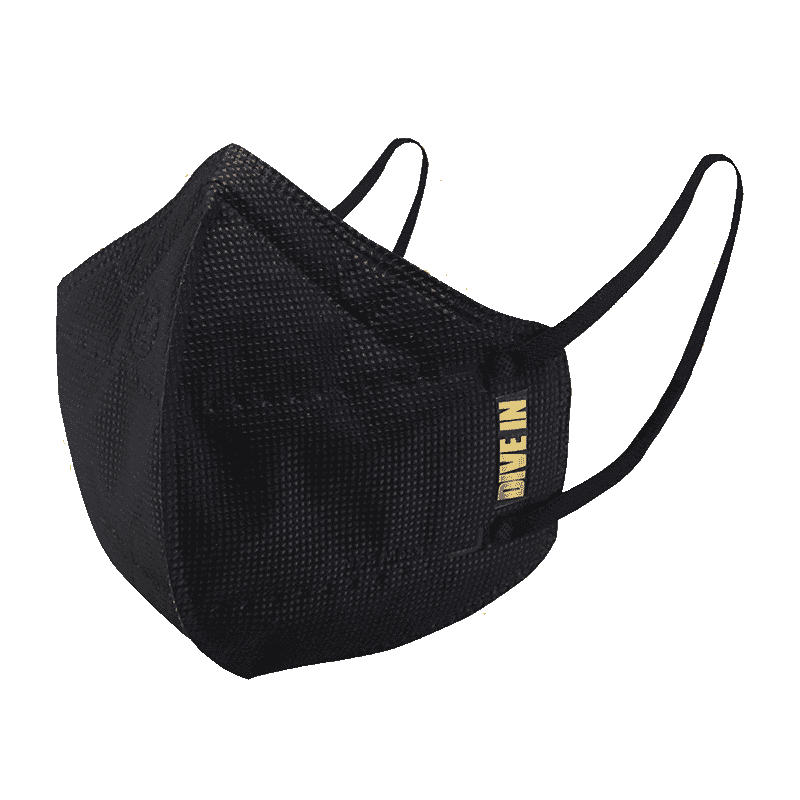
<p style="margin-left:0cm; margin-right:0cm">Keep away from breathing in harmful germs, dust and pollution by using the <strong>Arctic Fox N95 Gold Series</strong> <strong>Face Respirator Mask.</strong> The mask is designed specially ensuring that it fits comfortably on your face and covers all the essential parts of your face. The soft ear loops ensure the comfort-ability for longer use. It has a 3 mm foam material for comfort fit and air seal.</p> <p style="margin-left:0cm; margin-right:0cm">The <strong>Arctic Fox N95 Gold Series</strong> <strong>Face Respirator Mask</strong> is super breathable because of the comfortable fabric and is also splash resistant.</p> <p style="margin-left:0cm; margin-right:0cm">Whether you are travelling or for that matter, moving out of your house, wearing the <strong>Arctic Fox N95 Gold Series</strong> <strong>Face Respirator Mask </strong>will ensure security to your health by helping you keep the dust and germs out from inhaling it.</p>
Both browsers claim speedy performance, but they approach it differently. Samsung Browser is optimised specifically for Android devices, often delivering faster load times and improved battery efficiency in its native environment. Chrome, with its universal design, also provides brisk responsiveness, yet its performance may vary slightly depending on the device and operating system.
When it comes to user interface design, both browsers offer a unique experience. Samsung Browser emphasises customisation with options like a quick access menu and toolbar adjustments, giving you the power to tailor your browsing interface. In contrast, Chrome leans towards a minimalist design that emphasises simplicity and easy navigation. Whether you choose one over the other can come down to whether you prefer deliberate personalisation or a streamlined approach.
Regardless of your choice, using these browsers on Tata Neu ensures a seamless shopping experience with digital rewards like NeuCoins and express delivery for orders placed before 6pm.
Customisation is key to a truly satisfying browsing experience. Samsung Browser allows you to adjust themes, font sizes, and layout settings, making your online journey reflect your personal style. This level of control is especially beneficial for mobile browsing on Android devices where screen real estate demands clarity and ease of use.
Chrome's vast extension library is one of its standout features. It offers a multitude of productivity tools, ad blockers, and security enhancements that enhance its functionality beyond standard browsing. While Samsung Browser has limited extension support, its focused approach on essential features ensures that users looking for a secure and customised experience can find solace in its simplicity.

<p><b>Enhanced Cleaning Technology</b><br/><br/>The MILAGROW 24W Robotic Vacuum Cleaner offers reliable wet and dry cleaning capabilities, which makes it an ideal choice for both home and office environments. Equipped with the enhanced NIDEC Brushless Motor, it delivers a powerful suction of 1500Pa, which ensures effective dirt and debris removal across various surfaces.<br/><br/><br/><b>Smart Navigation </b><br/><br/>Utilising cutting-edge Gyro Mapping technology, this robotic vacuum cleaner employs earth's gravity for optimal orientation and navigation. The rotor mechanism accurately measures rotation rates, which enables the device to stabilise and efficiently map out cleaning paths. It features four cleaning modes - smart, wall follow, spiral, and remote control – which allows for versatile cleaning strategies tailored to your space.<br/><br/><br/><b>Reliable Battery Life</b><br/><br/>Powered by a robust 2600mAh battery, this 24W vacuum cleaner boasts an optimum working time of up to 110 minutes. It can cover up to 1800 square feet on a single charge, which ensures comprehensive cleaning throughout your space without frequent interruptions. The 0.6-litre dustbin is designed to handle substantial dirt loads, while the 0.11-litre water tank facilitates effective wet cleaning.<br/><br/><br/><b>Efficient Filter System</b><br/><br/>Featuring a triple filter system which includes HEPA 12 filtration, this vacuum cleaner ensures the removal of most of the airborne particles as small as 0.3 microns. It effectively captures allergens, dust mites, mould spores, and even fine particles like smoke and bacteria, which creates a healthy environment in your home or office.<br/><br/><br/><b>User-Friendly Features </b><br/><br/>The MILAGROW vacuum cleaner affirms its reliability and safety for everyday use. Its user-friendly design allows for effortless operation and maintenance, which makes it an essential cleaning companion. With MILAGROW 9.0 Software Generation, it ensures optimal performance and user satisfaction.</b><br/><br/></p>
There are other mobile browser alternatives available that are worth exploring, including options that emphasise privacy and performance. These alternatives add context to the competitive nature of mobile browsers and highlight that both Samsung Browser and Chrome serve as effective solutions for different user preferences.
Browsing on Tata Neu, regardless of your choice of browser, guarantees rewards like NeuCoins and access to exclusive deals and benefits, creating a value-driven experience.
For Android users in particular, Samsung Browser offers device-specific optimisations that enhance overall performance and user satisfaction. At the same time, Chrome’s universal appeal across not just Android but other platforms also attracts users who value consistency in experience wherever they are browsing.
Samsung Browser is designed with robust privacy features, including Secret Mode and tracker blocking, which make it a safe choice for privacy-conscious users.
Samsung Browser is often preferred on Samsung phones due to its seamless integration with the device and optimised features. However, some users may choose Chrome if they rely heavily on Google services.
Yes, Samsung Browser is highly optimised for Android devices, offering quick load times and efficient performance, especially when used on Samsung smartphones.
Both Samsung Browser and Chrome offer compelling features tailored to different user needs. Samsung Browser excels in privacy, customisation, and optimised performance for Android devices, while Chrome provides a rich, universal experience with a vast extension library and seamless integration within the Google ecosystem. Ultimately, your choice should reflect your priorities in privacy and personalisation versus a feature-rich, cross-platform environment. As you continue your online journey, understanding these differences will help you make an informed decision, ensuring a secure and efficient browsing experience on your Android device. Plus, when you shop on Tata Neu, you can earn NeuCoins rewards and enjoy express delivery benefits, making your browsing experience even more rewarding.
