





Consumer Electronics
•03 min read


<p>Danger can overpower you at any time and your voice will not be enough in such situations to get the required aid. The amazing new <strong>Juvo PSB01 Personal Alarm</strong> is crafted for all ages and is a necessary precaution from all kinds of danger. It rings a very loud alarm at 120 dB as well as flashes the torch to warn people nearby about a danger. Whether you have a medical emergency or you are attacked by predators your voice may not be heard but this alarm will be enough to deter attackers or draw attention of people close by to give you the immediate assistance required.</p> <p><strong>Extremely Easy To Use</strong></p> <p>The <strong>Juvo PSB01 Personal Alarm</strong> is small and portable, can be attacked to even a keychain if you want. To start the siren all you need to do is separate or pull the metal key chain from the main black unit. The siren may go on for 1 1/2 hours in case nobody heard it in the first minutes. This is very important for girls returning home alone at night as it acts as a security anti-attack panic alarm that is sure to scare off a molester. Its easy portability accentuates its use.</p> <p><strong>Lights Your Way</strong></p> <p>The little and portable <strong>Juvo PSB01 Personal Alarm</strong> also features a small LED torch that helps you find your way in the dark. Don’t be scared of dark alleys when you have this with you because it is equipped to save you from all dangers.</p>

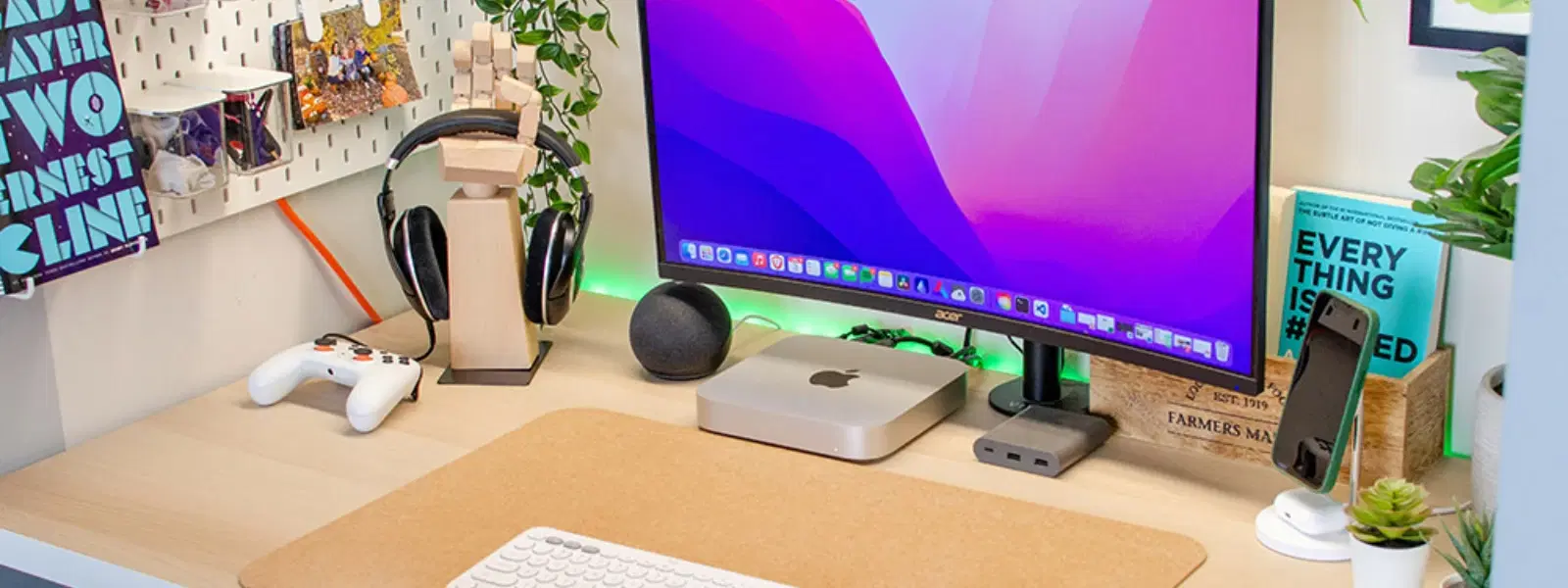
The Mac Mini is a compact powerhouse, often prompting the question: does mac mini work with any monitor? Many users wonder how to pick the right screen to match this versatile machine. In this guide, we answer all your FAQs about mac mini monitor compatibility, helping you set up your display in a seamless and efficient way.
Generally speaking, the Mac Mini is designed to work with a wide range of monitors. Whether you favour an HDMI connection or want to explore the benefits of a mac mini Thunderbolt display, most modern monitors can be paired with your Mac Mini. However, some monitors may require specific drivers or support certain resolutions only with macOS updates in place.
To ensure a smooth mac mini external monitor setup, the display should support compatible resolutions and refresh rates. The Mac Mini supports resolutions such as 4K, 5K, and even 6K depending on the model and mac mini screen resolution support requirements. Always check that the monitor’s ports match your connection choice, whether that is a mac mini HDMI connection or Thunderbolt options.
Connecting via an HDMI cable is one of the simplest methods to connect mac mini to monitor. Ensure you purchase a high-quality cable to avoid any signal issues. Simply plug the cable from the Mac Mini’s HDMI port into your monitor, then power on your devices. If you experience any issues, check the cable and ports for damage, and verify that your monitor is set to the correct input.
For users looking for faster data transfer speeds and enhanced display options, connecting through a Thunderbolt port is a great solution. This method not only supports higher resolutions but also delivers an efficient power configuration. When setting up, just connect your Thunderbolt cable and follow the on-screen instructions in macOS.

<p style="margin-left:0cm; margin-right:0cm">Keep away from breathing in harmful germs, dust and pollution by using the <strong>Arctic Fox N95 Gold Series</strong> <strong>Face Respirator Mask.</strong> The mask is designed specially ensuring that it fits comfortably on your face and covers all the essential parts of your face. The soft ear loops ensure the comfort-ability for longer use. It has a 3 mm foam material for comfort fit and air seal.</p> <p style="margin-left:0cm; margin-right:0cm">The <strong>Arctic Fox N95 Gold Series</strong> <strong>Face Respirator Mask</strong> is super breathable because of the comfortable fabric and is also splash resistant.</p> <p style="margin-left:0cm; margin-right:0cm">Whether you are travelling or for that matter, moving out of your house, wearing the <strong>Arctic Fox N95 Gold Series</strong> <strong>Face Respirator Mask </strong>will ensure security to your health by helping you keep the dust and germs out from inhaling it.</p>
Once your connection is established, configure your display settings in macOS. Access the display settings to adjust the scaling, resolution, and arrangement when using multiple monitors. These steps ensure your mac mini dual monitor setup is tailored to your workflow, whether for work or leisure.
Your choice of monitor can enrich your experience with the Mac Mini. Consider these options based on different needs: for a budget-friendly choice, look for a reliable 4K monitor; if you desire a larger workspace, an ultrawide monitor might suit you best; portable monitors offer convenience on the go; and for premium users, the Apple Studio Display provides exceptional clarity and colour accuracy.
Adjusting your resolution is key to achieving the best display performance. The Mac Mini offers impressive mac mini screen resolution support with settings that allow you to optimise your view. Navigate macOS's display settings to select the resolution that best fits your work requirements.
For those looking to expand their workspace, a mac mini dual monitor setup is possible by utilising both HDMI and Thunderbolt ports. Once connected, simply arrange the displays in the macOS display settings for an efficient multitasking experience.
Expert Tip: Maximise Your Mac Mini Display Performance
Did you know? Using a monitor with USB-C or Thunderbolt connectivity can significantly enhance your Mac Mini's performance by providing faster data transfer and better resolution support. Pairing this with macOS's built-in scaling options ensures a seamless experience.
If you notice a resolution mismatch, a flickering display, or the screen failing to detect your Mac Mini, begin by rechecking your cable connections and port selections. In most cases, a simple reconnection or a macOS update solves these common issues.
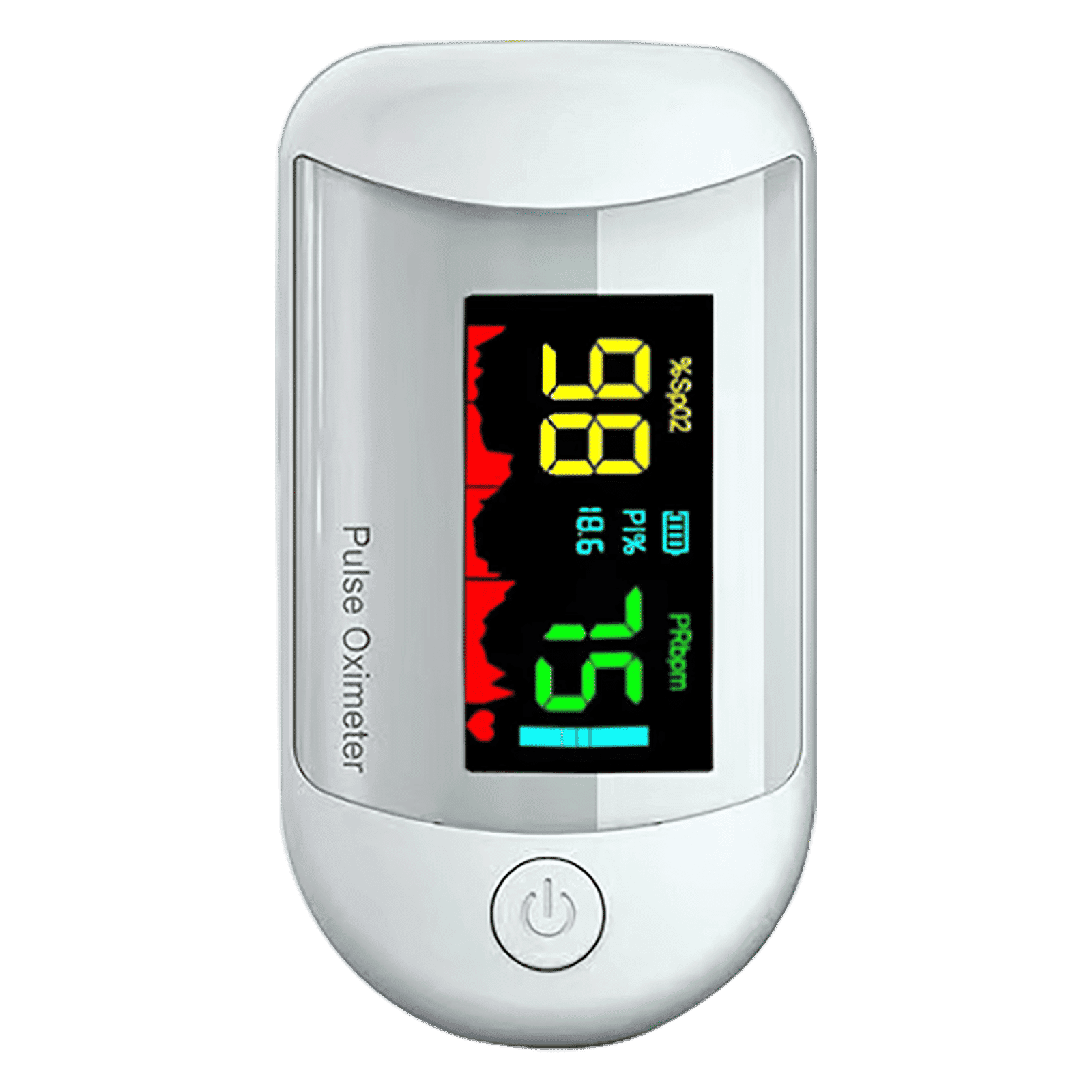
<p><strong>Why buy iGear Health Digital Pulse Monitor/Oximeter</strong></p> <p> </p> <ul> <li><strong>Fast, Reliable Measurement</strong> of Oxygen Saturation (SpO2) and Pulse (PR bpm) within 5-8 seconds</li> <li><strong>Perfusion Index</strong> of 0.3% measures even the weakest of the Pulse</li> <li><strong>Auto Power Off</strong> when not in use</li> <li><strong>4 Direction Display</strong> and Multi-coloured Display for ease of reading</li> <li><strong>Infrared Sensor</strong> for seamless operation</li> </ul> <p> </p> <p>Stay healthy and fit by keeping a regular check of your oxygen level by bringing home the <strong>iGear Health Digital Pulse Monitor/Oximeter</strong>. Although, the Blood pressure monitor may be the most recognizable medical tool in the market, but Pulse Oximeter is a close second for the most-used medical device. Being fast and reliable, the <strong>iGear Health Digital Pulse Monitor/Oximeter</strong> measures the amount of oxygenated blood (Spo2) in your body, giving medical professionals an idea of how much oxygen your body is carrying to vital organs and tissues. It measures Oxygen Saturation (SpO2) and Pulse (PR bpm) within 5-8 seconds. It comes with a measuring range of 0 – 100% (Oxygen Saturation) and 25 – 250 bpm (Pulse Rate). It has accuracy in readings of Oxygen Concentration in the Blood range 0-100% (+/- 2%) and Pulse rate range 25-250 bpm (+/- 2 bpm). It comes with a Perfusion Index of 0.3%, which can measure even the weakest of the Pulse.</p> <p> </p> <p>Having the <strong>iGear Health Digital Pulse Monitor/Oximeter</strong> at home allows the patients to monitor vital signs with an extra layer. These tools give you a better view of your health and allow you to coordinate with your healthcare provider. If you have a condition that affects your blood oxygen levels -think sleep apnea, chronic obstructive pulmonary disease (COPD), asthma, lung cancer, or heart failure, among many other conditions you may benefit from an at-home Pulse Oximeter. It comes with Infrared Sensor that seamlessly records all the readings. The One-click measurement of the device makes it convenient to operate. Viewing the readings will no longer be a struggle. Thanks to the 4 direction display and multi-colored display that makes viewing the reading simple and easy. Being battery operated, it offers long-lasting usage having an auto power-off feature. So, wait no more! Order the <strong>iGear Health Digital Pulse Monitor/Oximeter</strong> online, right away!</p>
Selecting the best monitors for mac mini depends on your usage. Whether you require a monitor for professional editing, gaming, or daily productivity, ensure it meets the mac mini monitor requirements. Enjoy the added benefit of earning NeuCoins rewards when you shop for these monitors on Tata Neu, where smart shopping goes hand-in-hand with convenience and expert guidance.
Yes, the Mac Mini is compatible with most monitors that support HDMI or Thunderbolt connections, but ensure the monitor meets the required resolution and refresh rate standards.
The Mac Mini supports resolutions up to 6K, though this depends on your model and the monitor's compatibility.
You can connect your Mac Mini via an HDMI or Thunderbolt cable, then configure the display settings within macOS for optimal performance.
Yes, you can set up a dual monitor configuration using the HDMI and Thunderbolt ports on your Mac Mini.
Monitors such as those supporting 4K display, ultrawide dimensions, and premium options like the Apple Studio Display are well-suited for the Mac Mini.
In summary, your Mac Mini works well with a wide range of monitors, assuming the display meets certain technical requirements. Whether you choose an HDMI or Thunderbolt connection, or even a dual monitor setup, the process remains simple and straightforward. By selecting the right monitor for your needs, you can enhance productivity, enjoy higher resolutions, and benefit from smart shopping advantages like NeuCoins rewards on Tata Neu. For many users, this setup not only improves efficiency but also opens up opportunities to shop smartly with added benefits from platforms offering express delivery and unbeatable after-sales support.
