






Consumer Electronics
•04 min read

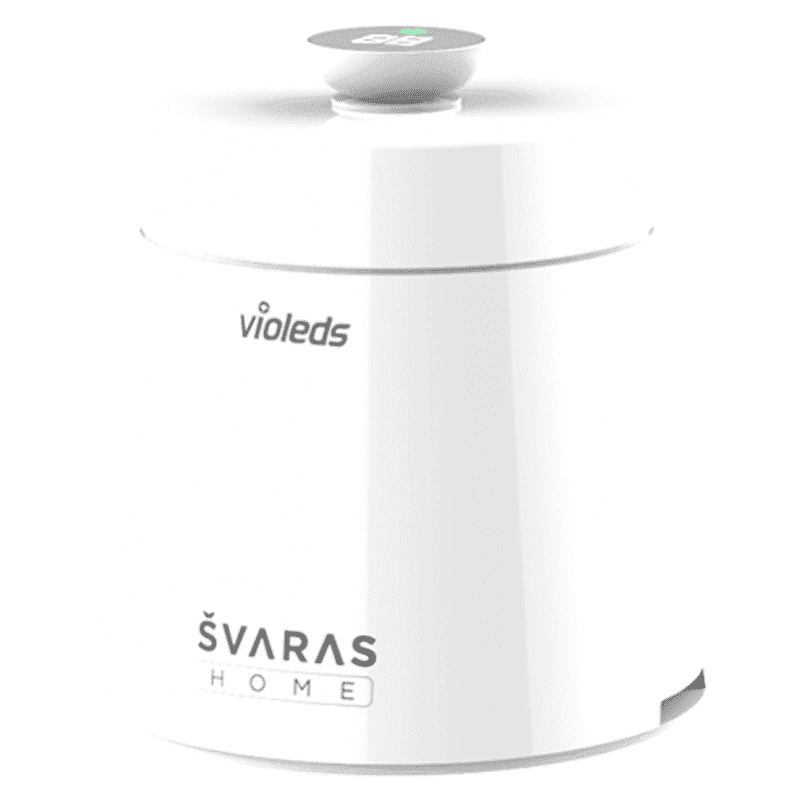
<p><b>HEUV Technology</b><br/><br/>Thanks to the HEUV technology, the SVARAS Home X2 Pro UV Steriliser effectively targets and eliminates a wide range of viruses and bacteria, including those responsible for illnesses such as the coronavirus. As a result, you can have peace of mind knowing that you can effectively protect yourself and your family from potential health threats.<br/><br/><br/><b>Enhanced Sterilisation</b><br/><br/>This rechargeable UV steriliser provides optimal sterilisation capabilities, which eliminates harmful germs. This high level of effectiveness makes it an ideal choice for homes, offices, and shops, ensuring that surfaces remain clean and safe. Thus, you can trust this steriliser to protect your health and the health of your loved ones by efficiently disinfecting various surfaces.<br/><br/><br/><b>User-Friendly Functionality</b><br/><br/>This home steriliser boasts convenient features that enhance its usability. It includes a voice alarm that signals when the sterilisation process is complete, ensuring you never forget to turn it off. Additionally, the device offers a safe automatic power-off feature, which enhances safety during operation. Convenient charging capabilities further simplify the user experience, which makes it easy to keep the steriliser ready for action.<br/><br/><br/><b>Eco-Friendly Design</b><br/><br/>Designed with sustainability in mind, this SVARAS steriliser promotes an eco-friendly lifestyle. It operates without mercury or harsh chemicals, which makes it safe for both users and the environment. This design choice allows you to maintain a clean living space while reducing your ecological footprint. Moreover, the sleek, modern appearance of the steriliser ensures that it complements any decor.</p>

Taking photos with your iPhone can be a delightful experience, but the camera shutter sound can sometimes be a bit intrusive. Whether you're trying to capture a quiet moment, avoid drawing attention in a public place, or simply prefer a silent click, knowing how to turn off the camera sound on your iPhone can be incredibly useful. In this guide, we'll walk you through simple steps to mute the camera sound, ensuring a more discreet and enjoyable photography experience. Additionally, we'll explore how shopping for the latest iPhones and accessories on Tata Neu can enhance your overall experience.
There are several reasons why you might want to disable the camera shutter sound on your iPhone:
Privacy and Discretion: Taking photos in quiet environments like meetings, libraries, or during events where silence is appreciated.
Enhanced User Experience: Enjoying a smoother and less disruptive photography session without the loud shutter sound.
Professional Settings: In professional settings like conferences or workshops, a silent camera can help maintain the decorum and focus of the event.
This is one of the quickest and easiest methods to mute the camera sound on your iPhone.
Locate the silent mode switch on the side of your iPhone.
Flip the switch to the silent position (orange line visible).
Take a test photo to verify the sound is off.
Benefits: This method is quick and does not require navigating through settings.
Another simple way to mute the camera sound is by adjusting the volume settings.
Open the Camera app on your iPhone.
Use the volume down button to lower the volume to its lowest setting.
Take a photo to ensure the shutter sound is muted.
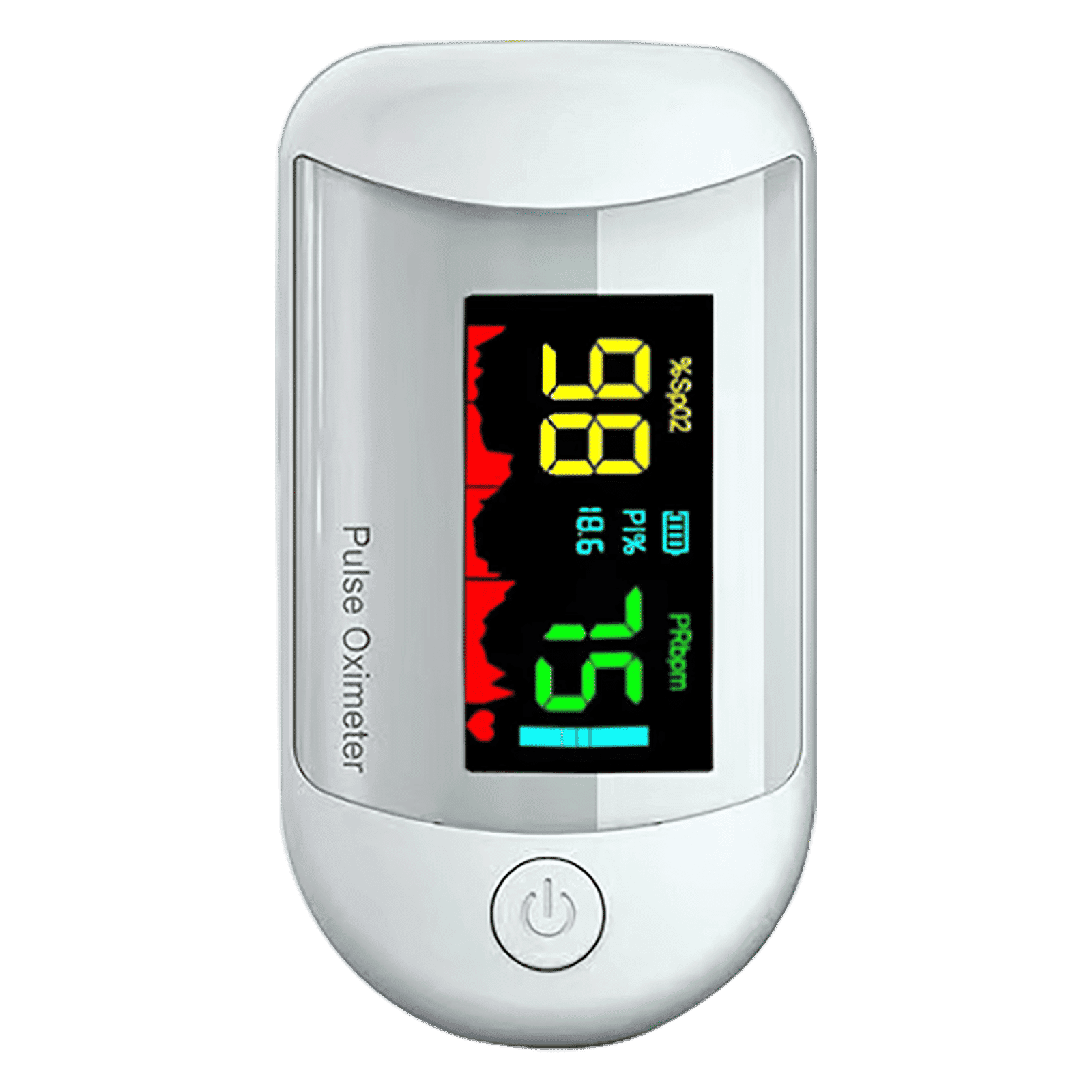
<p><strong>Why buy iGear Health Digital Pulse Monitor/Oximeter</strong></p> <p> </p> <ul> <li><strong>Fast, Reliable Measurement</strong> of Oxygen Saturation (SpO2) and Pulse (PR bpm) within 5-8 seconds</li> <li><strong>Perfusion Index</strong> of 0.3% measures even the weakest of the Pulse</li> <li><strong>Auto Power Off</strong> when not in use</li> <li><strong>4 Direction Display</strong> and Multi-coloured Display for ease of reading</li> <li><strong>Infrared Sensor</strong> for seamless operation</li> </ul> <p> </p> <p>Stay healthy and fit by keeping a regular check of your oxygen level by bringing home the <strong>iGear Health Digital Pulse Monitor/Oximeter</strong>. Although, the Blood pressure monitor may be the most recognizable medical tool in the market, but Pulse Oximeter is a close second for the most-used medical device. Being fast and reliable, the <strong>iGear Health Digital Pulse Monitor/Oximeter</strong> measures the amount of oxygenated blood (Spo2) in your body, giving medical professionals an idea of how much oxygen your body is carrying to vital organs and tissues. It measures Oxygen Saturation (SpO2) and Pulse (PR bpm) within 5-8 seconds. It comes with a measuring range of 0 – 100% (Oxygen Saturation) and 25 – 250 bpm (Pulse Rate). It has accuracy in readings of Oxygen Concentration in the Blood range 0-100% (+/- 2%) and Pulse rate range 25-250 bpm (+/- 2 bpm). It comes with a Perfusion Index of 0.3%, which can measure even the weakest of the Pulse.</p> <p> </p> <p>Having the <strong>iGear Health Digital Pulse Monitor/Oximeter</strong> at home allows the patients to monitor vital signs with an extra layer. These tools give you a better view of your health and allow you to coordinate with your healthcare provider. If you have a condition that affects your blood oxygen levels -think sleep apnea, chronic obstructive pulmonary disease (COPD), asthma, lung cancer, or heart failure, among many other conditions you may benefit from an at-home Pulse Oximeter. It comes with Infrared Sensor that seamlessly records all the readings. The One-click measurement of the device makes it convenient to operate. Viewing the readings will no longer be a struggle. Thanks to the 4 direction display and multi-colored display that makes viewing the reading simple and easy. Being battery operated, it offers long-lasting usage having an auto power-off feature. So, wait no more! Order the <strong>iGear Health Digital Pulse Monitor/Oximeter</strong> online, right away!</p>
Benefits: This method allows you to mute the camera sound without switching to silent mode.
The Live Photos feature on your iPhone can also help you take photos without the shutter sound.
Open the Camera app.
Enable Live Photos by tapping the icon with concentric circles.
Take a photo and notice the absence of the shutter sound.
Benefits: This method allows you to capture sound-free photos without muting your phone.
There are several third-party apps available that allow silent photography. While these apps can be useful, it's important to download them from trusted sources to ensure your privacy and security. Apps like 'Silent Camera' or 'No Sound Camera' are popular choices among users.
In some regions, there are legal restrictions that prevent muting the camera sound. If you're unable to mute the camera sound using the methods above, you might be in one of these regions. Unfortunately, there is no workaround for this restriction.

<p><strong>Why buy Environics Enviroglobe Anti Radiation Ball for House & Car</strong></p> <p> </p> <ul> <li><strong>Provides E-Smog and Radiation Protection</strong> for healthier homes and families</li> <li><strong>It Covers A Radius</strong> of 250 sq.ft protect you and your loved ones from harmful radiation</li> <li><strong>Clinically Tested EMF Harmonizer</strong> that provides us 360-degree protection from radiation sources that are beyond our control</li> </ul> <p> </p> <p>Buy the <strong>Environics Enviroglobe Anti Radiation Ball for House & Car</strong> which is based on Envirochip’s radiation protection technology that helps you protect you and your loved ones from harmful radiation within an area of 250 sq. feet. You can extend the range of protection by placing multiple Enviroglobes at equal distances from one another. It is a clinically tested EMF harmonizer and provides us 360-degree protection from radiation sources that are beyond our control. Electromagnetic Radiation (EMR) refers to the constant waves of the electromagnetic field (EMF) produced by wireless communication devices such as mobile phones, laptops, Wi-Fi routers, and other sources such as mobile towers and high-tension wirelines, etc. However, The human body is accustomed to random waves and hence the constant exposure to electromagnetic radiation causes serious biological disorders such as higher stress and fatigue, irritation, headache, weakened immunity, cancer, fertility issues to name a few. The technology used in Enviroglobe changes the nature of electromagnetic radiation from constant to random waveform making it human body-friendly.</p> <p> </p> <p>When you get <strong>Environics Enviroglobe Anti Radiation Ball for House & Car</strong> online, you also get awesome companion for your home. It comes with Internationally tested and certified technology. No need of batteries or adaptors, you can simply charge by placing it under the sunlight, for only a couple of minutes every week. Enviroglobe is simple to use. Simply place it at your desk, table, living room, bedroom, car, office space, absolutely wherever you want, and get a radiation protected zone of up to 250 sq. feet. It provides e-smog and radiation protection for healthier homes and families. Purchase <strong>Environics Enviroglobe Anti Radiation Ball for House & Car</strong> online, now!</p>
Yes, most iPhone models allow you to mute the camera sound using the methods mentioned above.
Some regions have legal restrictions that prevent muting the camera sound.
Using the silent mode switch will mute all sounds, while adjusting volume settings will only affect the camera sound.
Yes, several third-party apps allow silent photography, but ensure they are from trusted sources.
Regularly updating your iPhone's software ensures you have the latest features and security updates. You can check for updates in the Settings app under General > Software Update.
Shopping for iPhones on Tata Neu offers exclusive benefits such as cashback through NeuCoins, express delivery, and expert support. Additionally, you can take advantage of exclusive EMI plans and Tata Neu HDFC Bank credit card perks.
Muting the camera sound on your iPhone is a simple process that can greatly enhance your photography experience. Whether you use the silent mode switch, adjust the volume settings, or enable Live Photos, you can easily capture moments without the intrusive shutter sound. Don't forget to explore Tata Neu for purchasing your iPhone and accessories. With benefits like NeuCoins, express delivery, and expert support, Tata Neu ensures a seamless and rewarding shopping experience. Feel free to leave comments or questions below and share your experiences with muting the iPhone camera sound. Happy clicking!
