





%20(Presentation)%20(1600%20x%20600%20px)(34)-73270d46-11aa-48c3-b4b9-2720385509df.webp&w=3840&q=75)
Consumer Electronics
•05 min read


<p>Danger can overpower you at any time and your voice will not be enough in such situations to get the required aid. The amazing new <strong>Juvo PSB01 Personal Alarm</strong> is crafted for all ages and is a necessary precaution from all kinds of danger. It rings a very loud alarm at 120 dB as well as flashes the torch to warn people nearby about a danger. Whether you have a medical emergency or you are attacked by predators your voice may not be heard but this alarm will be enough to deter attackers or draw attention of people close by to give you the immediate assistance required.</p> <p><strong>Extremely Easy To Use</strong></p> <p>The <strong>Juvo PSB01 Personal Alarm</strong> is small and portable, can be attacked to even a keychain if you want. To start the siren all you need to do is separate or pull the metal key chain from the main black unit. The siren may go on for 1 1/2 hours in case nobody heard it in the first minutes. This is very important for girls returning home alone at night as it acts as a security anti-attack panic alarm that is sure to scare off a molester. Its easy portability accentuates its use.</p> <p><strong>Lights Your Way</strong></p> <p>The little and portable <strong>Juvo PSB01 Personal Alarm</strong> also features a small LED torch that helps you find your way in the dark. Don’t be scared of dark alleys when you have this with you because it is equipped to save you from all dangers.</p>

Ever been stuck with a printer screaming for ink but unsure how to put ink in a printer? You’re not alone! In a fast-paced world, knowing your printer ink refill guide can save you time, money and a lot of frustration. This guide walks you through a clear, step-by-step process for refilling or replacing printer cartridges, regardless of your printer’s brand or model. By following these easy steps, you can ensure your printer stays in top shape while enjoying the ease and reliability of a process that works for everyone.
Refilling printer ink means replenishing the ink in your cartridge rather than buying a completely new one. The benefits are many – it is budget friendly, reduces waste and helps save natural resources. This simple process not only gives you cost savings but also offers a sustainable alternative by reducing the amount of plastic waste. Whether you are learning how to change printer ink or replacing worn-out cartridges, understanding this process is the first step to a hassle-free printing experience.
Printers come with different cartridge types, such as standard cartridges, XL cartridges, and refillable cartridges. Each type varies by its capacity and the performance it delivers during printing. Compatibility is key when it comes to installing printer cartridges, as using the wrong type can lead to issues like leaked ink or poor print quality. Knowing your printer’s specifications and the correct type of cartridge to refill or replace ensures smooth operation. This understanding is essential for any steps to refill printer ink and maximises printer efficiency.
Before beginning the process of adding ink to a printer, make sure you have all the required items at hand. Basic supplies include replacement cartridges, disposable gloves, cleaning cloths, and an instructional manual for reference. Ensuring that you have these items ready can help you avoid messy spills and keep the process streamlined.
Working with printer ink can be a bit messy, so it is important to prepare your workspace carefully. Choose a well-ventilated area with a flat, uncluttered surface. Lay down some protective covering if necessary and always wear gloves to prevent direct contact with ink. This careful approach not only keeps your working area clean but also protects your valuable printer equipment while you follow our printer cartridge replacement tips.
Pro Tip: Did you know that using genuine replacement cartridges can extend your printer's lifespan and optimise print quality? Consider this when you are planning how to install ink cartridge for the best performance.
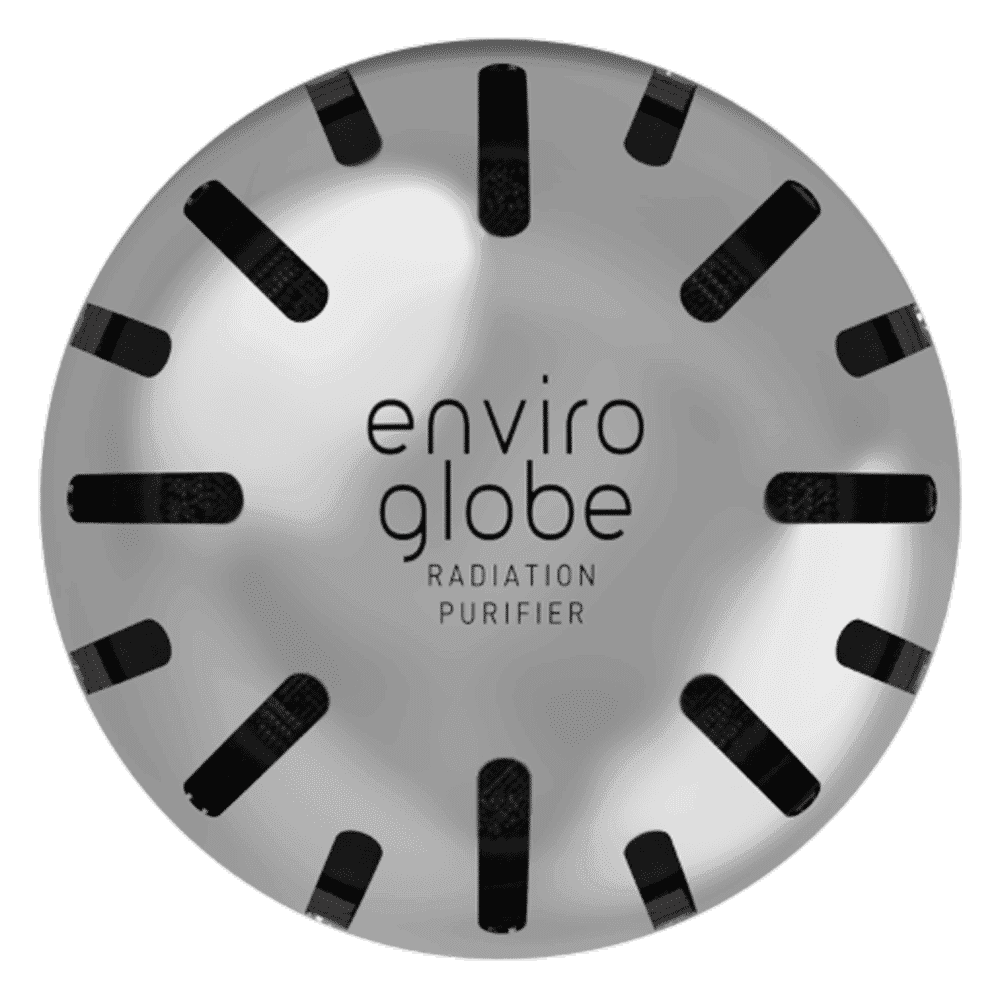
<p><strong>Why buy Environics Enviroglobe Anti Radiation Ball for House & Car</strong></p> <p> </p> <ul> <li><strong>Provides E-Smog and Radiation Protection</strong> for healthier homes and families</li> <li><strong>It Covers A Radius</strong> of 250 sq.ft protect you and your loved ones from harmful radiation</li> <li><strong>Clinically Tested EMF Harmonizer</strong> that provides us 360-degree protection from radiation sources that are beyond our control</li> </ul> <p> </p> <p>Buy the <strong>Environics Enviroglobe Anti Radiation Ball for House & Car</strong> which is based on Envirochip’s radiation protection technology that helps you protect you and your loved ones from harmful radiation within an area of 250 sq. feet. You can extend the range of protection by placing multiple Enviroglobes at equal distances from one another. It is a clinically tested EMF harmonizer and provides us 360-degree protection from radiation sources that are beyond our control. Electromagnetic Radiation (EMR) refers to the constant waves of the electromagnetic field (EMF) produced by wireless communication devices such as mobile phones, laptops, Wi-Fi routers, and other sources such as mobile towers and high-tension wirelines, etc. However, The human body is accustomed to random waves and hence the constant exposure to electromagnetic radiation causes serious biological disorders such as higher stress and fatigue, irritation, headache, weakened immunity, cancer, fertility issues to name a few. The technology used in Enviroglobe changes the nature of electromagnetic radiation from constant to random waveform making it human body-friendly.</p> <p> </p> <p>When you get <strong>Environics Enviroglobe Anti Radiation Ball for House & Car</strong> online, you also get awesome companion for your home. It comes with Internationally tested and certified technology. No need of batteries or adaptors, you can simply charge by placing it under the sunlight, for only a couple of minutes every week. Enviroglobe is simple to use. Simply place it at your desk, table, living room, bedroom, car, office space, absolutely wherever you want, and get a radiation protected zone of up to 250 sq. feet. It provides e-smog and radiation protection for healthier homes and families. Purchase <strong>Environics Enviroglobe Anti Radiation Ball for House & Car</strong> online, now!</p>
Regardless of your printer brand, the process of refilling ink remains largely the same. Start by turning off your printer and removing the cartridge carefully. Clean the cartridge contacts using a cloth lightly moistened with water or a recommended cleaning solution. Open the refill port, usually found on the top or side of the cartridge, following the instructions provided in the manual.
Slowly inject the ink into the cartridge using a refill kit or syringe until it reaches the recommended level. Take care not to overfill as this might lead to leaks. Once filled, close the refill port securely and reinstall the cartridge in your printer. Finally, run a test print to confirm that the ink refill was successful. These steps to refill printer ink ensure you achieve smooth printing results, and they work well whether you are refilling printer cartridges for your home or office equipment.
Different brands have their own nuances when it comes to refilling printer cartridges. For example, for many HP models, you might need to use a specific refill kit designed for the HP DeskJet series. When you learn how to change printer ink in models like Canon or Epson, always refer to the user manual as the location of the refill port might differ. Regardless of brand, the universal principles of cleaning the cartridge, carefully injecting the ink, and testing the printer apply consistently. These printer ink replacement instructions are a must-read for anyone setting out to replace ink in a printer and can help prevent common mishaps.
Even with careful handling, you might face issues after refilling ink. Common problems include ink leaks, the printer not recognising the new cartridge, or a decrease in print quality. These issues are typically resolved by reseating the cartridge carefully or cleaning the cartridge contacts to ensure proper connectivity. If poor quality prints persist, it might be worth checking the ink level and ensuring that the correct type of ink was used for your printer model.
To keep your printer in excellent condition, regular maintenance is key. Clean the cartridge contacts every time you replace or refill ink to avoid any printing errors. Run routine test prints to check the quality and functionality of your printer, which also helps in identifying potential issues before they worsen. Regular cleaning of your printer’s interior and using genuine or high-quality replacement cartridges can prevent a host of problems and extend the life of your device. Following these simple yet effective printer cartridge replacement tips can be your best guide to ensuring longevity and optimal performance.

<p style="margin-left:0cm; margin-right:0cm">Keep away from breathing in harmful germs, dust and pollution by using the <strong>Arctic Fox N95 Gold Series</strong> <strong>Face Respirator Mask.</strong> The mask is designed specially ensuring that it fits comfortably on your face and covers all the essential parts of your face. The soft ear loops ensure the comfort-ability for longer use. It has a 3 mm foam material for comfort fit and air seal.</p> <p style="margin-left:0cm; margin-right:0cm">The <strong>Arctic Fox N95 Gold Series</strong> <strong>Face Respirator Mask</strong> is super breathable because of the comfortable fabric and is also splash resistant.</p> <p style="margin-left:0cm; margin-right:0cm">Whether you are travelling or for that matter, moving out of your house, wearing the <strong>Arctic Fox N95 Gold Series</strong> <strong>Face Respirator Mask </strong>will ensure security to your health by helping you keep the dust and germs out from inhaling it.</p>
The easiest way is to follow the step-by-step process mentioned above. Ensure you use the correct and compatible cartridges, and be careful while handling ink to avoid spills.
Your printer will usually display a low ink alert on its screen. Additionally, fading print quality or incomplete prints indicate it might be time to check the ink levels.
Yes, provided they are compatible with your printer model. Using third-party cartridges requires thorough verification to avoid issues such as ink leaks or subpar performance.
Try removing and reseating the cartridge carefully. Cleaning the cartridge contacts and restarting the printer often helps. If issues continue, review the user manual for further troubleshooting advice.
The frequency largely depends on your printer usage. Heavy users may need more frequent refills, while occasional users can go for longer periods between refills.
Understanding these steps to refill printer ink can transform a once tricky, messy task into a routine maintenance process. Whether you’re a tech enthusiast, a busy family, a young professional, or a student, these insights offer practical solutions to keep your printer performing at its best. Integrating these habits into your regular printer maintenance routine not only ensures consistent, high-quality prints but also extends the life of your device with careful care and attention.
Remember, the joy of a thriving digital ecosystem also includes earning rewards along the way. With platforms like Tata Neu, every smart action can be rewarded with NeuCoins, which provide extra benefits as part of a seamless shopping experience. Enjoy the ease and convenience of managing your tech needs while reaping benefits every time you shop. Your journey in becoming more tech-savvy is supported by the confidence and trust that Tata Neu brings, making every step worthwhile.
The information provided here aims to simplify what might initially seem like a complicated process. Focusing on clarity and safety ensures that both novice users and experienced tech enthusiasts benefit from this guide. Whether you are looking for printer ink refill instructions, troubleshooting advice or maintenance tips, this article serves as your comprehensive resource. Happy printing!
