





%20(Presentation)%20(1600%20x%20600%20px)(68)-23dec000-e7ed-4716-9127-74d0ee35bf26.webp&w=3840&q=75)
Consumer Electronics
•04 min read


<p>Danger can overpower you at any time and your voice will not be enough in such situations to get the required aid. The amazing new <strong>Juvo PSB01 Personal Alarm</strong> is crafted for all ages and is a necessary precaution from all kinds of danger. It rings a very loud alarm at 120 dB as well as flashes the torch to warn people nearby about a danger. Whether you have a medical emergency or you are attacked by predators your voice may not be heard but this alarm will be enough to deter attackers or draw attention of people close by to give you the immediate assistance required.</p> <p><strong>Extremely Easy To Use</strong></p> <p>The <strong>Juvo PSB01 Personal Alarm</strong> is small and portable, can be attacked to even a keychain if you want. To start the siren all you need to do is separate or pull the metal key chain from the main black unit. The siren may go on for 1 1/2 hours in case nobody heard it in the first minutes. This is very important for girls returning home alone at night as it acts as a security anti-attack panic alarm that is sure to scare off a molester. Its easy portability accentuates its use.</p> <p><strong>Lights Your Way</strong></p> <p>The little and portable <strong>Juvo PSB01 Personal Alarm</strong> also features a small LED torch that helps you find your way in the dark. Don’t be scared of dark alleys when you have this with you because it is equipped to save you from all dangers.</p>

Imagine losing cherished memories stored on your USB drive—family photos, vacation snapshots, or once-in-a-lifetime moments. Despite the mishap, there is hope. This guide walks you through practical, step-by-step solutions to help recover pictures from your USB drive using both software-based and manual methods. By the journey’s end, you’ll not only gain confidence in retrieving deleted, corrupted, or formatted images but also discover how Tata Neu’s benefits, like earning NeuCoins and expert guidance, can enhance your tech experience while safeguarding the precious moments that mean so much.
It is quite common to inadvertently erase files during day-to-day USB usage. Often, files are not immediately lost forever; they may be recoverable with the proper tools and steps. A routine erasure does not signal a lost memory, and with quick action, you might recover those photos before they vanish permanently.
Whether formatted intentionally or by mistake, many users face the daunting task of retrieving their lost images. Formatting may appear as a non-reversible act, yet data often remains accessible through specialized recovery techniques. It is reassuring to know that formatted drives can still yield recovered pictures if handled with care.
The risks are not limited to deletion or formatting. USB drives can get corrupted by viruses, sudden power interruptions, or improper ejection. Physical damage may complicate matters further. Thankfully, there are multiple recovery options available, from running diagnostic commands to opting for professional recovery services when necessary.
Before attempting any recovery measure, immediately cease using the USB drive. Continued usage can overwrite data that is still recoverable, decreasing the chances of successful recovery. Always ensure the drive is safely ejected from your computer once you realize data might be at risk.
There are a variety of methods to recover deleted photos from a USB drive. Some users find USB photo recovery software to be valuable allies in this task. Popular software options include Disk Drill, Recuva, EaseUS, among others. Alternatively, for those comfortable with command prompts, methods such as using CMD commands, Windows File History, or built-in file recovery tools offer effective solutions. These approaches help in terms of restoring images from USB sticks without additional software dependency.
Preventing future data loss through regular backups is paramount. Employing tools that automatically back up your data to the cloud or an external hard drive ensures that your precious images remain secure, regardless of unforeseen issues with your USB drive. Tata Neu users can also benefit from express delivery services for reliable tech solutions and expert guidance for setting up seamless backup systems.

<b>Why Buy Environics Device Disinfector</b><ul><li><b></b> for optimised disinfection</li><li><b></b> makes sure all the germs are killed</li></ul><p>To prevent harmful bacteria and fungi from getting in contact with you, buy <b>Environics Device Disinfector</b>. The usability of your device disinfector may be affected if its installation is complex. As this device disinfector has the it prevents the extra-spill and wastage of sanitizer. Your residence and office will stay clean and hygienic with products from this device disinfector that have 99.99% high resistance against germs and viruses. </p><p>The <b>Environics Device Disinfector's</b> price is cost-effective so you don't have to adjust your budget. The longer it takes for the device disinfector to disinfect, the longer you will have to wait. As a result of its efficient and effective operation, this device disinfector requires only to inject. Your device disinfector needs to have the latest technology to make sure it kills all the germs. As this device disinfector has the to prevent viruses, you can rest assured. Purchase the <b>Environics Device Disinfector</b> online at this instant!</p>
Step 1: First, download and install a trusted recovery tool. These software options simplify the recovery process by scanning the USB drive for recoverable files.
Step 2: Connect your USB drive to your computer, ensuring it remains undisturbed during the scanning procedure.
Step 3: Initiate a scan of the drive and patiently wait for the software to list all recoverable images and files.
Step 4: Preview and select the pictures you wish to recover. This step ensures that you are retrieving the correct set of files.
Step 5: Save the recovered files to a secure location on your computer or external storage, ensuring you do not overwrite any other important data.
For those without ready access to recovery software, there are viable alternatives. You can use CMD commands to uncover hidden files on your USB drive. Additionally, utilizing built-in features in Windows File History or Previous Versions offers a method to restore images that have been lost. The Windows File Recovery tool also helps in these situations, making it possible to restore images from a USB flash drive without third-party software.
If your USB drive is corrupted or physically damaged, start by running CHKDSK commands to identify and fix any issues on the drive. Sometimes, a simple repair can reveal access to your images. In cases where the drive sustains severe physical damage, seeking assistance from professional recovery services might be the most effective option to retrieve your lost pictures.
Pro Tip: Avoid Overwriting Recoverable Files
Did you know? Continuing to use your USB drive after losing pictures can overwrite recoverable data, making recovery impossible. Always stop using the drive immediately and start the recovery process to maximize success.
It is a common misconception that formatting a USB drive erases data permanently. In truth, the underlying data often remains available for a window of time. Advanced recovery software, such as those mentioned earlier, is highly effective in recovering images from a formatted drive. The key is to act quickly, ensuring that minimal new data is written over the old files.
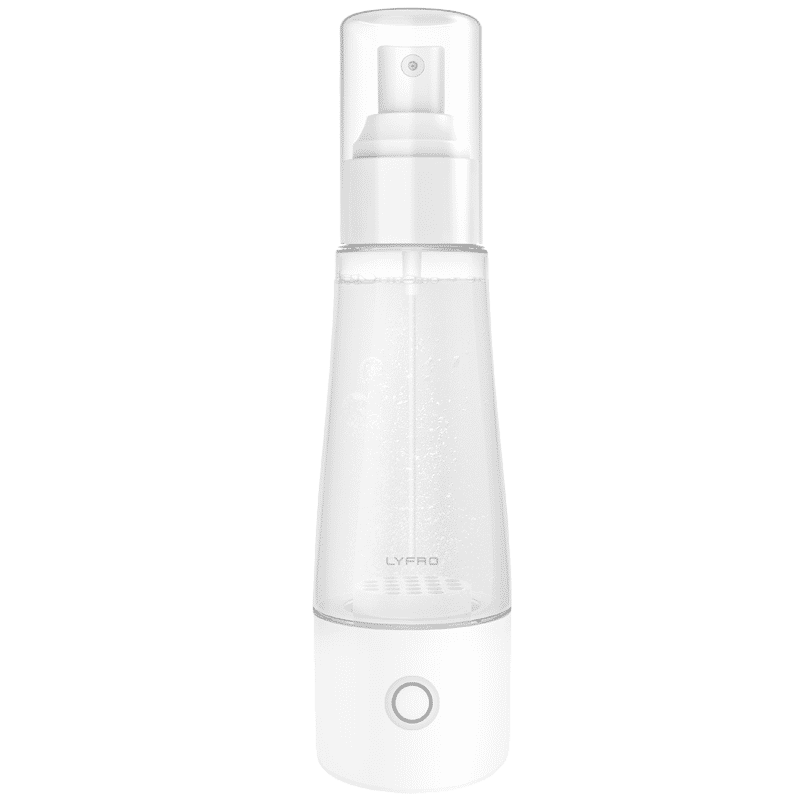
<p>The <strong>Lyfro Battery Powered Disinfectant Solution Generator</strong> is non-toxic and has no side effects</p> <ul> <li><strong>Free of Chemical Residues</strong> makes it an eco-friendly, cost-effective disinfectant</li> <li><strong>Uses Electrolysis</strong> to produce natural powerful disinfectant</li> <li><strong>300 mAh Battery</strong> with USB recharging facility</li> </ul> <p>Buy <strong>Lyfro Battery Powered Disinfectant Solution Generator</strong> to experience its awesome usages. It is an ultra-portable non-toxic disinfectant maker. It comes with an electrolysed water generator. Useful to sterilize public places as well. Use <strong>Lyfro Battery Powered Disinfectant Solution Generator</strong> which allows you to create your own non-toxic disinfectant in just 3 minutes. Simply add salt and water together. Uses electrolysis to produce natural powerful disinfectants proven to be effective against bacteria, viruses, and mold.</p> <p>When you get <strong>Lyfro Battery Powered Disinfectant Solution Generator</strong> online, you also get an awesome eco-friendly, cost-effective disinfectant for your everyday life. It is equipped with a 300 mAh battery with USB recharging facility. It is usable at home, office, or in transit. It eliminates up to 99.9 percent pathogens. It is free of chemical residues. It is a self-made disinfectant.</p>
When undergoing the recovery process, take every precaution to avoid further data loss. Verify the integrity of recovered files before deleting any duplicates or unnecessary versions. By ensuring each image is correctly restored, you safeguard your memories against future mishaps.
The best recovery process is a preventive one. Adopt proactive measures such as regular backups, installing robust antivirus software, and practicing proper USB handling techniques. Tata Neu customers can enjoy peace of mind by leveraging benefits like NeuCoins rewards and express delivery for tech solutions that simplify their digital lives. These simple steps can go a long way in mitigating the risk of future data loss, ensuring that your cherished moments remain secure for many years to come.
This guide provides a comprehensive walkthrough covering a range of scenarios—from accidental deletion and formatting to physical damage. Whether you are using USB photo recovery software or manual techniques, remember that prompt and cautious action is crucial. For every tech enthusiast, family, or young professional, safeguarding your memories is as important as investing in quality consumer electronics. The right recovery strategy not only reinstates lost data but also reinforces best practices for technology management while enjoying Tata Neu’s customer-first benefits.
Yes, deleted or lost photos from USB drives can often be recovered using recovery software or built-in tools like CMD commands and Windows File History.
Yes, even after a USB flash drive is formatted, recovery software can often retrieve lost photos unless the data has been overwritten.
You can retrieve photos by using USB photo recovery software or built-in file recovery tools, depending on the cause of the data loss.
Permanently deleted photos can often be recovered using advanced recovery software like Disk Drill or EaseUS, as long as the data hasn't been overwritten.
Recovering pictures from a USB drive, whether they are deleted, corrupted, or formatted, is entirely possible with the right set of tools and careful execution. By following the detailed methods and advice outlined in this guide, you can restore your cherished memories and implement practices to safeguard against future data loss. This approach aligns with a thoughtful, customer-first philosophy, which Tata Neu carries forward in all aspects of tech innovation and support.
