






Consumer Electronics
•03 min read

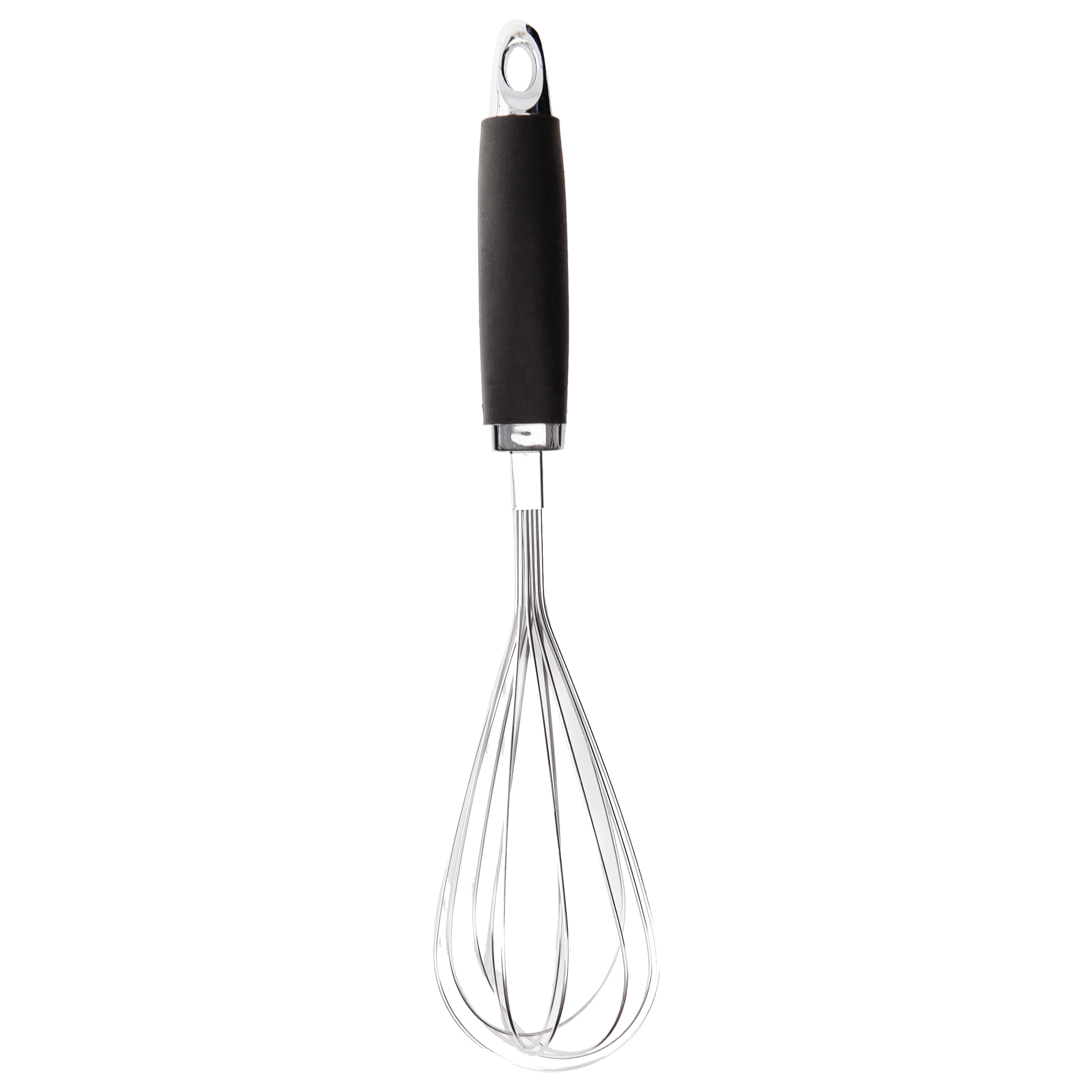
<p><strong>Effortless Performance</strong><br /> <br /> The sabichi Mono 24cm Whisk is designed for smooth and efficient whisking. Its polished stainless-steel wires and narrow shape ensure even blending and make it ideal for small bowls or containers. From whipping meringues to beating eggs, this whisk brings ease to every task.<br /> <br /> <br /> <strong>Versatile Whisking Tool</strong><br /> <br /> Whether you're blending batters, keeping lumps out of sauces, or creating airy meringues, this 24cm whisk is up to the challenge. It’s a kitchen essential that adapts to various culinary needs with precision and consistency.<br /> <br /> <br /> <strong>Safe for All Cookware</strong><br /> <br /> The whisk is gentle on all surfaces, including non-stick, ceramic, and metal cookware. You can whisk worry-free without scratching or damaging your kitchenware. This ensures long-lasting durability for your pots and pans.<br /> <br /> <br /> <strong>Ergonomic Design</strong><br /> <br /> Featuring an innovative handle with a soft, comfortable grip, this whisk absorbs pressure for strain-free usage. Its contoured shape ensures a secure hold, even during prolonged whisking tasks, for an effortless cooking experience.<br /> <br /> <br /> <strong>Convenient Storage</strong><br /> <br /> Equipped with a handy hanging loop, the whisk offers easy storage. It’s always within reach while saving counter and drawer space, making it as practical as it is efficient.</p>

Emojis have become an essential part of digital communication. They add personality and emotion to our messages, whether you're sending a quick note or drafting a detailed email. This guide will walk you through the different methods to open the emoji keyboard on your Mac. By the end, you will know exactly how to access emojis using methods like the emoji keyboard shortcut Mac, the mac emoji menu, and even the Globe key found on some MacBook models.
The emoji keyboard on macOS is a built-in feature that offers a wealth of emojis to enhance your messages. It integrates seamlessly with apps like Messages, Mail, and Notes, making it easy to express yourself. Using emojis not only adds colour and life to your communication but also helps to convey emotion in an engaging and modern way.
The simplest and fastest method is to use the default keyboard shortcut: Control + Command + Space. This method allows you to promptly bring up the emoji panel mac interface wherever you need to insert an emoji.
Simply open your desired text field, press Control + Command + Space, and you will see a wide array of options. This approach is perfect for those who wish to quickly access emojis on mac without navigating through menus.
Another way to open emoji picker mac is via the menu bar. You can enable the Emoji & Symbols option, which lets you navigate to the emoji menu easily. Once enabled, you can click the option from the menu bar and enjoy a user-friendly interface that showcases all available mac emoji options.
For MacBook users with the Globe key, opening your emoji keyboard is even simpler. A single press of the Globe key instantly exposes the emoji picker, making it straightforward to use emojis on macbook in a hassle-free way.

<p>Danger can overpower you at any time and your voice will not be enough in such situations to get the required aid. The amazing new <strong>Juvo PSB01 Personal Alarm</strong> is crafted for all ages and is a necessary precaution from all kinds of danger. It rings a very loud alarm at 120 dB as well as flashes the torch to warn people nearby about a danger. Whether you have a medical emergency or you are attacked by predators your voice may not be heard but this alarm will be enough to deter attackers or draw attention of people close by to give you the immediate assistance required.</p> <p><strong>Extremely Easy To Use</strong></p> <p>The <strong>Juvo PSB01 Personal Alarm</strong> is small and portable, can be attacked to even a keychain if you want. To start the siren all you need to do is separate or pull the metal key chain from the main black unit. The siren may go on for 1 1/2 hours in case nobody heard it in the first minutes. This is very important for girls returning home alone at night as it acts as a security anti-attack panic alarm that is sure to scare off a molester. Its easy portability accentuates its use.</p> <p><strong>Lights Your Way</strong></p> <p>The little and portable <strong>Juvo PSB01 Personal Alarm</strong> also features a small LED torch that helps you find your way in the dark. Don’t be scared of dark alleys when you have this with you because it is equipped to save you from all dangers.</p>
The emoji panel on your Mac is neatly organised into different categories. You can quickly navigate through sections, ensuring you have at your fingertips a variety of expressions ideal for every mood and moment. This intuitive layout enhances your ability to how to type emojis on mac effortlessly.
If you often use certain emojis, you can add them to your favourites. This small customisation helps you save time, ensuring your most-used mac keyboard emojis are just a click away. User-friendly features like these are in tune with the approachability and customer-first focus of Tata Neu.
For those who enjoy a personalised experience, macOS offers various options to customise the emoji keyboard settings. This includes accessibility options for users with special needs, ensuring that everyone can make the most of the innovative emoji panel mac interface.
One of the clever features of macOS is its ability to suggest emojis as you type. For example, when you type a word like "smile," a corresponding emoji may appear, making it effortless to insert the perfect expression into your message.
While emojis are fun, it is wise to use them appropriately in professional communication. In work emails or presentations, carefully select which emojis to use to maintain a polished and respectful tone. They can help break the ice in friendly communications but might be best avoided in more formal contexts.
Besides emojis, the same keyboard shortcut and menu also provide access to symbols and special characters such as ©, ™, and ∞. These additional options can be extremely useful when you need to incorporate a wide range of icons into your work.
Pro Tip: Master the Keyboard Shortcut
Did you know? The quickest way to access emojis on your Mac is by using the keyboard shortcut
Control + Command + Space. Once you memorise this shortcut, adding emojis to your messages will become second nature.

<p><strong>Why buy Environics Enviroglobe Anti Radiation Ball for House & Car</strong></p> <p> </p> <ul> <li><strong>Provides E-Smog and Radiation Protection</strong> for healthier homes and families</li> <li><strong>It Covers A Radius</strong> of 250 sq.ft protect you and your loved ones from harmful radiation</li> <li><strong>Clinically Tested EMF Harmonizer</strong> that provides us 360-degree protection from radiation sources that are beyond our control</li> </ul> <p> </p> <p>Buy the <strong>Environics Enviroglobe Anti Radiation Ball for House & Car</strong> which is based on Envirochip’s radiation protection technology that helps you protect you and your loved ones from harmful radiation within an area of 250 sq. feet. You can extend the range of protection by placing multiple Enviroglobes at equal distances from one another. It is a clinically tested EMF harmonizer and provides us 360-degree protection from radiation sources that are beyond our control. Electromagnetic Radiation (EMR) refers to the constant waves of the electromagnetic field (EMF) produced by wireless communication devices such as mobile phones, laptops, Wi-Fi routers, and other sources such as mobile towers and high-tension wirelines, etc. However, The human body is accustomed to random waves and hence the constant exposure to electromagnetic radiation causes serious biological disorders such as higher stress and fatigue, irritation, headache, weakened immunity, cancer, fertility issues to name a few. The technology used in Enviroglobe changes the nature of electromagnetic radiation from constant to random waveform making it human body-friendly.</p> <p> </p> <p>When you get <strong>Environics Enviroglobe Anti Radiation Ball for House & Car</strong> online, you also get awesome companion for your home. It comes with Internationally tested and certified technology. No need of batteries or adaptors, you can simply charge by placing it under the sunlight, for only a couple of minutes every week. Enviroglobe is simple to use. Simply place it at your desk, table, living room, bedroom, car, office space, absolutely wherever you want, and get a radiation protected zone of up to 250 sq. feet. It provides e-smog and radiation protection for healthier homes and families. Purchase <strong>Environics Enviroglobe Anti Radiation Ball for House & Car</strong> online, now!</p>
You can enable the emoji keyboard by using the shortcut Control + Command + Space or by adding the Emoji & Symbols option to your menu bar in System Preferences.
The default keyboard shortcut is Control + Command + Space.
Yes, you can customise it by adding frequently used emojis to your favourites and adjusting settings in System Preferences.
Press the Globe key on your keyboard to instantly open the emoji picker.
Yes, the emoji keyboard also includes symbols and special characters. You can access these by navigating through the panel.
Accessing and using the emoji keyboard on your Mac is straightforward. Whether you prefer the convenience of a keyboard shortcut, the menu bar navigation, or the ease of the Globe key, macOS provides multiple ways to add personality to your digital communication. By mastering these simple tips, you enhance your ability to use emojis efficiently and explore additional features like symbols and favourites. Just as Tata Neu offers a seamless shopping experience with benefits such as NeuCoin rewards and options like Express Delivery (available in selected locations for orders placed before 6pm, so do check availability), navigating your digital tools can be equally rewarding when they simplify your everyday tasks.
