





Consumer Electronics
•05 min read

We’ve all been there – that heart-stopping moment when your phone slips from your hand and lands screen-down on the floor. A broken phone screen can be incredibly frustrating, but the good news is that you can often fix it yourself. In this guide, we’ll walk you through how to fix a broken display on your phone, saving you money and giving you the satisfaction of a job well done. Whether you're a tech enthusiast or just someone looking to save on repair costs, this guide is tailored for you.
Before diving into the repair process, it’s essential to understand the different types of screen damage:
Cracks and Shatters: These are the most common types of damage and can range from minor cracks to completely shattered screens.
Dead Pixels: These appear as black spots on your screen and can affect your viewing experience.
Touchscreen Malfunctions: This includes issues where the screen doesn’t respond to touch or registers incorrect touches.
Not all screen damage is created equal. Here’s how to assess the severity:
Minor Cracks: Small cracks can often be fixed at home with a DIY approach.
Major Damage: If your screen is completely shattered or the touchscreen is unresponsive, you might need professional help.
Knowing when to DIY and when to seek professional help is crucial. For minor cracks, a DIY repair can be a cost-effective solution. However, for extensive damage, it’s best to consult a professional.
Before you start, gather the following tools and materials:
Screwdrivers
Pry Tools
Suction Cup
Replacement Screen
These tools can be conveniently purchased from Croma, ensuring you have everything you need for a successful repair. Croma offers a wide range of tools and replacement screens, catering to various phone models and budgets.
Safety first! Follow these precautions to avoid any mishaps:
Power off the device
Work in a clean, well-lit area
Use anti-static wrist straps to prevent static damage
Follow these steps to remove the damaged screen:
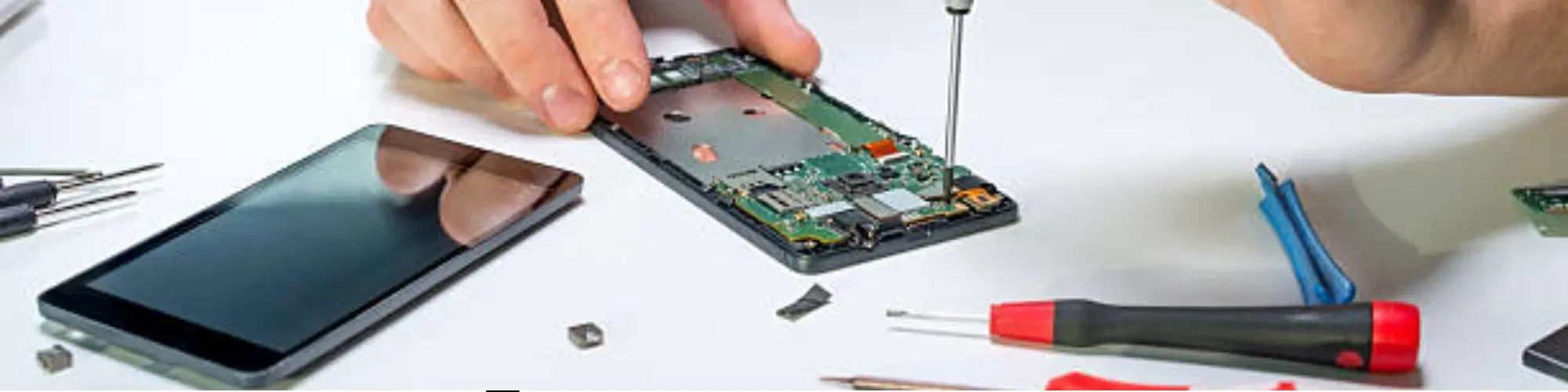
Use a screwdriver to remove the screws holding the phone together.
Carefully use pry tools to separate the screen from the body of the phone.
Use a suction cup to lift the screen gently, being cautious with delicate components.
Once the damaged screen is removed, it’s time to install the new one:
Align the replacement screen with the phone’s body.
Secure the screen by reattaching the screws.
Ensure all components are reconnected properly.
After reassembling the phone, power it on to test the repair:
Check for functionality by using the touchscreen.
Ensure the screen is aligned correctly and there are no gaps.
To ensure a successful repair, avoid these common mistakes:
Over-tightening screws, which can damage the screen.
Forgetting to reconnect components, leading to functionality issues.
To keep your new screen in top condition:
Use screen protectors to prevent future damage.
Avoid exposing your phone to extreme conditions, such as excessive heat or cold.
Did You Know? Purchasing repair tools and replacement screens from Croma offers several benefits:
Advanced technology with a wide budget range
Express delivery for urgent needs
Reliable after-sales support with warranties and ZipCare services
Yes, with the right tools and guidance, you can fix minor screen damage at home.
The cost varies depending on the phone model and the extent of the damage. DIY repairs can be more cost-effective.
You’ll need screwdrivers, pry tools, a suction cup, and a replacement screen.
On average, it takes about 1-2 hours to complete a DIY phone screen repair.
Yes, repairing a cracked screen can extend the life of your phone and save you money.
You can purchase quality replacement screens from Croma, which offers a wide range of options suited to various phone models and budgets.
If your phone screen is unresponsive after repair, double-check all connections and ensure that no components were damaged during the repair process. If the issue persists, it may be best to seek professional help.
Fixing a broken phone screen doesn’t have to be daunting. By following this guide, you can save money and enjoy the satisfaction of a successful repair. For all your tech needs, explore Tata Neu and Croma, where you can earn rewards like NeuCoins, enjoy exclusive savings, and benefit from express delivery options. With Tata Neu and Croma, you get the best of technology and customer service, ensuring a seamless and rewarding shopping experience.
