





%20(Presentation)%20(1600%20x%20600%20px)(492)-1e30c9cf-3954-4009-a686-f4503878b787.webp&w=3840&q=75)
Consumer Electronics
•04 min read


<p>Danger can overpower you at any time and your voice will not be enough in such situations to get the required aid. The amazing new <strong>Juvo PSB01 Personal Alarm</strong> is crafted for all ages and is a necessary precaution from all kinds of danger. It rings a very loud alarm at 120 dB as well as flashes the torch to warn people nearby about a danger. Whether you have a medical emergency or you are attacked by predators your voice may not be heard but this alarm will be enough to deter attackers or draw attention of people close by to give you the immediate assistance required.</p> <p><strong>Extremely Easy To Use</strong></p> <p>The <strong>Juvo PSB01 Personal Alarm</strong> is small and portable, can be attacked to even a keychain if you want. To start the siren all you need to do is separate or pull the metal key chain from the main black unit. The siren may go on for 1 1/2 hours in case nobody heard it in the first minutes. This is very important for girls returning home alone at night as it acts as a security anti-attack panic alarm that is sure to scare off a molester. Its easy portability accentuates its use.</p> <p><strong>Lights Your Way</strong></p> <p>The little and portable <strong>Juvo PSB01 Personal Alarm</strong> also features a small LED torch that helps you find your way in the dark. Don’t be scared of dark alleys when you have this with you because it is equipped to save you from all dangers.</p>

Ever tried troubleshooting a network issue or setting up a secure connection only to realise you don’t know your laptop’s IP address? You’re not alone. Understanding your device’s unique network identifier can make a big difference when you need to check your network settings, configure devices, or even ensure your internet connection is secure. In this guide, you'll learn what an IP address is, why it's important, and how to quickly locate it on your laptop, whether you're using Windows or Mac. By the end of this post, you’ll have the confidence to access and understand your computer’s IP configuration using different methods, including a simple command line approach.
An IP address is a unique identifier assigned to your device on a network. It acts like a digital address, allowing devices to communicate with one another. There are two types of IP addresses you might encounter: public and private. Public IP addresses are used when your device accesses the internet, while private IP addresses are used within your local network. Knowing your IP address is a key part of troubleshooting connectivity issues, setting up secure networks, and even monitoring for any unauthorised access.
There are many scenarios where having your laptop's IP address handy is beneficial. Whether you're troubleshooting internet issues, configuring network devices, or simply ensuring your system is secure, knowing how to locate your IP address can save you precious time. With the rising digital transactions on trusted platforms like Tata Neu, being tech-savvy not only helps with connectivity but also contributes to your overall digital confidence and the rewards you earn through NeuCoins.
For users on Windows, the process is simple. On Windows 10, navigate to Settings > Network & Internet > choose Wi-Fi or Ethernet (depending on your connection), and click on Properties. Here, you can locate your IPv4 Address which is your private IP address. If you're using Windows 11, access Settings > Network & Internet > Advanced Network Settings and search for your IP address under the details provided.
Pro Tip: Quick Command Line Lookup
Did you know? You can quickly access your IP address on Windows by typing cmd in the search bar, opening Command Prompt, and entering ipconfig to display your network details.
For macOS devices, the process is just as straightforward. Open System Preferences and select Network. Then, choose your active connection – either Wi-Fi or Ethernet – and you will see your IP address displayed alongside the connection status.

<p><strong>Why buy Environics Enviroglobe Anti Radiation Ball for House & Car</strong></p> <p> </p> <ul> <li><strong>Provides E-Smog and Radiation Protection</strong> for healthier homes and families</li> <li><strong>It Covers A Radius</strong> of 250 sq.ft protect you and your loved ones from harmful radiation</li> <li><strong>Clinically Tested EMF Harmonizer</strong> that provides us 360-degree protection from radiation sources that are beyond our control</li> </ul> <p> </p> <p>Buy the <strong>Environics Enviroglobe Anti Radiation Ball for House & Car</strong> which is based on Envirochip’s radiation protection technology that helps you protect you and your loved ones from harmful radiation within an area of 250 sq. feet. You can extend the range of protection by placing multiple Enviroglobes at equal distances from one another. It is a clinically tested EMF harmonizer and provides us 360-degree protection from radiation sources that are beyond our control. Electromagnetic Radiation (EMR) refers to the constant waves of the electromagnetic field (EMF) produced by wireless communication devices such as mobile phones, laptops, Wi-Fi routers, and other sources such as mobile towers and high-tension wirelines, etc. However, The human body is accustomed to random waves and hence the constant exposure to electromagnetic radiation causes serious biological disorders such as higher stress and fatigue, irritation, headache, weakened immunity, cancer, fertility issues to name a few. The technology used in Enviroglobe changes the nature of electromagnetic radiation from constant to random waveform making it human body-friendly.</p> <p> </p> <p>When you get <strong>Environics Enviroglobe Anti Radiation Ball for House & Car</strong> online, you also get awesome companion for your home. It comes with Internationally tested and certified technology. No need of batteries or adaptors, you can simply charge by placing it under the sunlight, for only a couple of minutes every week. Enviroglobe is simple to use. Simply place it at your desk, table, living room, bedroom, car, office space, absolutely wherever you want, and get a radiation protected zone of up to 250 sq. feet. It provides e-smog and radiation protection for healthier homes and families. Purchase <strong>Environics Enviroglobe Anti Radiation Ball for House & Car</strong> online, now!</p>
Another quick method is by using the Command Prompt. Simply:
Open Command Prompt, type ipconfig and press Enter. Look for the IPv4 Address under your active network connection and you'll have your IP address on hand.
If you're using a Mac, open the Terminal application, type ifconfig and press Enter. This will display detailed network information. Look for the inet value under the active network interface; this is your active IP address.
If you need to find your public IP address – the one assigned when your device connects to the internet – numerous online tools are available. By visiting a trusted IP lookup website, your public IP details will be displayed automatically. Remember, the public IP is different from the private IP found in your network settings.
For those who are curious about checking the IP address on your smartphone or tablet, the process is similarly simple. On most devices, you can navigate to your Wi-Fi settings to find the IP information. This is particularly handy if you're setting up a network or synchronising multiple devices.
If you’re struggling to locate your IP address, consider a few common issues: your network settings might be incorrect, your connection might be disabled, or your device may not be properly connected to the internet. A quick restart of your router or checking if your network adapter is enabled can often resolve these issues.
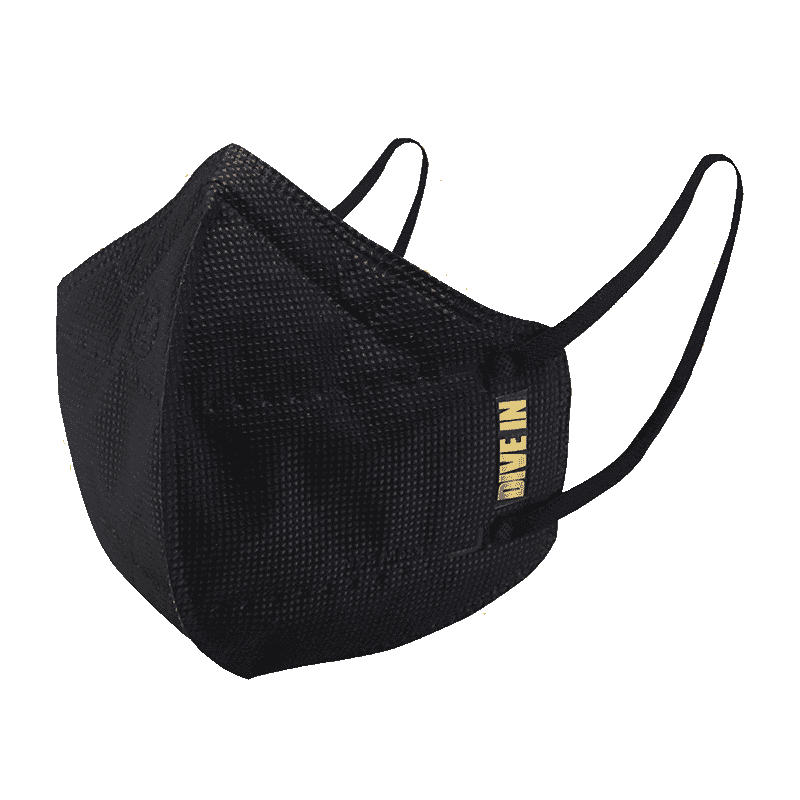
<p style="margin-left:0cm; margin-right:0cm">Keep away from breathing in harmful germs, dust and pollution by using the <strong>Arctic Fox N95 Gold Series</strong> <strong>Face Respirator Mask.</strong> The mask is designed specially ensuring that it fits comfortably on your face and covers all the essential parts of your face. The soft ear loops ensure the comfort-ability for longer use. It has a 3 mm foam material for comfort fit and air seal.</p> <p style="margin-left:0cm; margin-right:0cm">The <strong>Arctic Fox N95 Gold Series</strong> <strong>Face Respirator Mask</strong> is super breathable because of the comfortable fabric and is also splash resistant.</p> <p style="margin-left:0cm; margin-right:0cm">Whether you are travelling or for that matter, moving out of your house, wearing the <strong>Arctic Fox N95 Gold Series</strong> <strong>Face Respirator Mask </strong>will ensure security to your health by helping you keep the dust and germs out from inhaling it.</p>
It’s important to know the difference between dynamic and static IP addresses. A dynamic IP address is usually assigned by your router each time you connect to the internet, while a static IP address remains constant. Static IPs are generally used for devices that require a permanent address, which can be essential for certain network configurations or prolonged troubleshooting on platforms like Tata Neu, where confidence in your digital setups can also mean earning more NeuCoins rewards.
You can open your network settings or use Command Prompt/Terminal to look up your private IP address.
Check the network properties on your device or use an online lookup tool to view your public IP address.
Open Command Prompt, type ipconfig, and press Enter. Your IPv4 address is displayed under your active network connection.
An IP address is a unique number that identifies your laptop on a network, allowing it to connect and communicate with other devices.
This guide has walked you through understanding what an IP address is, why it’s essential, and various ways to find your laptop’s IP address on both Windows and Mac devices. Whether you use the built-in network settings, command line tools, or online services to perform an IP lookup, you now have several methods at your disposal. With platforms like Tata Neu making digital engagement rewarding – where every transaction can earn you NeuCoins – it's clear that a seamless blend of technology and customer-first service can truly empower your lifestyle. Armed with these insights, you can troubleshoot and secure your network with ease, while also enjoying benefits that enhance your everyday digital experience.
