
Consumer Electronics
•04 min read

<b>Why Buy Environics Device Disinfector</b><ul><li><b></b> for optimised disinfection</li><li><b></b> makes sure all the germs are killed</li></ul><p>To prevent harmful bacteria and fungi from getting in contact with you, buy <b>Environics Device Disinfector</b>. The usability of your device disinfector may be affected if its installation is complex. As this device disinfector has the it prevents the extra-spill and wastage of sanitizer. Your residence and office will stay clean and hygienic with products from this device disinfector that have 99.99% high resistance against germs and viruses. </p><p>The <b>Environics Device Disinfector's</b> price is cost-effective so you don't have to adjust your budget. The longer it takes for the device disinfector to disinfect, the longer you will have to wait. As a result of its efficient and effective operation, this device disinfector requires only to inject. Your device disinfector needs to have the latest technology to make sure it kills all the germs. As this device disinfector has the to prevent viruses, you can rest assured. Purchase the <b>Environics Device Disinfector</b> online at this instant!</p>
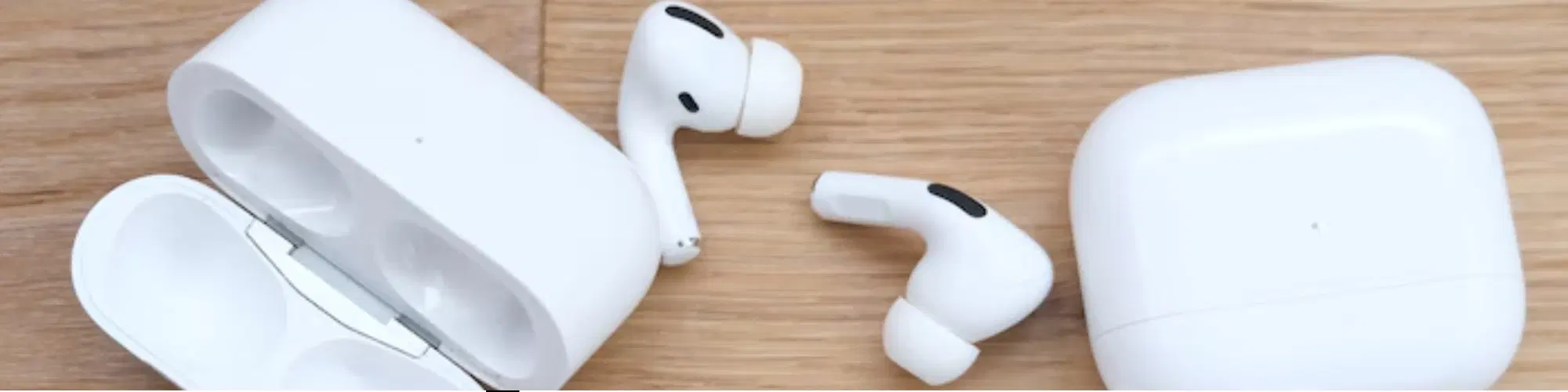
Are your AirPods not working as smoothly as they used to? Factory resetting your AirPods can be a quick and effective solution to restore their performance. Whether you're facing connectivity issues, audio problems, or unresponsiveness, this guide will walk you through the process of how to factory reset AirPods step-by-step. Additionally, we will provide expert tips on maintaining your AirPods and highlight the benefits of shopping with Tata Neu and Croma for all your tech needs.
Over time, you might encounter common issues with your AirPods that necessitate a factory reset. These problems can include:
Connectivity Issues: Your AirPods might struggle to connect to your devices, or the connection may drop frequently.
Audio Problems: You might experience poor sound quality, audio cutting out, or one AirPod not working.
Unresponsiveness: Your AirPods may not respond to taps or other controls.
Resetting your AirPods can help resolve these issues, restoring their performance and ensuring a seamless listening experience. Additionally, regular maintenance and updates can prevent these issues from recurring.
Ensure your AirPods are charged.
Place both AirPods in their charging case.
Make sure your device's Bluetooth is turned off to avoid automatic reconnection during the reset process.
Open the lid of the charging case.
Press and hold the setup button on the back of the case until the status light flashes amber, then white. This process usually takes about 15 seconds.

<p>Danger can overpower you at any time and your voice will not be enough in such situations to get the required aid. The amazing new <strong>Juvo PSB01 Personal Alarm</strong> is crafted for all ages and is a necessary precaution from all kinds of danger. It rings a very loud alarm at 120 dB as well as flashes the torch to warn people nearby about a danger. Whether you have a medical emergency or you are attacked by predators your voice may not be heard but this alarm will be enough to deter attackers or draw attention of people close by to give you the immediate assistance required.</p> <p><strong>Extremely Easy To Use</strong></p> <p>The <strong>Juvo PSB01 Personal Alarm</strong> is small and portable, can be attacked to even a keychain if you want. To start the siren all you need to do is separate or pull the metal key chain from the main black unit. The siren may go on for 1 1/2 hours in case nobody heard it in the first minutes. This is very important for girls returning home alone at night as it acts as a security anti-attack panic alarm that is sure to scare off a molester. Its easy portability accentuates its use.</p> <p><strong>Lights Your Way</strong></p> <p>The little and portable <strong>Juvo PSB01 Personal Alarm</strong> also features a small LED torch that helps you find your way in the dark. Don’t be scared of dark alleys when you have this with you because it is equipped to save you from all dangers.</p>
Go to the Bluetooth settings on your device.
Select your AirPods from the list and follow the on-screen instructions to reconnect. If your AirPods do not appear, close and reopen the charging case lid and try again.
Ensure Bluetooth is enabled on your device.
Restart your device and try reconnecting.
If the issue persists, try resetting your network settings on your device.
Clean your AirPods and ensure they are free of debris. Use a soft, dry, lint-free cloth and avoid using liquids.
Update your device’s software to the latest version to ensure compatibility.
Check the audio balance settings on your device to ensure they are centered.
Check for firmware updates for your AirPods. Keeping the firmware up-to-date can help improve battery performance.
Reset the AirPods again if necessary. Sometimes a second reset can resolve lingering issues.
Avoid exposing your AirPods to extreme temperatures, as this can affect battery life.
Did You Know? Regular maintenance, such as cleaning and updating firmware, can prolong the lifespan of your AirPods and enhance performance. Additionally, using protective cases can prevent physical damage and wear.
For more advanced care, consider using services like Tata Neu's ZipCare, which offers protection against accidental damage and maintenance services to keep your devices in top shape.

<p><b>HEUV Technology</b><br/><br/>Thanks to the HEUV technology, the SVARAS Home X2 Pro UV Steriliser effectively targets and eliminates a wide range of viruses and bacteria, including those responsible for illnesses such as the coronavirus. As a result, you can have peace of mind knowing that you can effectively protect yourself and your family from potential health threats.<br/><br/><br/><b>Enhanced Sterilisation</b><br/><br/>This rechargeable UV steriliser provides optimal sterilisation capabilities, which eliminates harmful germs. This high level of effectiveness makes it an ideal choice for homes, offices, and shops, ensuring that surfaces remain clean and safe. Thus, you can trust this steriliser to protect your health and the health of your loved ones by efficiently disinfecting various surfaces.<br/><br/><br/><b>User-Friendly Functionality</b><br/><br/>This home steriliser boasts convenient features that enhance its usability. It includes a voice alarm that signals when the sterilisation process is complete, ensuring you never forget to turn it off. Additionally, the device offers a safe automatic power-off feature, which enhances safety during operation. Convenient charging capabilities further simplify the user experience, which makes it easy to keep the steriliser ready for action.<br/><br/><br/><b>Eco-Friendly Design</b><br/><br/>Designed with sustainability in mind, this SVARAS steriliser promotes an eco-friendly lifestyle. It operates without mercury or harsh chemicals, which makes it safe for both users and the environment. This design choice allows you to maintain a clean living space while reducing your ecological footprint. Moreover, the sleek, modern appearance of the steriliser ensures that it complements any decor.</p>
Resetting should be a last resort when troubleshooting persistent issues. Regular updates and maintenance can help avoid the need for frequent resets.
No, it will only reset the connection settings. Your music, podcasts, and other data will remain unaffected.
No, the charging case is required to initiate the reset process. If you have lost your case, you may need to purchase a replacement from a trusted retailer like Croma.
Contact Tata Neu’s customer support for expert advice and after-sales care. They can provide further troubleshooting steps or assist with warranty claims if necessary.
Ensure your AirPods are fully charged and that you have backed up any important data on your device. Also, make sure you are in a location with good connectivity to avoid interruptions during the reset process.
Factory resetting your AirPods can be the key to resolving persistent issues and restoring optimal performance. By following the steps outlined above, you can easily reset your AirPods and enjoy a seamless listening experience once again. Don't forget to explore Tata Neu’s offerings for advanced technology products and exceptional after-sales support, ensuring a rewarding and seamless shopping experience. With Tata Neu, you can earn NeuCoins on every purchase, enjoy exclusive discounts with the Tata Neu HDFC Bank credit card, and benefit from express delivery and expert guidance. Shop with confidence and enhance your tech experience with Tata Neu and Croma.
