





Consumer Electronics
•07 min read


<p>Danger can overpower you at any time and your voice will not be enough in such situations to get the required aid. The amazing new <strong>Juvo PSB01 Personal Alarm</strong> is crafted for all ages and is a necessary precaution from all kinds of danger. It rings a very loud alarm at 120 dB as well as flashes the torch to warn people nearby about a danger. Whether you have a medical emergency or you are attacked by predators your voice may not be heard but this alarm will be enough to deter attackers or draw attention of people close by to give you the immediate assistance required.</p> <p><strong>Extremely Easy To Use</strong></p> <p>The <strong>Juvo PSB01 Personal Alarm</strong> is small and portable, can be attacked to even a keychain if you want. To start the siren all you need to do is separate or pull the metal key chain from the main black unit. The siren may go on for 1 1/2 hours in case nobody heard it in the first minutes. This is very important for girls returning home alone at night as it acts as a security anti-attack panic alarm that is sure to scare off a molester. Its easy portability accentuates its use.</p> <p><strong>Lights Your Way</strong></p> <p>The little and portable <strong>Juvo PSB01 Personal Alarm</strong> also features a small LED torch that helps you find your way in the dark. Don’t be scared of dark alleys when you have this with you because it is equipped to save you from all dangers.</p>

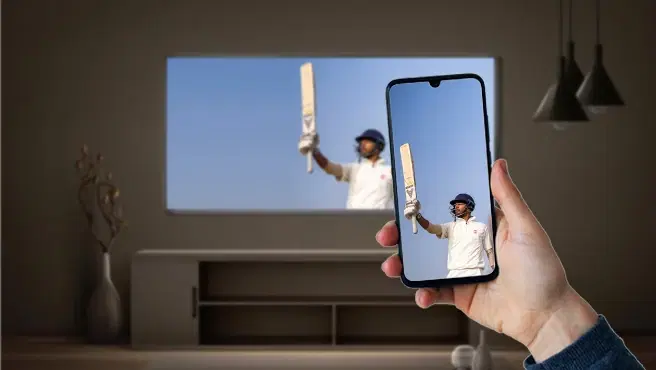
In today’s digital age, connecting your mobile to a smart TV has become increasingly important. Whether you want to watch your favorite movies on a larger screen, play mobile games with a more immersive experience, or display presentations seamlessly, screen mirroring offers a versatile solution. Tata Neu is committed to enhancing your tech experiences by providing you with the best tips and tools for connecting your mobile to a smart TV.
With the rise of smart TVs and advanced mobile devices, the methods to connect these gadgets have evolved. Understanding these methods can help you make the most out of your devices, ensuring a seamless and enhanced viewing experience.
Wired connections are often the most straightforward and reliable methods to connect your mobile to a smart TV. Here are two common options:
HDMI Cable: Most modern TVs come with HDMI ports. You can use an HDMI cable to connect your mobile device directly to the TV. This method ensures a stable connection and high-quality video and audio transmission. It’s a plug-and-play solution that works well for most users.
USB-C to HDMI Adapter: If your mobile device has a USB-C port, you can use a USB-C to HDMI adapter. This adapter allows you to connect your mobile to the TV’s HDMI port, providing a similar experience to using a standard HDMI cable. This is particularly useful for devices that do not have a direct HDMI output.
Wireless connections offer more flexibility and convenience, allowing you to connect your mobile to a smart TV without the need for cables. Here are some popular wireless methods:
Wi-Fi Direct: This technology allows your mobile device to connect directly to your smart TV without needing a Wi-Fi network. It creates a direct wireless connection between the two devices. This method is great for quick and easy connections.
Bluetooth: Some smart TVs and mobile devices support Bluetooth connections for screen mirroring. While this method is less common, it can be useful for specific applications such as audio streaming or simple screen sharing.
Screen Mirroring Apps: Various apps are available to facilitate screen mirroring. These apps use your home Wi-Fi network to connect your mobile device to the TV, offering a wireless and convenient solution. Apps like Miracast, AllCast, and others provide a user-friendly interface for screen mirroring.
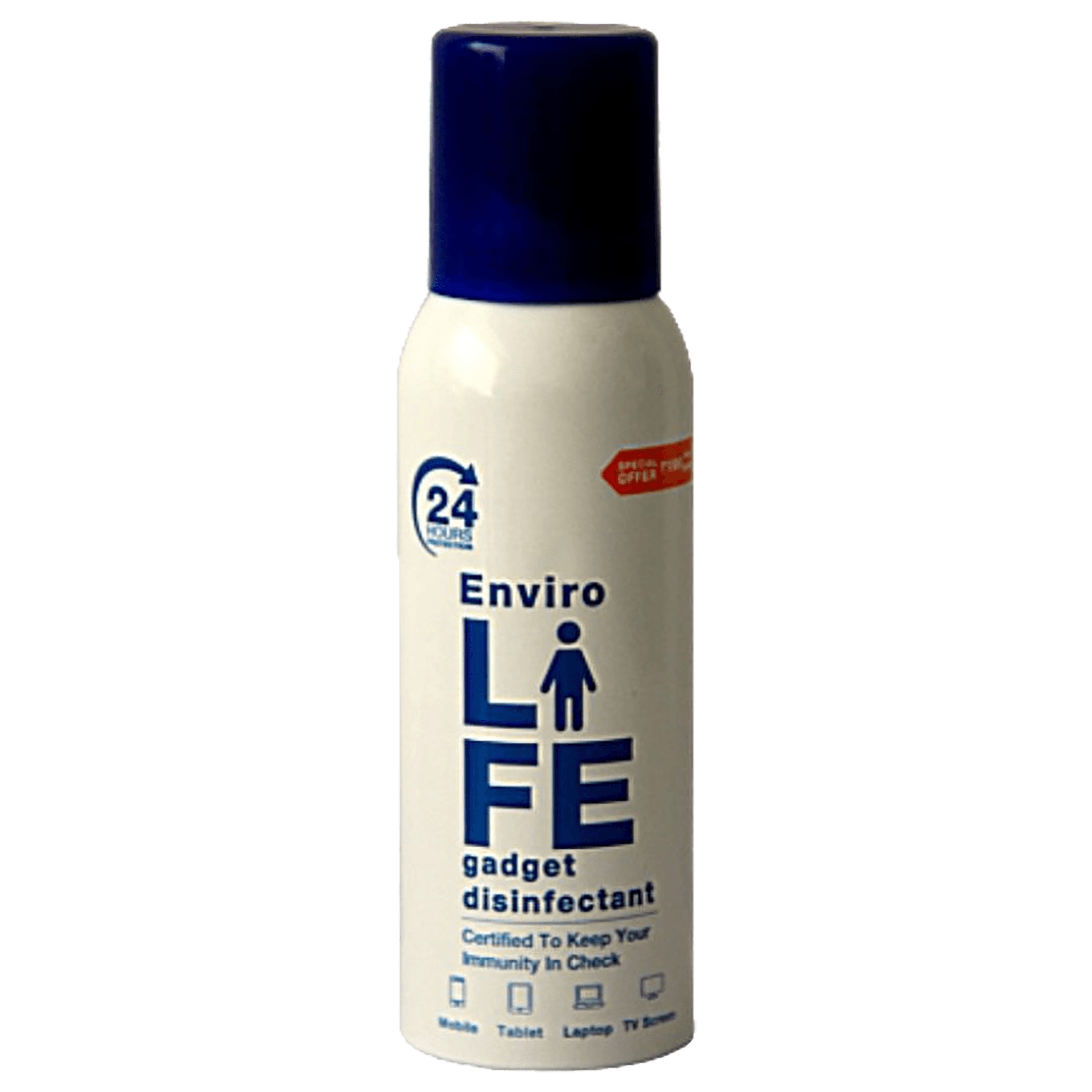
<b>Why Buy Environics Device Disinfector</b><ul><li><b></b> for optimised disinfection</li><li><b></b> makes sure all the germs are killed</li></ul><p>To prevent harmful bacteria and fungi from getting in contact with you, buy <b>Environics Device Disinfector</b>. The usability of your device disinfector may be affected if its installation is complex. As this device disinfector has the it prevents the extra-spill and wastage of sanitizer. Your residence and office will stay clean and hygienic with products from this device disinfector that have 99.99% high resistance against germs and viruses. </p><p>The <b>Environics Device Disinfector's</b> price is cost-effective so you don't have to adjust your budget. The longer it takes for the device disinfector to disinfect, the longer you will have to wait. As a result of its efficient and effective operation, this device disinfector requires only to inject. Your device disinfector needs to have the latest technology to make sure it kills all the germs. As this device disinfector has the to prevent viruses, you can rest assured. Purchase the <b>Environics Device Disinfector</b> online at this instant!</p>
Most modern mobile devices come with built-in screen mirroring features. Here’s how to use them:
Android Devices: Google Cast
1. Ensure your Android device and smart TV are connected to the same Wi-Fi network.
2. Open the Google Home app on your mobile device.
3. Tap on the device you want to cast to.
4. Tap on “Cast my screen” and follow the on-screen instructions.
iOS Devices: AirPlay
1. Ensure your iPhone or iPad and Apple TV are connected to the same Wi-Fi network.
2. Open the Control Center on your iOS device.
3. Tap on “Screen Mirroring” and select your Apple TV.
4. Follow the on-screen instructions to complete the connection.
If your mobile device or TV does not support built-in screen mirroring features, you can use third-party apps. Here are some popular options:
Miracast: This app allows you to mirror your mobile device’s screen to your TV using Wi-Fi Direct. It is widely supported and offers a stable connection.
AllCast: AllCast supports various devices and allows you to stream photos, videos, and more to your TV. It’s a versatile app that works with many different TV brands and models.
To set up these apps, download and install the app on your mobile device, follow the app’s instructions to connect to your TV, and start mirroring your screen. These apps often provide additional features such as media playback controls and customization options.
Ensuring Devices Are on the Same Network: Make sure both your mobile device and smart TV are connected to the same Wi-Fi network. This is crucial for a successful connection. Double-check your network settings and ensure that both devices are using the same network band (2.4GHz or 5GHz).
Restarting Devices: If you encounter connectivity issues, try restarting both your mobile device and smart TV. This can often resolve minor glitches and connectivity problems. Additionally, restarting your router can help refresh the network connection.
Optimizing Network Speed: Ensure your Wi-Fi network is fast and stable. You can do this by minimizing the number of devices connected to the network and positioning your router closer to your TV and mobile device. Using a 5GHz Wi-Fi network can significantly reduce lag during screen mirroring.
Adjusting Resolution Settings: Lowering the resolution settings on your mobile device or TV can help reduce lag and improve the overall quality of the screen mirroring experience. This can be particularly useful if you are experiencing buffering or delays.
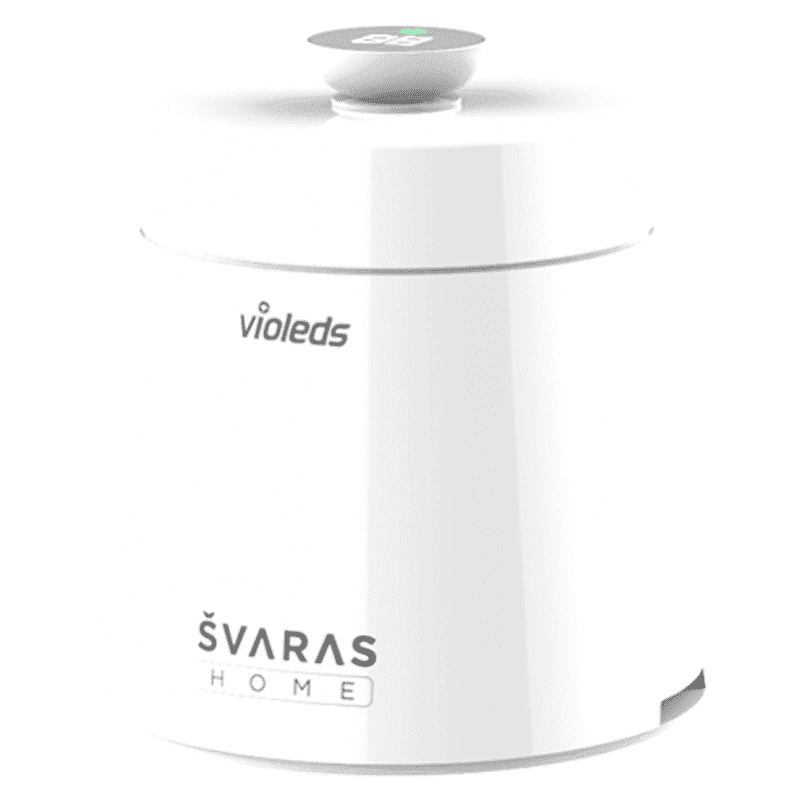
<p><b>HEUV Technology</b><br/><br/>Thanks to the HEUV technology, the SVARAS Home X2 Pro UV Steriliser effectively targets and eliminates a wide range of viruses and bacteria, including those responsible for illnesses such as the coronavirus. As a result, you can have peace of mind knowing that you can effectively protect yourself and your family from potential health threats.<br/><br/><br/><b>Enhanced Sterilisation</b><br/><br/>This rechargeable UV steriliser provides optimal sterilisation capabilities, which eliminates harmful germs. This high level of effectiveness makes it an ideal choice for homes, offices, and shops, ensuring that surfaces remain clean and safe. Thus, you can trust this steriliser to protect your health and the health of your loved ones by efficiently disinfecting various surfaces.<br/><br/><br/><b>User-Friendly Functionality</b><br/><br/>This home steriliser boasts convenient features that enhance its usability. It includes a voice alarm that signals when the sterilisation process is complete, ensuring you never forget to turn it off. Additionally, the device offers a safe automatic power-off feature, which enhances safety during operation. Convenient charging capabilities further simplify the user experience, which makes it easy to keep the steriliser ready for action.<br/><br/><br/><b>Eco-Friendly Design</b><br/><br/>Designed with sustainability in mind, this SVARAS steriliser promotes an eco-friendly lifestyle. It operates without mercury or harsh chemicals, which makes it safe for both users and the environment. This design choice allows you to maintain a clean living space while reducing your ecological footprint. Moreover, the sleek, modern appearance of the steriliser ensures that it complements any decor.</p>
Watching videos and movies on a larger screen enhances the overall viewing experience. You can enjoy your favorite content with better visuals and sound quality, making it perfect for movie nights and binge-watching sessions. The immersive experience of a large screen can make you feel like you are in a theater.
Using your TV for mobile gaming provides a more immersive experience. The larger screen allows for better visibility and improved gameplay, making it ideal for multiplayer games and high-definition graphics. You can connect gaming controllers to your mobile device for an enhanced gaming experience.
Screen mirroring is a valuable tool for professional use. You can display slideshows, documents, and other work-related content on a larger screen, making it easier to share information during meetings and presentations. This is particularly useful for remote work and virtual meetings.
Use an HDMI cable or USB-C to HDMI adapter. These wired connections do not require a Wi-Fi network and provide a stable connection.
Ensure both devices are on the same network and restart them. Additionally, check for any software updates for your mobile device and TV.
Yes, but a strong and stable network is recommended for the best experience. Using a 5GHz Wi-Fi network can help reduce lag and improve performance.
Yes, apps like Miracast, AllCast, and others are available. These apps provide additional features and customization options for screen mirroring.
Use a 5GHz Wi-Fi network and ensure minimal interference. Additionally, adjusting the resolution settings on your mobile device and TV can help improve quality.
Yes, some advanced screen mirroring apps and devices support multi-screen mirroring, allowing you to display your mobile screen on multiple TVs simultaneously.
Screen mirroring is generally secure, but it’s important to use trusted apps and ensure that your devices are connected to a secure network to protect your data.
Connecting your mobile to a smart TV opens up a world of possibilities, from enhanced entertainment to improved productivity. Tata Neu offers a range of smart TVs and mobile devices to help you get the most out of your tech experiences. By shopping with Tata Neu, you can enjoy exclusive benefits like NeuCoins rewards, express delivery, and expert support.
Visit Tata Neu today to explore the latest tech products and take advantage of exclusive offers, including cashback, EMI plans, and after-sales support. Make your tech journey seamless and rewarding with Tata Neu. With Tata Neu and Croma, you can trust that you are getting the best in technology and customer service, ensuring a satisfying and enjoyable experience.
