
How to Connect CCTV Camera to PC via Internet: FAQs

Consumer Electronics

03 min read

How to Connect CCTV Camera to PC via Internet: FAQs

Juvo Personal Safety Alarm (PSB 01, Black)

Juvo Personal Safety Alarm (PSB 01, Black)

<p>Danger can overpower you at any time and your voice will not be enough in such situations to get the required aid. The amazing new <strong>Juvo PSB01 Personal Alarm</strong> is crafted for all ages and is a necessary precaution from all kinds of danger. It rings a very loud alarm at 120 dB as well as flashes the torch to warn people nearby about a danger. Whether you have a medical emergency or you are attacked by predators your voice may not be heard but this alarm will be enough to deter attackers or draw attention of people close by to give you the immediate assistance required.</p> <p><strong>Extremely Easy To Use</strong></p> <p>The <strong>Juvo PSB01 Personal Alarm</strong> is small and portable, can be attacked to even a keychain if you want. To start the siren all you need to do is separate or pull the metal key chain from the main black unit. The siren may go on for 1 1/2 hours in case nobody heard it in the first minutes. This is very important for girls returning home alone at night as it acts as a security anti-attack panic alarm that is sure to scare off a molester. Its easy portability accentuates its use.</p> <p><strong>Lights Your Way</strong></p> <p>The little and portable <strong>Juvo PSB01 Personal Alarm</strong> also features a small LED torch that helps you find your way in the dark. Don&rsquo;t be scared of dark alleys when you have this with you because it is equipped to save you from all dangers.</p>

474890
Earn NeuCoins

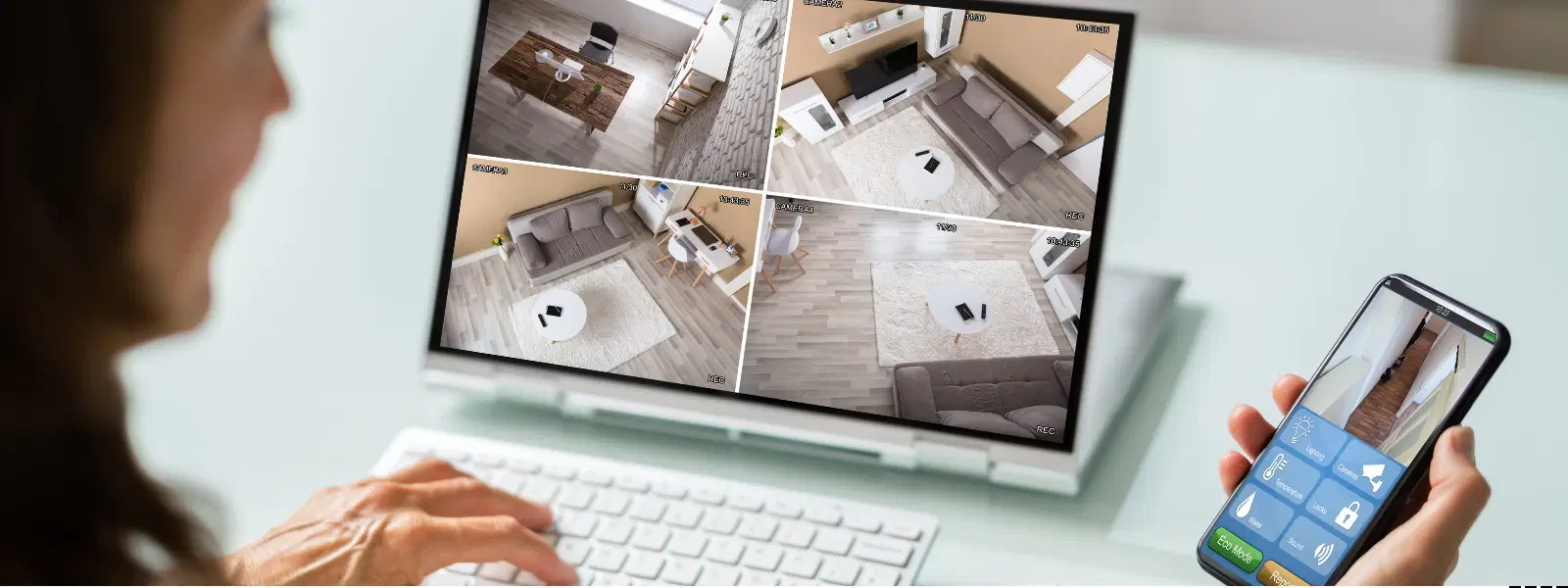
In today’s digital age, connecting your CCTV camera to your PC via the internet opens up a world of possibilities, from remote monitoring to enhanced security. This guide will walk you through the step-by-step process of how to connect CCTV camera to PC through internet, enabling you to monitor your premises remotely and securely.

Understanding the Basics of CCTV Camera Internet Setup

What is a CCTV Camera Network Connection?

A CCTV camera network connection allows you to view security footage on your desktop by linking your camera to your computer. Whether using a wired connection or opting for a wireless CCTV connection to PC, the process enables you to stream CCTV footage online with ease. Wired setups often provide stable connectivity while wireless setups offer more flexibility.

Key Components Needed for Connection

Before you begin, ensure you have the following components: a CCTV camera, a PC, an internet router, any necessary cables, and the appropriate PC software for CCTV cameras. A reliable internet connection is essential for a smooth CCTV camera internet setup.

Step-by-Step Guide: How to Connect CCTV Camera to PC Through Internet

Setting Up the CCTV Camera for Internet Access

Start by configuring the camera’s IP address setup. It is important to assign a static IP address to the CCTV camera to ensure stable connectivity. This configuration lays the groundwork to connect CCTV to computer efficiently.

Connecting the Camera to the PC

Depending on your setup, the next step is to connect the camera to your PC. For a wired solution, plug in the cables from your camera to the router or directly to your computer. For a wireless CCTV connection to PC, ensure your camera is connected to the WiFi network and then use the router to link it with your PC. Both methods may require installing specific software to help configure CCTV for PC viewing.

Configuring the PC for CCTV Viewing

Install the necessary PC software for CCTV cameras, which will allow you to view your footage on desktop seamlessly. Adjust the network settings on your PC to match the camera’s static IP address. This final configuration step ensures that you can view CCTV on desktop with confidence.

Arctic Fox N95 Gold Series Face Respirator Mask (FACMSKWHIWZ11900A, Black)

Arctic Fox N95 Gold Series Face Respirator Mask (FACMSKWHIWZ11900A, Black)

<p style="margin-left:0cm; margin-right:0cm">Keep away from breathing in harmful germs, dust and pollution by using the <strong>Arctic Fox N95 Gold Series</strong> <strong>Face Respirator Mask.</strong> The mask is designed specially ensuring that it fits comfortably on your face and covers all the essential parts of your face. The soft ear loops ensure the comfort-ability for longer use. It has a 3 mm foam material for comfort fit and air seal.</p> <p style="margin-left:0cm; margin-right:0cm">The <strong>Arctic Fox N95 Gold Series</strong> <strong>Face Respirator Mask</strong> is super breathable because of the comfortable fabric and is also splash resistant.</p> <p style="margin-left:0cm; margin-right:0cm">Whether you are travelling or for that matter, moving out of your house, wearing the <strong>Arctic Fox N95 Gold Series</strong> <strong>Face Respirator Mask </strong>will ensure security to your health by helping you keep the dust and germs out from inhaling it.</p>

134149
Earn NeuCoins

Remote Access: Viewing CCTV Footage on Your Desktop

Using Third-Party Software for Remote Access

There are many software options available that streamline the process to stream CCTV footage online. These tools allow you to monitor live footage from anywhere. Setting up remote access is as simple as installing the software, entering your camera’s IP address, and following the guided instructions.

Accessing CCTV Cameras via Web Browser

If you prefer, you can also access your CCTV camera directly through a web browser by entering the camera’s IP address. Ensure that security measures, such as password protection, are enabled to secure your setup. This method facilitates a straightforward approach to remote access CCTV on PC.

Expert Tip: Secure Your CCTV Connection

Did You Know? Using encryption protocols and strong passwords for your CCTV camera network can significantly reduce the risk of unauthorized access.

Troubleshooting Common Issues in CCTV Camera Internet Setup

Connection Problems

If your CCTV camera is not connecting to the network or PC, check the cables, ensure the router is functioning correctly, or consider reconfiguring the IP address settings. These steps often resolve most connectivity issues.

Software Compatibility Issues

Sometimes the software may not be compatible with your particular CCTV camera model. To solve this, verify that the PC software for CCTV cameras you are using matches your device. If detection issues persist, consider alternative software solutions.

Poor Video Quality or Lag

Video quality issues, such as poor clarity or lag, are often due to internet speed constraints or suboptimal camera resolution settings. Adjust your settings or upgrade your connection to enhance performance and enjoy smooth viewing.

Environics Enviroglobe Anti Radiation Ball for House & Car (001EG, Grey)

Environics Enviroglobe Anti Radiation Ball for House & Car (001EG, Grey)

<p><strong>Why buy Environics Enviroglobe Anti Radiation Ball for House &amp; Car</strong></p> <p>&nbsp;</p> <ul> <li><strong>Provides E-Smog and Radiation Protection</strong> for healthier homes and families</li> <li><strong>It Covers A Radius</strong> of 250 sq.ft protect you and your loved ones from harmful radiation</li> <li><strong>Clinically Tested EMF Harmonizer</strong> that provides us 360-degree protection from radiation sources that are beyond our control</li> </ul> <p>&nbsp;</p> <p>Buy the <strong>Environics Enviroglobe Anti Radiation Ball for House &amp; Car</strong> which is based on Envirochip&rsquo;s radiation protection technology that helps you protect you and your loved ones from harmful radiation within an area of 250 sq. feet. You can extend the range of protection by placing multiple Enviroglobes at equal distances from one another. It is a clinically tested EMF harmonizer and provides us 360-degree protection from radiation sources that are beyond our control. Electromagnetic Radiation (EMR) refers to the constant waves of the electromagnetic field (EMF) produced by wireless communication devices such as mobile phones, laptops, Wi-Fi routers, and other sources such as mobile towers and high-tension wirelines, etc. However, The human body is accustomed to random waves and hence the constant exposure to electromagnetic radiation causes serious biological disorders such as higher stress and fatigue, irritation, headache, weakened immunity, cancer, fertility issues to name a few. The technology used in Enviroglobe changes the nature of electromagnetic radiation from constant to random waveform making it human body-friendly.</p> <p>&nbsp;</p> <p>When you get <strong>Environics Enviroglobe Anti Radiation Ball for House &amp; Car</strong> online, you also get awesome companion for your home. It comes with Internationally tested and certified technology. No need of batteries or adaptors, you can simply charge by placing it under the sunlight, for only a couple of minutes every week. Enviroglobe is simple to use. Simply place it at your desk, table, living room, bedroom, car, office space, absolutely wherever you want, and get a radiation protected zone of up to 250 sq. feet. It provides e-smog and radiation protection for healthier homes and families. Purchase&nbsp;<strong>Environics Enviroglobe Anti Radiation Ball for House &amp; Car</strong> online, now!</p>

27044499
Earn NeuCoins

Frequently Asked Questions

How can I connect my CCTV camera to my computer online?

Ensure your camera is connected to a reliable internet connection, configure its IP address, and use suitable PC software or a web browser to access your footage.

How can I access my CCTV camera through the internet?

You can access your CCTV camera remotely using the assigned IP address or by utilising third-party software designed for remote access.

How to connect DVR to PC via internet?

Connect the DVR to your router, configure the network settings, and install the compatible software on your PC to view the footage.

Can I connect a CCTV camera with WiFi?

Yes, many modern CCTV cameras support wireless connectivity. Simply connect the camera to your WiFi network and follow the setup instructions for PC viewing.

How to connect CCTV camera to PC software?

Install the recommended software, configure the camera’s IP address, and ensure the settings on your PC match the camera configuration.

Conclusion

Connecting a CCTV camera to a PC via the internet is a straightforward process that significantly enhances your security capabilities. With clear steps for everything from configuring the CCTV camera IP address setup to utilising remote access via a web browser or third-party applications, you can create a robust system for monitoring and safeguarding your premises. The ease of integrating NeuCoins rewards with Tata Neu further underlines the commitment to offering innovative and value-driven solutions, ensuring you can shop smartly and securely while enjoying special benefits and rewards.

Sangria Experience Logo