How to Connect AirPods to iPhone: Easy Step-by-Step Guide

Consumer Electronics

03 min read

How to Connect AirPods to iPhone: Easy Step-by-Step Guide

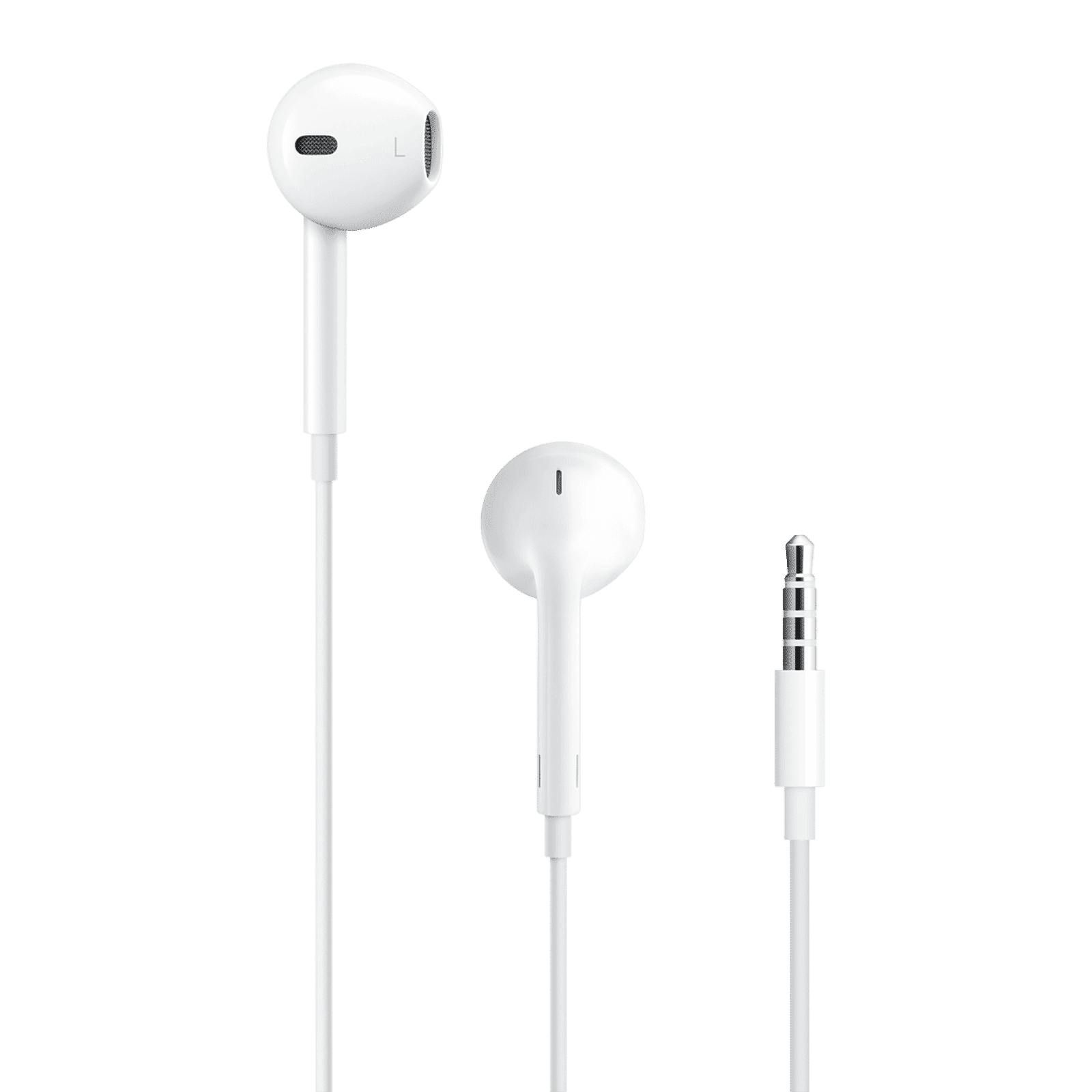
Apple EarPods Wired Earphone with Mic (In Ear, White)

Apple EarPods Wired Earphone with Mic (In Ear, White)

Buy Apple EarPods Wired Earphone with Mic (In Ear, White) online at best prices from Croma. Check product details, reviews & more. Shop now!

15901999
Earn NeuCoins

Imagine a world where your music, calls, and podcasts flow seamlessly from your iPhone to your ears without any wires. This is the magic of AirPods. Connecting your AirPods to your iPhone not only offers convenience but also enhances your overall audio experience. If you're wondering how to connect AirPods to iPhone, follow this easy step-by-step guide to ensure a smooth setup.

Why Use AirPods with Your iPhone?

AirPods are designed to integrate seamlessly with your iPhone, providing high-quality sound and hands-free functionality. They enhance productivity and entertainment for tech enthusiasts, young professionals, and students alike. Whether you’re on a call, listening to music, or catching up on podcasts, AirPods deliver a superior audio experience.

Benefits of Using AirPods

  • Seamless Integration: AirPods automatically connect to your iPhone, making the pairing process effortless.

  • High-Quality Sound: Experience crystal clear audio, whether you’re listening to music or making a call.

  • Hands-Free Functionality: Use voice commands to control your iPhone, send messages, and more, all without lifting a finger.

Tech Enthusiast Insights

For tech enthusiasts, AirPods offer a sleek and modern way to stay connected. Young professionals can boost their productivity with hands-free calls and commands, while students can enjoy high-performance audio for both study sessions and entertainment.

Step-by-Step Guide to Connect AirPods to iPhone

Step 1: Prepare Your Devices

First, ensure your iPhone is running the latest iOS version and your AirPods are fully charged. This step is crucial for a smooth connection process.

Juvo Personal Safety Alarm (PSB 01, Black)

Juvo Personal Safety Alarm (PSB 01, Black)

<p>Danger can overpower you at any time and your voice will not be enough in such situations to get the required aid. The amazing new <strong>Juvo PSB01 Personal Alarm</strong> is crafted for all ages and is a necessary precaution from all kinds of danger. It rings a very loud alarm at 120 dB as well as flashes the torch to warn people nearby about a danger. Whether you have a medical emergency or you are attacked by predators your voice may not be heard but this alarm will be enough to deter attackers or draw attention of people close by to give you the immediate assistance required.</p> <p><strong>Extremely Easy To Use</strong></p> <p>The <strong>Juvo PSB01 Personal Alarm</strong> is small and portable, can be attacked to even a keychain if you want. To start the siren all you need to do is separate or pull the metal key chain from the main black unit. The siren may go on for 1 1/2 hours in case nobody heard it in the first minutes. This is very important for girls returning home alone at night as it acts as a security anti-attack panic alarm that is sure to scare off a molester. Its easy portability accentuates its use.</p> <p><strong>Lights Your Way</strong></p> <p>The little and portable <strong>Juvo PSB01 Personal Alarm</strong> also features a small LED torch that helps you find your way in the dark. Don&rsquo;t be scared of dark alleys when you have this with you because it is equipped to save you from all dangers.</p>

474890
Earn NeuCoins

Step 2: Enable Bluetooth

Go to Settings > Bluetooth on your iPhone and toggle Bluetooth on. This allows your iPhone to discover nearby devices.

Step 3: Pair Your AirPods

Open the AirPods case near your iPhone. A setup animation will appear on your iPhone screen. Follow the on-screen instructions to complete the pairing process.

Step 4: Confirm Connection

Once the setup is complete, check the Bluetooth settings on your iPhone to ensure your AirPods are listed as connected. You’re now ready to enjoy wireless audio!

Troubleshooting Common Issues

AirPods Not Connecting

  • Ensure Bluetooth is enabled on your iPhone.

  • Restart both your iPhone and your AirPods.

Sound Issues

Arctic Fox N95 Gold Series Face Respirator Mask (FACMSKWHIWZ11900A, Black)

Arctic Fox N95 Gold Series Face Respirator Mask (FACMSKWHIWZ11900A, Black)

<p style="margin-left:0cm; margin-right:0cm">Keep away from breathing in harmful germs, dust and pollution by using the <strong>Arctic Fox N95 Gold Series</strong> <strong>Face Respirator Mask.</strong> The mask is designed specially ensuring that it fits comfortably on your face and covers all the essential parts of your face. The soft ear loops ensure the comfort-ability for longer use. It has a 3 mm foam material for comfort fit and air seal.</p> <p style="margin-left:0cm; margin-right:0cm">The <strong>Arctic Fox N95 Gold Series</strong> <strong>Face Respirator Mask</strong> is super breathable because of the comfortable fabric and is also splash resistant.</p> <p style="margin-left:0cm; margin-right:0cm">Whether you are travelling or for that matter, moving out of your house, wearing the <strong>Arctic Fox N95 Gold Series</strong> <strong>Face Respirator Mask </strong>will ensure security to your health by helping you keep the dust and germs out from inhaling it.</p>

134149
Earn NeuCoins
  • Clean your AirPods to remove any debris.

  • Check the volume settings on your iPhone.

Expert Tip: Tata Neu offers exclusive EMI plans and credit card perks to make your AirPods purchase even more rewarding. Enjoy same-day delivery and expert guidance, ensuring a smooth setup experience.

FAQs

How do I know my AirPods are connected?

Check the Bluetooth settings on your iPhone or look for the status light on the AirPods case.

Can I connect my AirPods to other devices?

Yes, AirPods can be paired with other Apple devices and even some non-Apple devices.

What if my AirPods won’t charge?

Ensure the charging case is connected to a power source and check for debris in the charging port.

Conclusion

Connecting your AirPods to your iPhone is a straightforward process that enhances your audio experience. With just a few steps, you can enjoy the convenience and high-quality sound that AirPods offer. Explore Tata Neu for your next tech purchase and enjoy benefits like NeuCoins, exclusive savings, and express delivery.

Sangria Experience Logo