
How to Charge Selfie Stick: Easy USB Charging Tips

Consumer Electronics

•05 min read

How to Charge Selfie Stick: Easy USB Charging Tips

Lyfro Battery Powered Disinfectant Solution Generator (Disinfects Up To 99.9 %, Hydro Go, White)

Lyfro Battery Powered Disinfectant Solution Generator (Disinfects Up To 99.9 %, Hydro Go, White)

<p>The <strong>Lyfro Battery Powered Disinfectant Solution Generator</strong> is non-toxic and has no side effects</p> <ul> <li><strong>Free of Chemical Residues</strong> makes it an eco-friendly, cost-effective disinfectant</li> <li><strong>Uses Electrolysis</strong> to produce natural powerful disinfectant</li> <li><strong>300 mAh Battery</strong> with USB recharging facility</li> </ul> <p>Buy <strong>Lyfro Battery Powered Disinfectant Solution Generator</strong> to experience its awesome usages. It is an ultra-portable non-toxic disinfectant maker. It comes with an electrolysed water generator. Useful to sterilize public places as well. Use <strong>Lyfro Battery Powered Disinfectant Solution Generator</strong> which allows you to create your own non-toxic disinfectant in just 3 minutes. Simply add salt and water together. Uses electrolysis to produce natural powerful disinfectants proven to be effective against bacteria, viruses, and mold.</p> <p>When you get <strong>Lyfro Battery Powered Disinfectant Solution Generator</strong> online, you also get an awesome eco-friendly, cost-effective disinfectant for your everyday life. It is equipped with a 300 mAh battery with USB recharging facility. It is usable at home, office, or in transit. It eliminates up to 99.9 percent pathogens. It is free of chemical residues. It is a self-made disinfectant.</p>

₹624₹2999
Earn NeuCoins

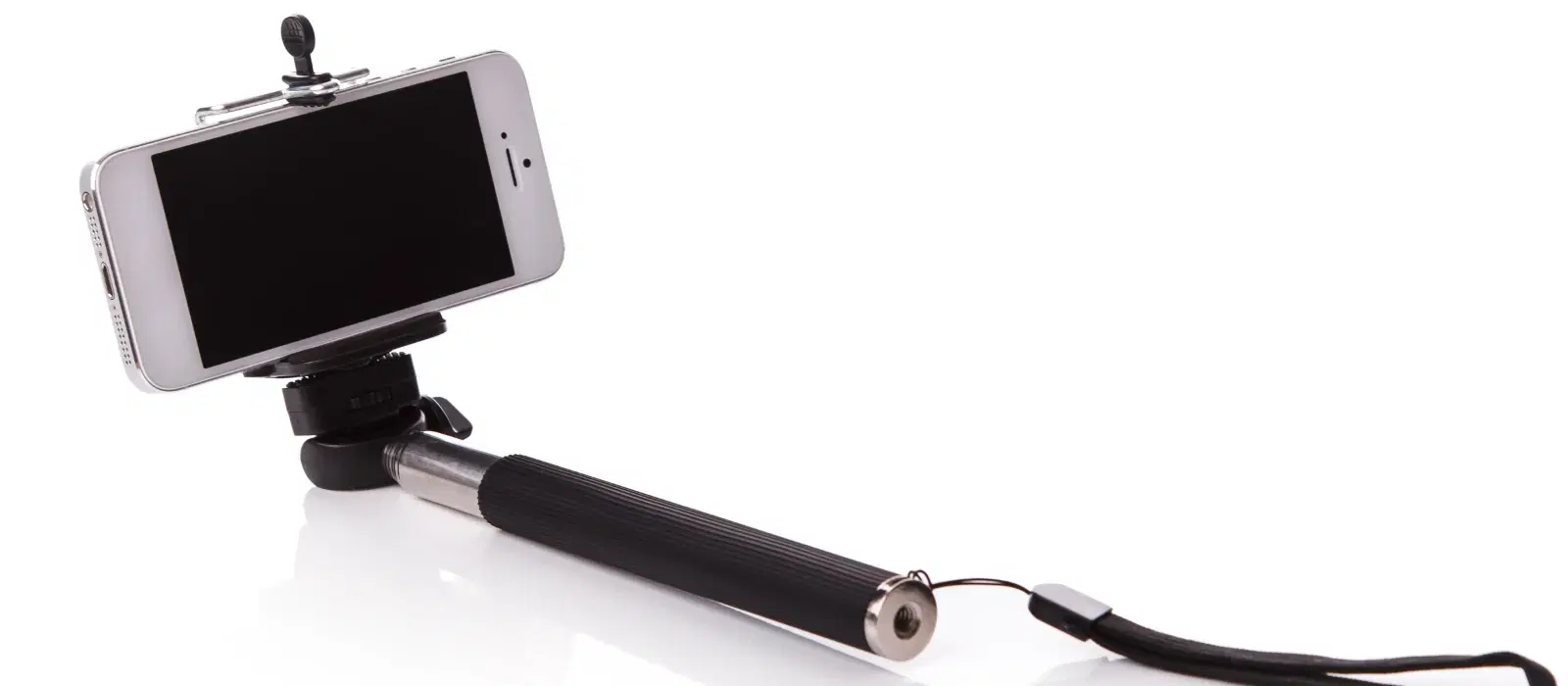
Selfie sticks have become an essential accessory for capturing those perfect moments, whether you're traveling, attending events, or simply hanging out with friends. To ensure you never miss a shot, it's crucial to keep your selfie stick charged and ready to go. In this blog post, we'll provide easy and practical tips on how to charge your selfie stick using USB. Additionally, we'll explore some expert tips and common issues to help you maintain your device in top condition.

Understanding Your Selfie Stick

Before diving into the charging process, it's important to understand the different types of selfie sticks available:

  • Wired vs. Wireless Selfie Sticks: Wired selfie sticks connect directly to your phone's headphone jack, while wireless ones use Bluetooth technology.

  • Built-in Battery vs. Replaceable Battery: Some selfie sticks come with built-in rechargeable batteries, while others have replaceable batteries.

Proper charging is essential to ensure the longevity of your device and maintain its optimal performance. Overcharging or using the wrong charger can damage the battery and reduce its lifespan.

How to Charge Your Selfie Stick

Step-by-Step Guide

  1. Identify the Charging Port: Locate the charging port on your selfie stick. This is usually a small, rectangular port where the selfie stick charging cable connects.

  2. Use the Correct USB Cable: Ensure you use the appropriate selfie stick USB charging cable that came with your device or a certified replacement.

  3. Connect to a Power Source: Plug the USB end of the cable into a selfie stick power source, such as a wall adapter, computer, or power bank.

  4. Monitor the Charging Indicator: If your selfie stick has a charging indicator, keep an eye on it to know when the device is fully charged.

  5. Disconnect Once Fully Charged: Once the selfie stick is fully charged, unplug it from the power source to avoid overcharging.

Charging Tips

  • Avoid Overcharging: Unplug the selfie stick once it's fully charged to preserve the selfie stick battery life.

  • Use Certified Chargers: Always use a certified selfie stick charger to prevent damage to the battery.

  • Charge in a Cool, Dry Place: Avoid charging your selfie stick in hot or humid environments to prevent overheating.

Common Issues and Troubleshooting

Selfie Stick Not Charging

Juvo Personal Safety Alarm (PSB 01, Black)

Juvo Personal Safety Alarm (PSB 01, Black)

<p>Danger can overpower you at any time and your voice will not be enough in such situations to get the required aid. The amazing new <strong>Juvo PSB01 Personal Alarm</strong> is crafted for all ages and is a necessary precaution from all kinds of danger. It rings a very loud alarm at 120 dB as well as flashes the torch to warn people nearby about a danger. Whether you have a medical emergency or you are attacked by predators your voice may not be heard but this alarm will be enough to deter attackers or draw attention of people close by to give you the immediate assistance required.</p> <p><strong>Extremely Easy To Use</strong></p> <p>The <strong>Juvo PSB01 Personal Alarm</strong> is small and portable, can be attacked to even a keychain if you want. To start the siren all you need to do is separate or pull the metal key chain from the main black unit. The siren may go on for 1 1/2 hours in case nobody heard it in the first minutes. This is very important for girls returning home alone at night as it acts as a security anti-attack panic alarm that is sure to scare off a molester. Its easy portability accentuates its use.</p> <p><strong>Lights Your Way</strong></p> <p>The little and portable <strong>Juvo PSB01 Personal Alarm</strong> also features a small LED torch that helps you find your way in the dark. Don&rsquo;t be scared of dark alleys when you have this with you because it is equipped to save you from all dangers.</p>

₹474₹890
Earn NeuCoins
  • Check the Charging Cable: Ensure the cable is not damaged and is properly connected.

  • Inspect the Charging Port for Debris: Clean the port if necessary to ensure a good connection.

  • Try a Different Power Source: Switch to another power source to rule out issues with the current one.

Battery Drains Quickly

  • Ensure Full Charge Cycles: Allow the battery to fully charge and discharge periodically.

  • Avoid High-Drain Activities: Limit the use of power-intensive features to extend battery life.

  • Replace the Battery if Necessary: If the battery no longer holds a charge, consider replacing it.

Value-Adding Section: Expert Tips

Did You Know?

  • Using a Power Bank for On-the-Go Charging: Keep a power bank handy to recharge your selfie stick power while traveling. This is especially useful for tech enthusiasts and travelers who need their devices ready at all times.

  • Benefits of Regular Maintenance: Regularly clean and maintain your selfie stick to ensure its longevity and optimal performance. This includes checking for any wear and tear and ensuring all components are in good condition.

  • Choosing the Right Accessories: Investing in high-quality accessories, such as a durable carrying case, can protect your selfie stick from damage and make it easier to carry around.

FAQs

How long does it take to fully charge a selfie stick?

It typically takes about 1-2 hours to fully charge a selfie stick, depending on the battery capacity and charger used.

Can I use any USB cable to charge my selfie stick?

While you can use any compatible USB cable, it's best to use the one that came with your selfie stick or a certified replacement to ensure safe and efficient charging.

What should I do if my selfie stick battery doesn't hold a charge?

SVARAS Home Rechargeable UV Sterilizer (Voice Alarm, X2 Pro, White)

SVARAS Home Rechargeable UV Sterilizer (Voice Alarm, X2 Pro, White)

<p><b>HEUV Technology</b><br/><br/>Thanks to the HEUV technology, the SVARAS Home X2 Pro UV Steriliser effectively targets and eliminates a wide range of viruses and bacteria, including those responsible for illnesses such as the coronavirus. As a result, you can have peace of mind knowing that you can effectively protect yourself and your family from potential health threats.<br/><br/><br/><b>Enhanced Sterilisation</b><br/><br/>This rechargeable UV steriliser provides optimal sterilisation capabilities, which eliminates harmful germs. This high level of effectiveness makes it an ideal choice for homes, offices, and shops, ensuring that surfaces remain clean and safe. Thus, you can trust this steriliser to protect your health and the health of your loved ones by efficiently disinfecting various surfaces.<br/><br/><br/><b>User-Friendly Functionality</b><br/><br/>This home steriliser boasts convenient features that enhance its usability. It includes a voice alarm that signals when the sterilisation process is complete, ensuring you never forget to turn it off. Additionally, the device offers a safe automatic power-off feature, which enhances safety during operation. Convenient charging capabilities further simplify the user experience, which makes it easy to keep the steriliser ready for action.<br/><br/><br/><b>Eco-Friendly Design</b><br/><br/>Designed with sustainability in mind, this SVARAS steriliser promotes an eco-friendly lifestyle. It operates without mercury or harsh chemicals, which makes it safe for both users and the environment. This design choice allows you to maintain a clean living space while reducing your ecological footprint. Moreover, the sleek, modern appearance of the steriliser ensures that it complements any decor.</p>

₹2264₹7999
Earn NeuCoins

If your selfie stick battery doesn't hold a charge, try a full charge cycle. If the issue persists, consider replacing the battery.

Is it safe to leave my selfie stick charging overnight?

It's not recommended to leave your selfie stick charging overnight as it can lead to overcharging and reduce battery life.

How can I extend the battery life of my selfie stick?

To extend the battery life, avoid overcharging, use certified chargers, and perform regular maintenance.

Can I charge my selfie stick using my laptop?

Yes, you can charge your selfie stick using your laptop's USB port. However, charging might be slower compared to using a wall adapter.

What should I do if my selfie stick gets hot while charging?

If your selfie stick gets hot while charging, disconnect it immediately and let it cool down. Charging in a cool, dry place can help prevent overheating.

Conclusion

Keeping your selfie stick charged and ready to use is essential for capturing those perfect moments. By following the tips and guidelines provided in this blog post, you can ensure your selfie stick remains in optimal condition. Explore Tata Neu for all your electronic needs, and enjoy benefits like NeuCoins rewards, expert advice, and express delivery. Share your charging tips and experiences in the comments section below!

At Tata Neu, we are committed to providing reliable and high-quality products and services, ensuring a rewarding and hassle-free shopping experience. Whether you're a tech enthusiast, a family looking for reliable gadgets, or a young professional seeking productivity-boosting devices, Tata Neu and Croma have you covered with advanced technology, exclusive savings, and unmatched after-sales support.

Sangria Experience Logo