





Consumer Electronics
•03 min read

Did you know that renaming your USB drive can help you organise your files better and make your external storage more personal? This guide answers your frequently asked questions on how to rename a USB drive efficiently and safely without formatting it. Whether using Windows, macOS, Android or a Chromebook, you will find clear instructions to help you customise your device's name and keep your digital workspace neat and user-friendly.
A USB drive name is the unique identifier that your computer or mobile device displays when you plug in your external storage device. It is distinct from file labels within the drive and plays a key role in how you recognise your devices at a glance.
Renaming a USB drive can help you organise multiple devices with ease. By personalising your external storage, you simplify system navigation, especially in shared environments or when accessing many devices. It can also make locating files quicker and add a personal touch to your tech lifestyle.
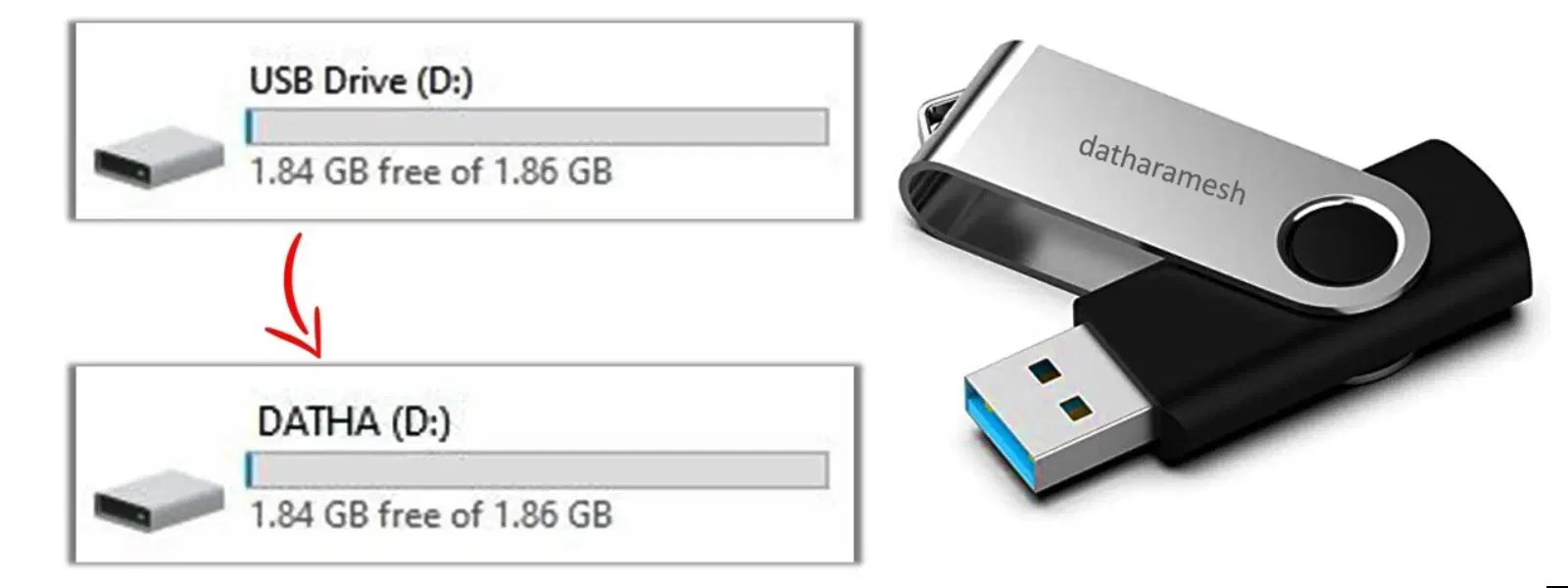
Follow these simple steps to rename your USB drive on Windows: 1) Plug in the USB drive and open File Explorer. 2) Right-click on the drive's name and select "Rename." 3) Type the new name—in line with your personal or organisational style—and press Enter. This method lets you modify the device’s display name instantly without needing to format the drive.
It is essential to know that you can change your external storage device’s name directly, and Windows does not require you to reformat your drive. This process preserves your files while updating the display name.
If you encounter issues such as the rename option being disabled or error messages, double-check your permissions and ensure no files are in use. This troubleshooting step keeps your device secure while allowing you to modify its name with ease.
For macOS users, simply plug in your USB drive, open Finder, and locate your device. Right-click (or Control-click) on the drive’s name and select "Rename." Enter your desired name and confirm your changes. This process makes it straightforward to manage your external storage without altering its content.
Android users can also personalise their USB drive names effortlessly. Connect the USB drive via an OTG cable or available port, then open the file manager app. Find the drive, tap on the options available and select "Rename" to update the name of your device.
On Chromebooks, renaming an external storage device is similarly user-friendly. Using the Files app, locate your USB drive, select the rename option, and input your new preferred title. These cohesive steps ensure that no matter your operating system, your USB drive name reflects your unique style.
Pro Tip: Customize Your USB Drive for Maximum Efficiency
Adding unique identifiers such as your initials or project names to your USB drive can save you time when you work with multiple devices. A personalised name not only avoids confusion but also helps maintain a smooth workflow.
If you prefer a more advanced approach, consider utilising third-party software like a USB label editor or partition manager. These tools are designed to streamline the process and offer additional features such as batch renaming. This step is particularly useful if you maintain several drives with varied naming conventions.
Sometimes, formatting might be necessary—for instance, if the drive is corrupted. Formatting your device can help resolve technical issues and offers the opportunity to assign a fresh, new name. Just ensure you backup your data before proceeding, as formatting will erase all existing content.
Consider creative approaches when naming your USB drive. You can incorporate emojis or unique identifiers to add a personal flair. This helps differentiate the drive in environments where you work with multiple external storage devices and ensures you locate the right one quickly.
You can rename the USB drive directly via your operating system’s file manager, such as File Explorer on Windows or Finder on macOS. This method changes the device’s display name without altering the stored files or folders.
Simply right-click on your USB drive, select "Rename," and enter the new name ensuring you have the necessary permissions to make changes.
Renaming a USB drive doesn’t require a format. You can update its display name directly through your system’s file manager, leaving the stored data intact.
The procedure varies slightly across platforms. Whether you are using Windows, macOS, Android, or Chromebook, refer to the specific instructions provided above for detailed guidance.
Yes, most modern operating systems accept special characters such as underscores and even emojis. However, it is best to avoid symbols that might not be compatible across all devices to ensure smooth operation.
Renaming your USB drive is a quick and practical way to tailor your external storage for a more organised and personalised digital experience. The process is straightforward across multiple platforms, ensuring that whether you need to change USB drive name, rename flash drive, or simply edit USB label, you can do so with confidence. By following these clear instructions and leveraging tips for customisation, you not only enhance your tech setup but also earn NeuCoins rewards on Tata Neu—a platform trusted for seamless shopping. Enjoy personalising your device while maximising efficiency in your workflow.
