
FAQs: How to Find Your MAC Address in Windows 10

Consumer Electronics

03 min read

FAQs: How to Find Your MAC Address in Windows 10

Juvo Personal Safety Alarm (PSB 01, Black)

Juvo Personal Safety Alarm (PSB 01, Black)

<p>Danger can overpower you at any time and your voice will not be enough in such situations to get the required aid. The amazing new <strong>Juvo PSB01 Personal Alarm</strong> is crafted for all ages and is a necessary precaution from all kinds of danger. It rings a very loud alarm at 120 dB as well as flashes the torch to warn people nearby about a danger. Whether you have a medical emergency or you are attacked by predators your voice may not be heard but this alarm will be enough to deter attackers or draw attention of people close by to give you the immediate assistance required.</p> <p><strong>Extremely Easy To Use</strong></p> <p>The <strong>Juvo PSB01 Personal Alarm</strong> is small and portable, can be attacked to even a keychain if you want. To start the siren all you need to do is separate or pull the metal key chain from the main black unit. The siren may go on for 1 1/2 hours in case nobody heard it in the first minutes. This is very important for girls returning home alone at night as it acts as a security anti-attack panic alarm that is sure to scare off a molester. Its easy portability accentuates its use.</p> <p><strong>Lights Your Way</strong></p> <p>The little and portable <strong>Juvo PSB01 Personal Alarm</strong> also features a small LED torch that helps you find your way in the dark. Don&rsquo;t be scared of dark alleys when you have this with you because it is equipped to save you from all dangers.</p>

474890
Earn NeuCoins

Ever wondered how your computer identifies itself on a network? That unique identifier is known as a MAC address. In this post, we explain what a MAC address is, why it is essential, and share several methods to get your MAC address in Windows 10. By the end, you'll know how to locate your MAC address through Windows settings, command prompt, and other easy-to-follow steps.

What is a MAC Address and Why Is It Important?

Definition of a MAC Address

A MAC (Media Access Control) address is a unique identifier assigned to a network adapter. It plays a pivotal role in connecting devices to a network by ensuring every device communicates correctly. Whether you are setting up a secure Wi-Fi network or troubleshooting connectivity issues, your MAC address is crucial.

Common Scenarios for Needing a MAC Address

There are many situations where you may need to locate the MAC address on PC. You might use it to resolve network issues or during the configuration of secure connections. The ability to check your MAC address in Windows settings simplifies managing your network.

How to Get Your MAC Address in Windows 10 – Methods Overview

There are several methods to retrieve your MAC address in Windows 10. You can locate the MAC address via Windows settings, by using the command prompt, or by checking the network adapter properties. In the sections below, we break down each approach into simple, step-by-step instructions.

Step-by-Step Guide to Find Your MAC Address

Using Windows Settings

Begin by navigating to the Settings menu. Click on Network & Internet and select either Wi-Fi or Ethernet based on your connection. Once there, click on Hardware Properties where you will see your MAC address listed under Physical Address. This method offers a clear view of your MAC address on your laptop or desktop.

Environics Device Disinfector (Disinfects Up To 99.99%, 127ELGD, Blue)

Environics Device Disinfector (Disinfects Up To 99.99%, 127ELGD, Blue)

<b>Why Buy Environics Device Disinfector</b><ul><li><b></b> for optimised disinfection</li><li><b></b> makes sure all the germs are killed</li></ul><p>To prevent harmful bacteria and fungi from getting in contact with you, buy <b>Environics Device Disinfector</b>. The usability of your device disinfector may be affected if its installation is complex. As this device disinfector has the it prevents the extra-spill and wastage of sanitizer. Your residence and office will stay clean and hygienic with products from this device disinfector that have 99.99% high resistance against germs and viruses. </p><p>The <b>Environics Device Disinfector's</b> price is cost-effective so you don't have to adjust your budget. The longer it takes for the device disinfector to disinfect, the longer you will have to wait. As a result of its efficient and effective operation, this device disinfector requires only to inject. Your device disinfector needs to have the latest technology to make sure it kills all the germs. As this device disinfector has the to prevent viruses, you can rest assured. Purchase the <b>Environics Device Disinfector</b> online at this instant!</p>

114249
Earn NeuCoins

Accessing the MAC Address via Command Prompt

Another method is to use the command prompt. Open the Command Prompt window and type ipconfig /all. Scroll through the details until you locate your network adapter section. Here you will find the MAC address, which is sometimes also referred to as the network adapter MAC address. For a more concise display, you can also type getmac to see your MAC address clearly.

Using Network Adapter Properties

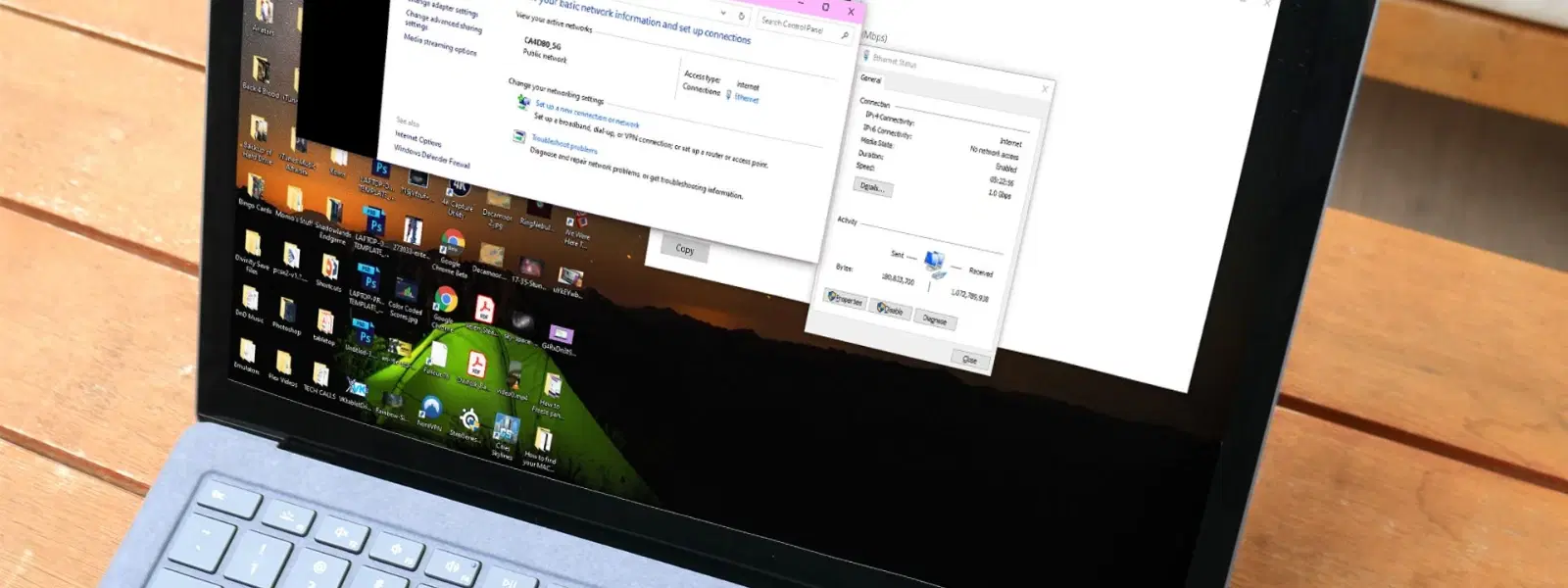
You can also retrieve your MAC address from the network adapter properties. Open the Control Panel and go to Network and Sharing Center followed by Change adapter settings. Right-click on the connection of choice and select Status. Click on Details to view the MAC address next to Physical Address. This method is particularly handy if you want to view additional network details.

Checking MAC Address via the Taskbar (Quick Access)

For those who prefer quick access, simply click on the network icon in the taskbar. You can often find a link to view network details which includes your MAC address. This rapid lookup is designed to help users who need a quick mac address lookup windows method when troubleshooting.

Troubleshooting and Tips for Finding a MAC Address

What to Do If You Can’t Find Your MAC Address

If you are struggling to find your MAC address, ensure that the correct network adapter is enabled. Sometimes, a disabled network adapter might hide its details. Temporarily enabling the adapter or using the ipconfig /all command may resolve the issue.

MAC Address Lookup Tools and Utilities

In cases where the default methods do not work, you can explore third-party MAC address detection tools on PC. These utilities are designed to help you retrieve the MAC address on your computer quickly. Remember, these simple tips are here to support you in ensuring seamless connectivity and network management.

Environics Enviroglobe Anti Radiation Ball for House & Car (001EG, Grey)

Environics Enviroglobe Anti Radiation Ball for House & Car (001EG, Grey)

<p><strong>Why buy Environics Enviroglobe Anti Radiation Ball for House &amp; Car</strong></p> <p>&nbsp;</p> <ul> <li><strong>Provides E-Smog and Radiation Protection</strong> for healthier homes and families</li> <li><strong>It Covers A Radius</strong> of 250 sq.ft protect you and your loved ones from harmful radiation</li> <li><strong>Clinically Tested EMF Harmonizer</strong> that provides us 360-degree protection from radiation sources that are beyond our control</li> </ul> <p>&nbsp;</p> <p>Buy the <strong>Environics Enviroglobe Anti Radiation Ball for House &amp; Car</strong> which is based on Envirochip&rsquo;s radiation protection technology that helps you protect you and your loved ones from harmful radiation within an area of 250 sq. feet. You can extend the range of protection by placing multiple Enviroglobes at equal distances from one another. It is a clinically tested EMF harmonizer and provides us 360-degree protection from radiation sources that are beyond our control. Electromagnetic Radiation (EMR) refers to the constant waves of the electromagnetic field (EMF) produced by wireless communication devices such as mobile phones, laptops, Wi-Fi routers, and other sources such as mobile towers and high-tension wirelines, etc. However, The human body is accustomed to random waves and hence the constant exposure to electromagnetic radiation causes serious biological disorders such as higher stress and fatigue, irritation, headache, weakened immunity, cancer, fertility issues to name a few. The technology used in Enviroglobe changes the nature of electromagnetic radiation from constant to random waveform making it human body-friendly.</p> <p>&nbsp;</p> <p>When you get <strong>Environics Enviroglobe Anti Radiation Ball for House &amp; Car</strong> online, you also get awesome companion for your home. It comes with Internationally tested and certified technology. No need of batteries or adaptors, you can simply charge by placing it under the sunlight, for only a couple of minutes every week. Enviroglobe is simple to use. Simply place it at your desk, table, living room, bedroom, car, office space, absolutely wherever you want, and get a radiation protected zone of up to 250 sq. feet. It provides e-smog and radiation protection for healthier homes and families. Purchase&nbsp;<strong>Environics Enviroglobe Anti Radiation Ball for House &amp; Car</strong> online, now!</p>

27044499
Earn NeuCoins

Pro Tip: Simplify Your Search

Did you know? Using the command getmac in Command Prompt is one of the quickest ways to retrieve your MAC address without extra details cluttering your screen.

Frequently Asked Questions

How do I find my MAC address in Windows 10 without logging in?

Use the command prompt on the login screen by pressing Shift + F10, then type getmac.

Can I find the MAC address of a disabled network adapter?

Yes, you can enable the adapter temporarily or use the ipconfig /all command to view its MAC address.

What’s the difference between a MAC address and an IP address?

A MAC address is a hardware identifier, while an IP address is a software-based address assigned for network communication.

How do I find the MAC address for a wireless connection?

Follow the steps outlined in the Windows settings method and navigate to the Wi-Fi section under Network & Internet.

Can two devices have the same MAC address?

No, MAC addresses are unique to each network adapter, ensuring that every device remains individually identifiable on your network.

Understanding how to retrieve your MAC address in Windows 10 not only equips you to resolve network issues quickly but also adds to better network management overall. Just like the seamless shopping experience on Tata Neu, these straightforward methods are designed with user convenience in mind. With features such as NeuCoins rewards available on Tata Neu, users enjoy added benefits while exploring technology and shopping smartly. Furthermore, if you have urgent needs, Tata Neu’s express delivery ensures orders placed before 6 PM are delivered the same day in selected locations, making every interaction beneficial and efficient.

Sangria Experience Logo