





Consumer Electronics
•03 min read


<p>Danger can overpower you at any time and your voice will not be enough in such situations to get the required aid. The amazing new <strong>Juvo PSB01 Personal Alarm</strong> is crafted for all ages and is a necessary precaution from all kinds of danger. It rings a very loud alarm at 120 dB as well as flashes the torch to warn people nearby about a danger. Whether you have a medical emergency or you are attacked by predators your voice may not be heard but this alarm will be enough to deter attackers or draw attention of people close by to give you the immediate assistance required.</p> <p><strong>Extremely Easy To Use</strong></p> <p>The <strong>Juvo PSB01 Personal Alarm</strong> is small and portable, can be attacked to even a keychain if you want. To start the siren all you need to do is separate or pull the metal key chain from the main black unit. The siren may go on for 1 1/2 hours in case nobody heard it in the first minutes. This is very important for girls returning home alone at night as it acts as a security anti-attack panic alarm that is sure to scare off a molester. Its easy portability accentuates its use.</p> <p><strong>Lights Your Way</strong></p> <p>The little and portable <strong>Juvo PSB01 Personal Alarm</strong> also features a small LED torch that helps you find your way in the dark. Don’t be scared of dark alleys when you have this with you because it is equipped to save you from all dangers.</p>

Picture this: you're all set to capture a perfect moment, only to find that your Android camera simply doesn’t work. It’s a frustrating experience that can interrupt your plans and leave you feeling at a loss. In this guide, you will uncover common reasons why your camera might be acting up and learn a range of simple to advanced fixes that will get it back in proper working order.
A black screen isn't always a sign of a serious hardware problem. It could be due to app conflicts or temporary software glitches. When the camera fails to display an image, it might be a result of accumulated cache data or a conflict with another app running in the background.
If your camera keeps crashing or becomes unresponsive, it could be caused by software bugs or insufficient memory. It’s important to determine if the problem lies within the app; technical issues such as these can often be resolved with simple troubleshooting steps.
Sometimes the camera won’t open at all. This could be related to permissions not being granted or the software being outdated. Ensuring that your phone’s operating system is up-to-date and that the camera app has all necessary permissions is key to keeping it functioning properly.
Simple as it sounds, restarting your phone can resolve many minor software glitches. Turning your device off and on again clears temporary files and may fix issues with apps. To restart, press and hold the power button, then select the restart option.
Permissions are vital for your camera’s performance. If your camera app doesn’t have access to your device’s storage, microphone or location, it may fail to function correctly. Navigate to your phone’s settings to verify and adjust these permissions accordingly.
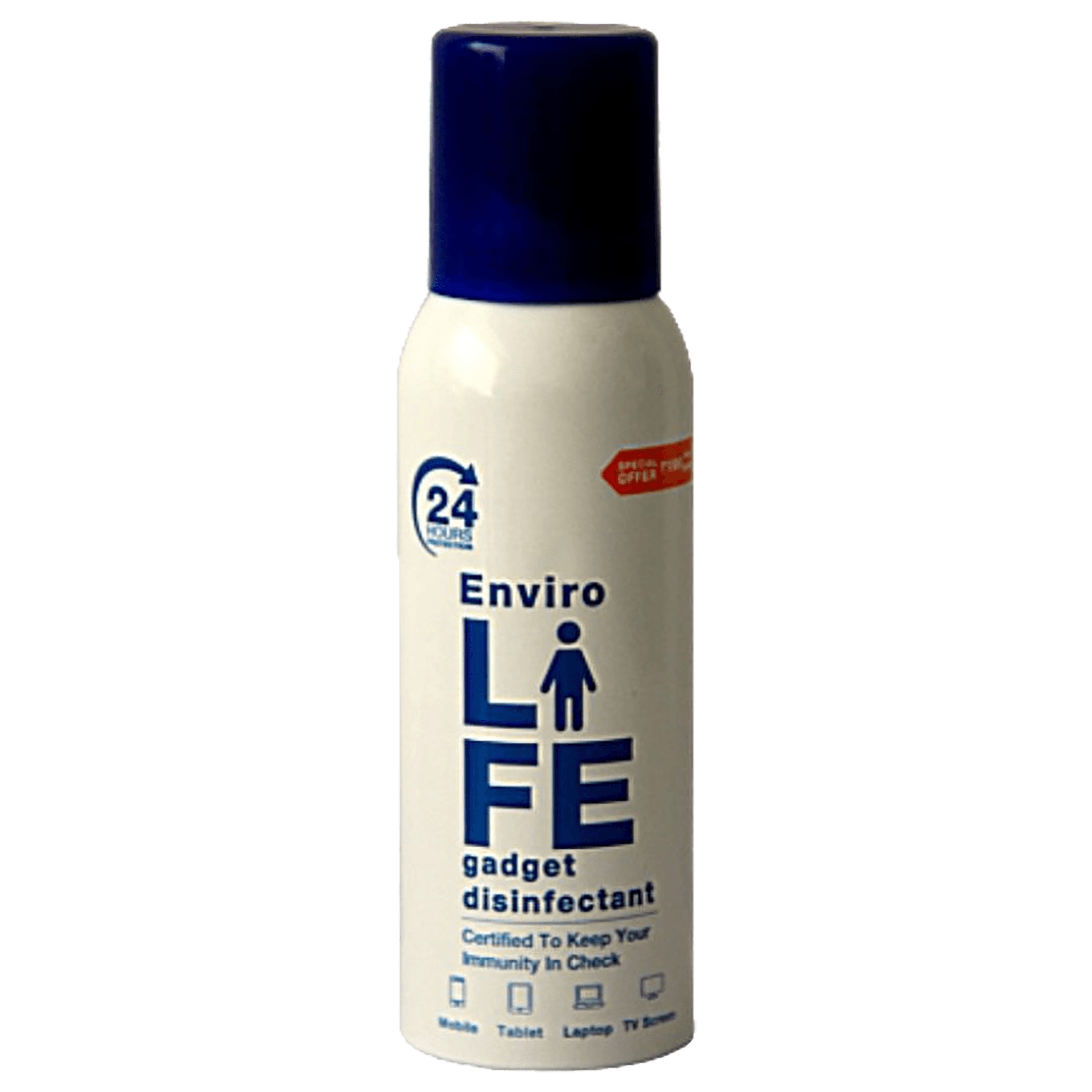
<b>Why Buy Environics Device Disinfector</b><ul><li><b></b> for optimised disinfection</li><li><b></b> makes sure all the germs are killed</li></ul><p>To prevent harmful bacteria and fungi from getting in contact with you, buy <b>Environics Device Disinfector</b>. The usability of your device disinfector may be affected if its installation is complex. As this device disinfector has the it prevents the extra-spill and wastage of sanitizer. Your residence and office will stay clean and hygienic with products from this device disinfector that have 99.99% high resistance against germs and viruses. </p><p>The <b>Environics Device Disinfector's</b> price is cost-effective so you don't have to adjust your budget. The longer it takes for the device disinfector to disinfect, the longer you will have to wait. As a result of its efficient and effective operation, this device disinfector requires only to inject. Your device disinfector needs to have the latest technology to make sure it kills all the germs. As this device disinfector has the to prevent viruses, you can rest assured. Purchase the <b>Environics Device Disinfector</b> online at this instant!</p>
Over time, cached data can accumulate and cause the camera app to slow down or malfunction. By clearing the cache and app data, you allow the app to start afresh. This method often resolves issues related to performance without any need for more drastic measures.
Regular updates often include bug fixes and compatibility improvements, making them essential for smooth operation. Check your device’s settings for any available updates and install them to reduce the chances of running into issues with your camera.
Insufficient storage can lead not only to app failures but can hinder the functioning of core system components like the camera. Review your phone’s storage and delete any unnecessary files to make room for smoother performance.
If the camera app continues to misbehave, force-quitting it may help. Should this prove ineffective, uninstalling and then reinstalling the app ensures you have the latest version, free from any lingering errors.
A factory reset can clear out deeper system errors that are affecting the camera’s performance. It is critical to backup your data before taking this step, as a reset will erase all personal information and settings from the phone.

<p><strong>Why buy Environics Enviroglobe Anti Radiation Ball for House & Car</strong></p> <p> </p> <ul> <li><strong>Provides E-Smog and Radiation Protection</strong> for healthier homes and families</li> <li><strong>It Covers A Radius</strong> of 250 sq.ft protect you and your loved ones from harmful radiation</li> <li><strong>Clinically Tested EMF Harmonizer</strong> that provides us 360-degree protection from radiation sources that are beyond our control</li> </ul> <p> </p> <p>Buy the <strong>Environics Enviroglobe Anti Radiation Ball for House & Car</strong> which is based on Envirochip’s radiation protection technology that helps you protect you and your loved ones from harmful radiation within an area of 250 sq. feet. You can extend the range of protection by placing multiple Enviroglobes at equal distances from one another. It is a clinically tested EMF harmonizer and provides us 360-degree protection from radiation sources that are beyond our control. Electromagnetic Radiation (EMR) refers to the constant waves of the electromagnetic field (EMF) produced by wireless communication devices such as mobile phones, laptops, Wi-Fi routers, and other sources such as mobile towers and high-tension wirelines, etc. However, The human body is accustomed to random waves and hence the constant exposure to electromagnetic radiation causes serious biological disorders such as higher stress and fatigue, irritation, headache, weakened immunity, cancer, fertility issues to name a few. The technology used in Enviroglobe changes the nature of electromagnetic radiation from constant to random waveform making it human body-friendly.</p> <p> </p> <p>When you get <strong>Environics Enviroglobe Anti Radiation Ball for House & Car</strong> online, you also get awesome companion for your home. It comes with Internationally tested and certified technology. No need of batteries or adaptors, you can simply charge by placing it under the sunlight, for only a couple of minutes every week. Enviroglobe is simple to use. Simply place it at your desk, table, living room, bedroom, car, office space, absolutely wherever you want, and get a radiation protected zone of up to 250 sq. feet. It provides e-smog and radiation protection for healthier homes and families. Purchase <strong>Environics Enviroglobe Anti Radiation Ball for House & Car</strong> online, now!</p>
If you have tried all the troubleshooting steps to no avail, it might be time to consider the possibility of hardware damage. Issues like lens damage or an internal malfunction require professional assessment and repair. Contact your phone manufacturer or a certified technician to discuss repair options.
Insight Corner: "Did You Know? Hardware Damage Can Mimic Software Errors"
Sometimes, physical damage to your phone’s camera module can present itself as software glitches, such as persistent crashes or a stubborn black screen. If you have exhausted all troubleshooting steps, it may be wise to have the hardware inspected.
Restart your phone, check camera permissions, clear the app cache, and update your operating system.
This can happen due to app conflicts, insufficient memory, or even a malfunctioning camera module. Try clearing the cache, restarting your phone, or reinstalling the camera app.
Access your phone’s settings, uninstall the camera app, and reinstall it via the Google Play Store to ensure you have the most recent version.
Some Samsung phones may encounter issues due to outdated firmware or app conflicts. Update the software, clear the cache, and if necessary, have the camera hardware inspected.
Yes, a factory reset can resolve deeper system errors, though it should be considered a last resort after backing up data.
Understanding why your Android camera isn’t working can save you both time and frustration. Whether the issue is a minor software glitch resolved by a simple restart, or something that requires advanced troubleshooting, the steps outlined above offer a path to get your camera back on track. With Tata Neu’s commitment to offering a seamless shopping experience backed by genuine customer support and NeuCoins rewards, you can invest your time in what truly matters and shop smartly knowing that solutions are just a few steps away.
