





Consumer Electronics
•05 min read


<p>Danger can overpower you at any time and your voice will not be enough in such situations to get the required aid. The amazing new <strong>Juvo PSB01 Personal Alarm</strong> is crafted for all ages and is a necessary precaution from all kinds of danger. It rings a very loud alarm at 120 dB as well as flashes the torch to warn people nearby about a danger. Whether you have a medical emergency or you are attacked by predators your voice may not be heard but this alarm will be enough to deter attackers or draw attention of people close by to give you the immediate assistance required.</p> <p><strong>Extremely Easy To Use</strong></p> <p>The <strong>Juvo PSB01 Personal Alarm</strong> is small and portable, can be attacked to even a keychain if you want. To start the siren all you need to do is separate or pull the metal key chain from the main black unit. The siren may go on for 1 1/2 hours in case nobody heard it in the first minutes. This is very important for girls returning home alone at night as it acts as a security anti-attack panic alarm that is sure to scare off a molester. Its easy portability accentuates its use.</p> <p><strong>Lights Your Way</strong></p> <p>The little and portable <strong>Juvo PSB01 Personal Alarm</strong> also features a small LED torch that helps you find your way in the dark. Don’t be scared of dark alleys when you have this with you because it is equipped to save you from all dangers.</p>

Imagine standing in a tech store or browsing online, faced with a range of choices—Chromebook, laptop, or MacBook. Each offers unique qualities and caters to varying needs, yet choosing one can feel overwhelming. This blog post breaks down the key differences to help you decide which device best suits your lifestyle, whether you're a student, a young professional, or a creative enthusiast. You'll learn about the core features, benefits, and drawbacks of each device, enabling you to make a confident, informed decision.
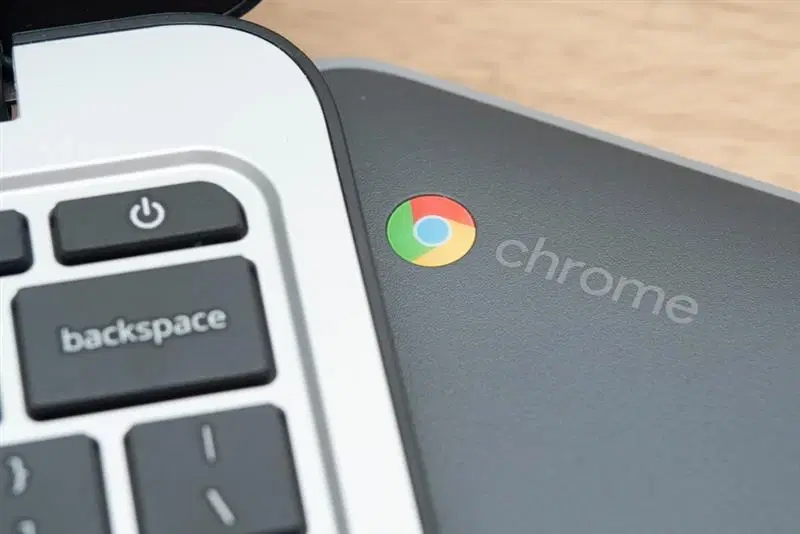
Chromebooks, powered by ChromeOS, are designed to be lightweight and simple. They excel at cloud-based tasks, making them ideal for students and casual users who perform basic web browsing or rely on Google apps. Their affordability is a significant draw, allowing you to invest in a device that meets everyday needs without breaking the bank.
Traditional laptops offer a wide range of hardware configurations that cater to diverse needs. They are equipped to handle professional software, gaming, and multitasking seamlessly. This versatility makes them a popular choice among professionals and tech enthusiasts who value customisation and flexibility in a device.
MacBooks represent Apple’s premium approach with macOS and a focus on a sleek, elegant design. Engineered with powerful hardware, these devices integrate effortlessly with the Apple ecosystem. They appeal to creative professionals and those who prioritise a seamless, high-performance experience. While MacBooks come with a higher price tag, their refined design and robust build quality justify this investment for users seeking top-tier performance.
Each device runs on a different operating system that influences app compatibility and user experience. Chromebooks operate on ChromeOS, ideal for network-based activities though limited in offline capabilities. Laptops typically run on Windows or sometimes Linux, offering a broad range of software options. Meanwhile, MacBooks use macOS, which is tailor-made to work seamlessly with Apple’s applications and services.
When it comes to price, Chromebooks are the most budget-friendly option, often starting at less than Rs. 300. Traditional laptops cover a wide spectrum, from cost-effective models to high-end machines that can cost significantly more. MacBooks stand at the premium end, generally priced at Rs. 1,000 and above. This variance allows shoppers from different backgrounds and with differing budgets to find a suitable option.
Chromebooks are celebrated for their lightweight design and simplicity. They offer the essential functions for daily use without the need for advanced hardware. Laptops present a varied range, meaning you can choose a device that fits your performance and design preferences. MacBooks, on the other hand, are constructed with a premium aluminium casing and high-performance components that create a sleek and durable device.
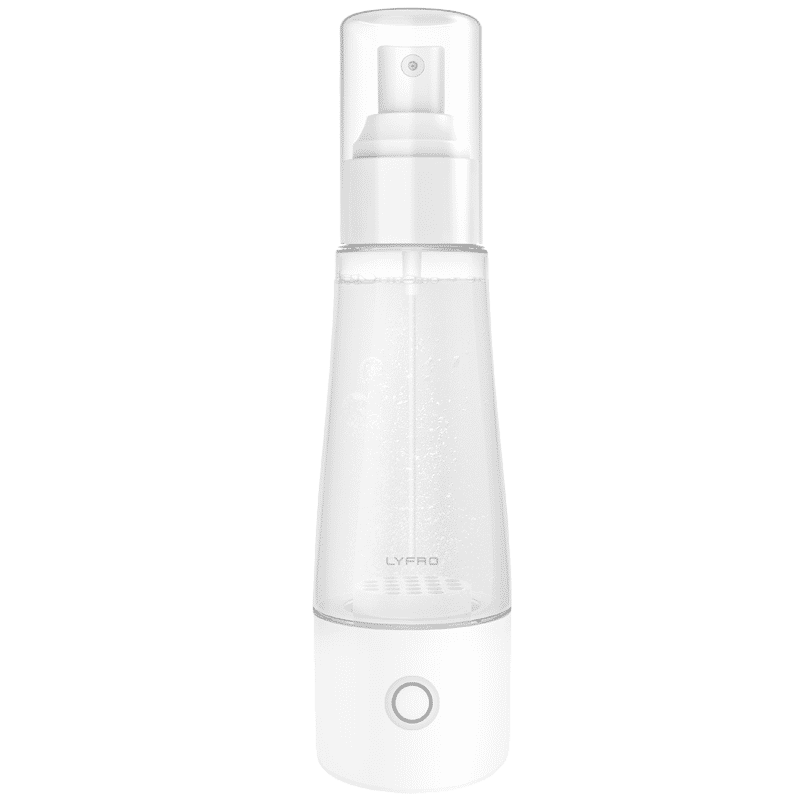
<p>The <strong>Lyfro Battery Powered Disinfectant Solution Generator</strong> is non-toxic and has no side effects</p> <ul> <li><strong>Free of Chemical Residues</strong> makes it an eco-friendly, cost-effective disinfectant</li> <li><strong>Uses Electrolysis</strong> to produce natural powerful disinfectant</li> <li><strong>300 mAh Battery</strong> with USB recharging facility</li> </ul> <p>Buy <strong>Lyfro Battery Powered Disinfectant Solution Generator</strong> to experience its awesome usages. It is an ultra-portable non-toxic disinfectant maker. It comes with an electrolysed water generator. Useful to sterilize public places as well. Use <strong>Lyfro Battery Powered Disinfectant Solution Generator</strong> which allows you to create your own non-toxic disinfectant in just 3 minutes. Simply add salt and water together. Uses electrolysis to produce natural powerful disinfectants proven to be effective against bacteria, viruses, and mold.</p> <p>When you get <strong>Lyfro Battery Powered Disinfectant Solution Generator</strong> online, you also get an awesome eco-friendly, cost-effective disinfectant for your everyday life. It is equipped with a 300 mAh battery with USB recharging facility. It is usable at home, office, or in transit. It eliminates up to 99.9 percent pathogens. It is free of chemical residues. It is a self-made disinfectant.</p>
Battery longevity is a critical deciding factor. Chromebooks typically deliver 8 to 12 hours of endurance, making them dependable for a full day of light work. Battery life in laptops can vary; high-performance models, especially those for gaming, might have shorter durations. MacBooks are renowned for their extended battery life, often exceeding 10 hours, which is advantageous for busy professionals and creatives on the go.
Pros: They are affordable, easy to use, and perfect for students or anyone who primarily uses cloud-based services. Their lightweight design adds to their appeal, making them a practical choice for basic browsing and productivity tasks.
Cons: Their reliance on internet connectivity and limited software compatibility means that if you require more advanced applications, a Chromebook might not meet your needs.
Pros: Traditional laptops offer great versatility with varied hardware options to support multiple functions. Whether you need a machine for serious multitasking or tasks that involve graphic-intensive software, there’s a laptop tailored for that.
Cons: Some models can be slightly bulkier, and high-performance versions might have a shorter battery life. This variance requires you to carefully consider your usage patterns before making a choice.
Pros: MacBooks are known for their superior build quality, excellent display, and efficient battery life. They provide a smooth macOS experience that integrates well with other Apple devices, making them the choice for creative professionals and design-savvy users.
Cons: The premium pricing of MacBooks and their limited customisation options, along with fewer available ports compared to many laptops, may not suit everyone’s needs.
For students, affordability and ease of use are paramount. A Chromebook, with its simple interface and cloud-first approach, is well-suited for school assignments and basic research online. However, if you need access to more specialised software, a traditional laptop might be the better option. For those involved in multimedia or creative projects, investing in a MacBook could provide the extra performance required for editing and design tasks.

<b>Why Buy Environics Device Disinfector</b><ul><li><b></b> for optimised disinfection</li><li><b></b> makes sure all the germs are killed</li></ul><p>To prevent harmful bacteria and fungi from getting in contact with you, buy <b>Environics Device Disinfector</b>. The usability of your device disinfector may be affected if its installation is complex. As this device disinfector has the it prevents the extra-spill and wastage of sanitizer. Your residence and office will stay clean and hygienic with products from this device disinfector that have 99.99% high resistance against germs and viruses. </p><p>The <b>Environics Device Disinfector's</b> price is cost-effective so you don't have to adjust your budget. The longer it takes for the device disinfector to disinfect, the longer you will have to wait. As a result of its efficient and effective operation, this device disinfector requires only to inject. Your device disinfector needs to have the latest technology to make sure it kills all the germs. As this device disinfector has the to prevent viruses, you can rest assured. Purchase the <b>Environics Device Disinfector</b> online at this instant!</p>
In the professional arena, work often demands multitasking and the ability to run specialised software. Chromebooks can handle lightweight tasks and cloud-based work efficiently, but for advanced professional applications, a versatile laptop stands out. Creative professionals and those already in the Apple ecosystem will find that MacBooks offer an optimised, seamless experience perfect for design and productivity.
If everyday use is your priority, think about what you value most. Chromebooks provide simplicity and ease of access for day-to-day tasks. However, if you need a device capable of handling both work and leisure activities, a traditional laptop caters well to a variety of activities. For those who place a premium on design, performance, and integration with a broader ecosystem, a MacBook offers a refined and consistent user experience.
Expert Tip: Match Your Device to Your Lifestyle
Did you know? Chromebooks are perfect for users who rely heavily on Google apps and cloud storage, while MacBooks excel in creative fields with their powerful software suite. Traditional laptops, however, remain the most versatile option for varied needs.
The answer depends on your specific needs. Chromebooks offer simplicity and are great for cloud-based tasks at an affordable price, while laptops provide the flexibility and power required for more demanding software and tasks.
Chromebooks are cost-effective and easy to manage. Their seamless integration with educational tools like Google Classroom makes them a practical option for institutions looking to equip students with a reliable device for their studies.
While robust laptops can last longer due to their advanced hardware, Chromebooks are durable for everyday use if properly maintained, thanks to their simpler design and fewer moving parts.
Deciding between a Chromebook, laptop, or MacBook ultimately depends on your lifestyle, budget, and usage requirements. If you are a student or someone seeking a straightforward device for everyday tasks, a Chromebook might be the ideal choice. For users who require versatility and customisation, a laptop offers a wide array of options to fit different performance needs. And for those valuing a premium experience, especially in creative fields, a MacBook stands out with its refined build and robust performance.
Within the seamless shopping experience offered on Tata Neu, you not only enjoy cutting-edge technology from trusted brands like Croma but also earn NeuCoins on every purchase. Imagine the benefit of earning up to 5% NeuCoins with each transaction, which can be redeemed to shop across your favourite brands—all while enjoying the promise of express delivery (available in selected locations for orders placed before 6pm). This approach reflects Tata Neu's commitment to revolutionise online shopping by integrating a rewarding customer experience and the trust of Tata.
Ultimately, whether you choose a Chromebook for its cost-effective simplicity, a laptop for its flexibility, or a MacBook for its premium performance, your decision should align with your daily needs and future aspirations. Making an informed choice means enjoying a device that not only serves your current requirements but also paves the way for personal and professional growth.
