
Consumer Electronics
•04 min read

<p>Danger can overpower you at any time and your voice will not be enough in such situations to get the required aid. The amazing new <strong>Juvo PSB01 Personal Alarm</strong> is crafted for all ages and is a necessary precaution from all kinds of danger. It rings a very loud alarm at 120 dB as well as flashes the torch to warn people nearby about a danger. Whether you have a medical emergency or you are attacked by predators your voice may not be heard but this alarm will be enough to deter attackers or draw attention of people close by to give you the immediate assistance required.</p> <p><strong>Extremely Easy To Use</strong></p> <p>The <strong>Juvo PSB01 Personal Alarm</strong> is small and portable, can be attacked to even a keychain if you want. To start the siren all you need to do is separate or pull the metal key chain from the main black unit. The siren may go on for 1 1/2 hours in case nobody heard it in the first minutes. This is very important for girls returning home alone at night as it acts as a security anti-attack panic alarm that is sure to scare off a molester. Its easy portability accentuates its use.</p> <p><strong>Lights Your Way</strong></p> <p>The little and portable <strong>Juvo PSB01 Personal Alarm</strong> also features a small LED torch that helps you find your way in the dark. Don’t be scared of dark alleys when you have this with you because it is equipped to save you from all dangers.</p>
Mi Power Banks are lifesavers for staying charged on the go, but knowing how to switch off your Mi power bank properly is equally essential. This guide provides a simple checklist designed to help you safely disable your portable charger, ensuring optimal performance, prolonging battery life, and keeping device safety in check.
Turning off your Mi power bank when it’s not in use helps prevent unnecessary battery drain. When you switch off your device, the internal circuits rest, which can lead to a longer battery lifespan. Understanding how to turn off portable battery devices can save you from premature wear.
Leaving a Mi power bank on for prolonged periods may increase risks such as overheating or accidental discharge. Learning the mi power bank shutdown process ensures you can disable your device safely when required.
Constant operation can strain both the battery and internal components. By taking a few moments to power off your device, you help reduce this stress, thus maintaining its efficiency over time.
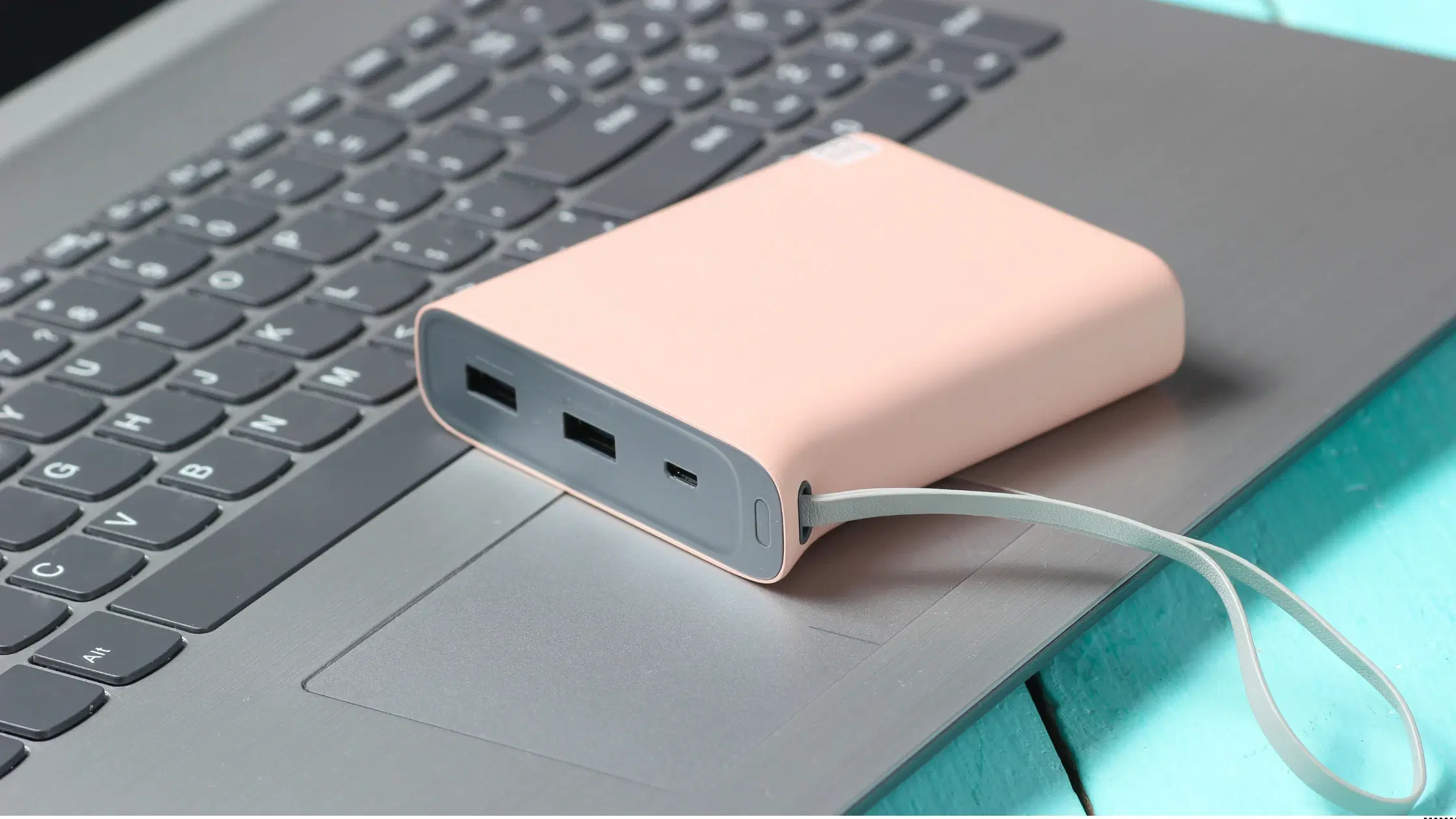
The mi power bank off button is typically found on the front or side of the device. This button not only powers your device on and off but also serves as an indicator for battery levels when pressed briefly.
When you press and hold the mi power bank power button usage, the device’s circuitry is triggered to safely power down. This process helps ensure that the device is completely off, without any residual charge activity.
Some might think that Mi power banks turn off automatically after a period of inactivity. However, manual intervention is often required to fully disable your Mi power bank. Thus, understanding how to deactivate mi power bank correctly is essential for proper maintenance.

<p><b>HEUV Technology</b><br/><br/>Thanks to the HEUV technology, the SVARAS Home X2 Pro UV Steriliser effectively targets and eliminates a wide range of viruses and bacteria, including those responsible for illnesses such as the coronavirus. As a result, you can have peace of mind knowing that you can effectively protect yourself and your family from potential health threats.<br/><br/><br/><b>Enhanced Sterilisation</b><br/><br/>This rechargeable UV steriliser provides optimal sterilisation capabilities, which eliminates harmful germs. This high level of effectiveness makes it an ideal choice for homes, offices, and shops, ensuring that surfaces remain clean and safe. Thus, you can trust this steriliser to protect your health and the health of your loved ones by efficiently disinfecting various surfaces.<br/><br/><br/><b>User-Friendly Functionality</b><br/><br/>This home steriliser boasts convenient features that enhance its usability. It includes a voice alarm that signals when the sterilisation process is complete, ensuring you never forget to turn it off. Additionally, the device offers a safe automatic power-off feature, which enhances safety during operation. Convenient charging capabilities further simplify the user experience, which makes it easy to keep the steriliser ready for action.<br/><br/><br/><b>Eco-Friendly Design</b><br/><br/>Designed with sustainability in mind, this SVARAS steriliser promotes an eco-friendly lifestyle. It operates without mercury or harsh chemicals, which makes it safe for both users and the environment. This design choice allows you to maintain a clean living space while reducing your ecological footprint. Moreover, the sleek, modern appearance of the steriliser ensures that it complements any decor.</p>
Before attempting to switch off portable charger devices, ensure that all connected gadgets are unplugged. This step prevents any ongoing power transfer, which might interfere with the shutdown process.
Different Mi power bank models, such as the 10000mAh, 20000mAh, or 4i, have slightly varying designs. Find the mi power bank off button; it is often easy to spot. Once located, you’re ready to proceed with the shutdown process.
Press and hold the designated power button firmly for a few seconds. This deliberate action ensures that you are indeed turning off the device. The duration for this step can vary slightly between models but usually takes around three to five seconds.
After releasing the button, check the indicator lights. If there are no lights remaining, the device has been successfully powered off. This simple confirmation reassures you that the mi power bank shutdown process has been completed correctly.
Pro Tip – Extend Your Mi Power Bank’s Lifespan
Did you know that powering off your Mi power bank after each use can significantly extend its lifespan? Make it a habit to switch off when not in use to prevent unnecessary wear and tear.
If your device isn’t responding, try resetting it by pressing and holding the power button for a longer duration. Sometimes, a simple reset can help clear up any glitches that are preventing the shutdown process.
Indicator lights can blink or remain steady. A blinking light might mean the device is still processing the shutdown signal, while a steady light often implies active charging or usage. Observing these lights can help you determine if the device has truly powered off.
If repeated attempts to power off the device prove unsuccessful, it may be a sign that technical support is needed. In such instances, contacting Mi customer support can provide guidance tailored to your specific model.

<p><strong>Why buy Environics Enviroglobe Anti Radiation Ball for House & Car</strong></p> <p> </p> <ul> <li><strong>Provides E-Smog and Radiation Protection</strong> for healthier homes and families</li> <li><strong>It Covers A Radius</strong> of 250 sq.ft protect you and your loved ones from harmful radiation</li> <li><strong>Clinically Tested EMF Harmonizer</strong> that provides us 360-degree protection from radiation sources that are beyond our control</li> </ul> <p> </p> <p>Buy the <strong>Environics Enviroglobe Anti Radiation Ball for House & Car</strong> which is based on Envirochip’s radiation protection technology that helps you protect you and your loved ones from harmful radiation within an area of 250 sq. feet. You can extend the range of protection by placing multiple Enviroglobes at equal distances from one another. It is a clinically tested EMF harmonizer and provides us 360-degree protection from radiation sources that are beyond our control. Electromagnetic Radiation (EMR) refers to the constant waves of the electromagnetic field (EMF) produced by wireless communication devices such as mobile phones, laptops, Wi-Fi routers, and other sources such as mobile towers and high-tension wirelines, etc. However, The human body is accustomed to random waves and hence the constant exposure to electromagnetic radiation causes serious biological disorders such as higher stress and fatigue, irritation, headache, weakened immunity, cancer, fertility issues to name a few. The technology used in Enviroglobe changes the nature of electromagnetic radiation from constant to random waveform making it human body-friendly.</p> <p> </p> <p>When you get <strong>Environics Enviroglobe Anti Radiation Ball for House & Car</strong> online, you also get awesome companion for your home. It comes with Internationally tested and certified technology. No need of batteries or adaptors, you can simply charge by placing it under the sunlight, for only a couple of minutes every week. Enviroglobe is simple to use. Simply place it at your desk, table, living room, bedroom, car, office space, absolutely wherever you want, and get a radiation protected zone of up to 250 sq. feet. It provides e-smog and radiation protection for healthier homes and families. Purchase <strong>Environics Enviroglobe Anti Radiation Ball for House & Car</strong> online, now!</p>
It is wise to switch off your Mi power bank during travel or when you are not using it for extended periods. This habit prevents unnecessary battery drain and reduces the risk of accidental overheating.
To stop mi power bank charging, always disconnect any attached devices first. Then, press the power button to ensure the device is completely deactivated. This sequence not only disables the charger but also protects your device from continuous charging cycles.
Regular maintenance helps keep your portable battery in peak condition. This includes occasionally cleaning the device, storing it in a cool, dry place, and resetting it periodically. Such practices are simple yet effective in measuring the longevity of your device.
Press and hold the power button for a few seconds until the indicator lights turn off.
Locate the power button on your device, press and hold it, and ensure no lights remain on.
If your power bank isn’t turning off, try resetting it by pressing the power button for a longer duration or consult your user manual for model-specific instructions.
Disconnect all connected devices and press the power button to halt charging.
While some models may shut down automatically after inactivity, manually powering off your device ensures a complete shutdown.
Switching off your Mi power bank is a simple but crucial step in maintaining its longevity, safety, and optimal performance. This checklist helps guide you through the process, ensuring you harness the full potential of your device while minimising wear. Remember, techniques like these offer value-driven benefits much like enjoying NeuCoins rewards when you shop smartly on Tata Neu. With user-friendly service features and seamless after-sales support, taking care of your gadgets is now easier than ever.
