
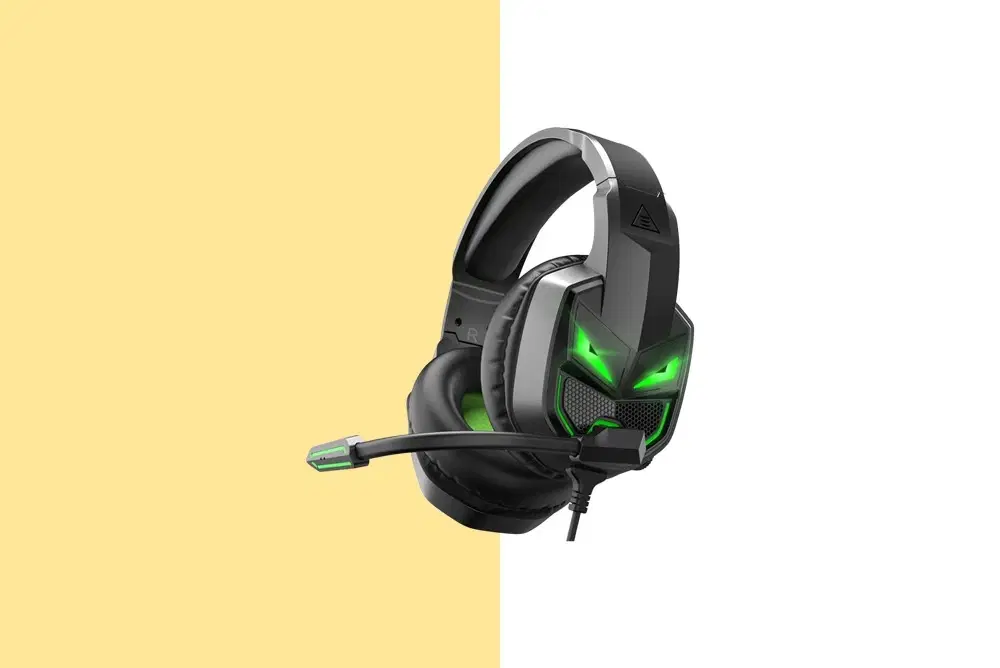
Checklist: Fixing Headphone Not Working on One Side

Consumer Electronics

05 min read

Checklist: Fixing Headphone Not Working on One Side

Arctic Fox N95 Gold Series Face Respirator Mask (FACMSKWHIWZ11900A, Black)

Arctic Fox N95 Gold Series Face Respirator Mask (FACMSKWHIWZ11900A, Black)

<p style="margin-left:0cm; margin-right:0cm">Keep away from breathing in harmful germs, dust and pollution by using the <strong>Arctic Fox N95 Gold Series</strong> <strong>Face Respirator Mask.</strong> The mask is designed specially ensuring that it fits comfortably on your face and covers all the essential parts of your face. The soft ear loops ensure the comfort-ability for longer use. It has a 3 mm foam material for comfort fit and air seal.</p> <p style="margin-left:0cm; margin-right:0cm">The <strong>Arctic Fox N95 Gold Series</strong> <strong>Face Respirator Mask</strong> is super breathable because of the comfortable fabric and is also splash resistant.</p> <p style="margin-left:0cm; margin-right:0cm">Whether you are travelling or for that matter, moving out of your house, wearing the <strong>Arctic Fox N95 Gold Series</strong> <strong>Face Respirator Mask </strong>will ensure security to your health by helping you keep the dust and germs out from inhaling it.</p>

134149
Earn NeuCoins

Ever experienced the frustration of discovering your headphone only plays sound from one side? It can feel like your audio experience is incomplete, whether you’re on a call, watching a video, or enjoying your favourite tunes. In this guide, we share a straightforward checklist to resolve the common issue of a headphone not working on one side, ensuring balanced, crisp sound without compromise. We also highlight the extra benefits of using Tata Neu services, including NeuCoins rewards and expert support through ZipCare.

Identifying the Problem

Initial Checks

Start with some basic but essential checks before diving into detailed troubleshooting. First, ensure the headphone jack is fully inserted and free of obstructions. Even a slight misalignment can cause your headphone’s left side not working or the right side to remain silent. Try connecting your headphones to another device, and inspect the cable and connectors closely. A minor twist or wear might be the culprit behind an audio imbalance.

Common Symptoms

Common signs include one side remaining silent, an overall sound problem, or a noticeable audio imbalance. Observing these symptoms can help you decide if the issue is due to software misconfiguration or a hardware fault. For example, if the imbalance occurs only on one device, it might be a compatibility issue rather than a defect in the headphones themselves.

Troubleshooting Steps

Software and Settings

Often, the problem isn’t with the hardware at all. Check your device’s audio balance settings – a misadjusted slider can lead to sound issues. If the settings are incorrect, adjust them to centre your audio output. Additionally, updating audio drivers or resetting the device’s audio settings back to their default can sometimes clear the glitch. If you prefer visual learning, numerous video tutorials are available online that demonstrate how to fix headphones with only one ear working. This step-by-step approach not only resolves the immediate issue but also deepens your understanding of your device’s capabilities.

Hardware Fixes

Environics Enviroglobe Anti Radiation Ball for House & Car (001EG, Grey)

Environics Enviroglobe Anti Radiation Ball for House & Car (001EG, Grey)

<p><strong>Why buy Environics Enviroglobe Anti Radiation Ball for House &amp; Car</strong></p> <p>&nbsp;</p> <ul> <li><strong>Provides E-Smog and Radiation Protection</strong> for healthier homes and families</li> <li><strong>It Covers A Radius</strong> of 250 sq.ft protect you and your loved ones from harmful radiation</li> <li><strong>Clinically Tested EMF Harmonizer</strong> that provides us 360-degree protection from radiation sources that are beyond our control</li> </ul> <p>&nbsp;</p> <p>Buy the <strong>Environics Enviroglobe Anti Radiation Ball for House &amp; Car</strong> which is based on Envirochip&rsquo;s radiation protection technology that helps you protect you and your loved ones from harmful radiation within an area of 250 sq. feet. You can extend the range of protection by placing multiple Enviroglobes at equal distances from one another. It is a clinically tested EMF harmonizer and provides us 360-degree protection from radiation sources that are beyond our control. Electromagnetic Radiation (EMR) refers to the constant waves of the electromagnetic field (EMF) produced by wireless communication devices such as mobile phones, laptops, Wi-Fi routers, and other sources such as mobile towers and high-tension wirelines, etc. However, The human body is accustomed to random waves and hence the constant exposure to electromagnetic radiation causes serious biological disorders such as higher stress and fatigue, irritation, headache, weakened immunity, cancer, fertility issues to name a few. The technology used in Enviroglobe changes the nature of electromagnetic radiation from constant to random waveform making it human body-friendly.</p> <p>&nbsp;</p> <p>When you get <strong>Environics Enviroglobe Anti Radiation Ball for House &amp; Car</strong> online, you also get awesome companion for your home. It comes with Internationally tested and certified technology. No need of batteries or adaptors, you can simply charge by placing it under the sunlight, for only a couple of minutes every week. Enviroglobe is simple to use. Simply place it at your desk, table, living room, bedroom, car, office space, absolutely wherever you want, and get a radiation protected zone of up to 250 sq. feet. It provides e-smog and radiation protection for healthier homes and families. Purchase&nbsp;<strong>Environics Enviroglobe Anti Radiation Ball for House &amp; Car</strong> online, now!</p>

27044499
Earn NeuCoins

If your software settings are correct, it’s time to inspect the physical components. Carefully clean the headphone jack and connector ends using a soft brush or compressed air to remove any dust or debris. An intermittent connection may sometimes be fixed by gently twisting the cable to check for any break in continuity. Testing your headphones on another device is a practical method to determine whether the issue lies in the cable or the device itself.

Advanced Repair Techniques

DIY Repairs

For tech enthusiasts who are confident with hands-on fixes, a multimeter can help check continuity along the cable. This tool identifies breaks or loose connections that could be impairing audio output. If you find a loose connection, a careful re-soldering might restore functionality. Remember, delicate components require caution and precision, so only proceed if you’re comfortable with such repairs.

Professional Help

If DIY fixes seem daunting or if the problem persists after basic troubleshooting, seeking professional repair is the next step. Tata Neu’s ZipCare services offer reliable solutions with expert guidance and support. Whether it’s protecting a newly purchased device against defects or maintaining your gear for longevity, ZipCare is committed to delivering quality service. With the additional advantage of earning NeuCoins on Tata Neu, you enjoy both expert repairs and a rewarding shopping experience.

Did You Know? Regular maintenance of your headphones, such as storing them in a protective case and avoiding cable tangling, can prevent many common issues and prolong their lifespan.

Additional Tips for a Seamless Audio Experience

A proactive approach to headphone care can save you time and money. Always start troubleshooting by checking your device’s audio settings before considering hardware fixes. Sharing simple tips or a quick video guide can help others who face similar issues. For instance, ensuring that your audio balance is properly set might immediately resolve what appears to be a complex issue.

FAQs

Juvo Personal Safety Alarm (PSB 01, Black)

Juvo Personal Safety Alarm (PSB 01, Black)

<p>Danger can overpower you at any time and your voice will not be enough in such situations to get the required aid. The amazing new <strong>Juvo PSB01 Personal Alarm</strong> is crafted for all ages and is a necessary precaution from all kinds of danger. It rings a very loud alarm at 120 dB as well as flashes the torch to warn people nearby about a danger. Whether you have a medical emergency or you are attacked by predators your voice may not be heard but this alarm will be enough to deter attackers or draw attention of people close by to give you the immediate assistance required.</p> <p><strong>Extremely Easy To Use</strong></p> <p>The <strong>Juvo PSB01 Personal Alarm</strong> is small and portable, can be attacked to even a keychain if you want. To start the siren all you need to do is separate or pull the metal key chain from the main black unit. The siren may go on for 1 1/2 hours in case nobody heard it in the first minutes. This is very important for girls returning home alone at night as it acts as a security anti-attack panic alarm that is sure to scare off a molester. Its easy portability accentuates its use.</p> <p><strong>Lights Your Way</strong></p> <p>The little and portable <strong>Juvo PSB01 Personal Alarm</strong> also features a small LED torch that helps you find your way in the dark. Don&rsquo;t be scared of dark alleys when you have this with you because it is equipped to save you from all dangers.</p>

474890
Earn NeuCoins

Why is only one side of my headphones working?

It could be due to a loose connection, a damaged cable, or misconfigured audio settings. Begin by checking your device’s balance settings and thoroughly inspect the headphone jack.

How can I fix the audio imbalance in my headphones?

Make sure that your device’s audio balance is centred correctly. If the settings seem fine, clean the headphone jack and test with another pair to determine if the problem lies with the cable or the device.

What should I do if I suspect cable damage?

Gently twist and move the cable while playing audio. If you notice intermittent sound, the cable might be damaged. In such cases, replacing the cable or seeking professional help is recommended.

When should I consider professional repair services?

If basic troubleshooting steps don’t resolve the issue or if you’re facing persistent hardware problems, it’s wise to opt for professional repair. Tata Neu’s ZipCare offers reliable and expert assistance, ensuring your audio issues are resolved effectively.

Can environmental factors affect headphone performance?

Yes, dust and moisture can affect audio components. Regular cleaning and proper storage can prevent issues related to environmental factors.

Conclusion

Ensuring balanced and reliable headphone sound involves a methodical approach, from checking audio settings and basic hardware inspections to considering professional support if needed. Regular care and preventive measures are key to maintaining optimal audio performance. Embrace smart repair techniques and enjoy the enhanced benefits of Tata Neu, including NeuCoins rewards and expert services through ZipCare. Happy listening!

Sangria Experience Logo