





Consumer Electronics
•03 min read

Macs are renowned for their sleek design and productivity features, but can they hold their own when it comes to gaming? In this guide, we delve into the world of gaming on a Mac, answering all your burning questions about compatibility, performance, and setup. By the end of this post, you will understand whether you can play games on Mac effectively, which are the best games for Mac, and how to optimize your Mac for gaming.
Many wonder if Macs are built for gaming. The hardware in Macs—especially with the introduction of Apple Silicon chips—has come a long way. Compared to typical gaming PCs, Macs have traditionally been designed for efficiency and creative tasks. However, with enhanced GPUs and CPUs, modern Macs provide a decent gaming experience. This evolution has improved mac gaming performance, making it easier to play games on MacBook models that were once seen as purely productivity devices.
When comparing Mac vs PC for gaming, it is important to understand that while PCs may offer a wider range of industry-standard graphics options, Macs are also a reliable choice for casual gamers. Macs offer seamless performance with improved software compatibility and a curated selection of mac compatible games. For those who value an all-round experience, especially with access to NeuCoins rewards on platforms like Tata Neu, Macs can be an excellent setup to game on MacBook or other Mac devices.
Many popular titles are available for Mac. Whether you enjoy role-playing games (RPGs), strategy games, or action-packed adventures, there are options available on platforms like Apple Arcade, Steam, and the Mac App Store. From immersive strategy games to engaging action titles, there is a growing list of mac game compatibility options ensuring that you can play games on Mac that suit your tastes.
A number of top-rated games are optimised for Mac. Popular titles such as Civilisation VI, Baldur's Gate 3, and The Sims 4 offer smooth play and robust performance on modern Macs. Additionally, free-to-play options and highly rated indie games provide opportunities for diverse gaming experiences. Exploring these games can help you understand the range of options available when you decide to game on a Mac.
The introduction of Apple Silicon, particularly the M1 and M2 chips, has significantly boosted mac gaming performance. Modern Macs can handle graphically intensive games with better resolution and improved frame rates. Although they might not compete with high-end gaming rigs in every scenario, they are well-suited for casual gaming and many indie titles that require less intensive graphics.
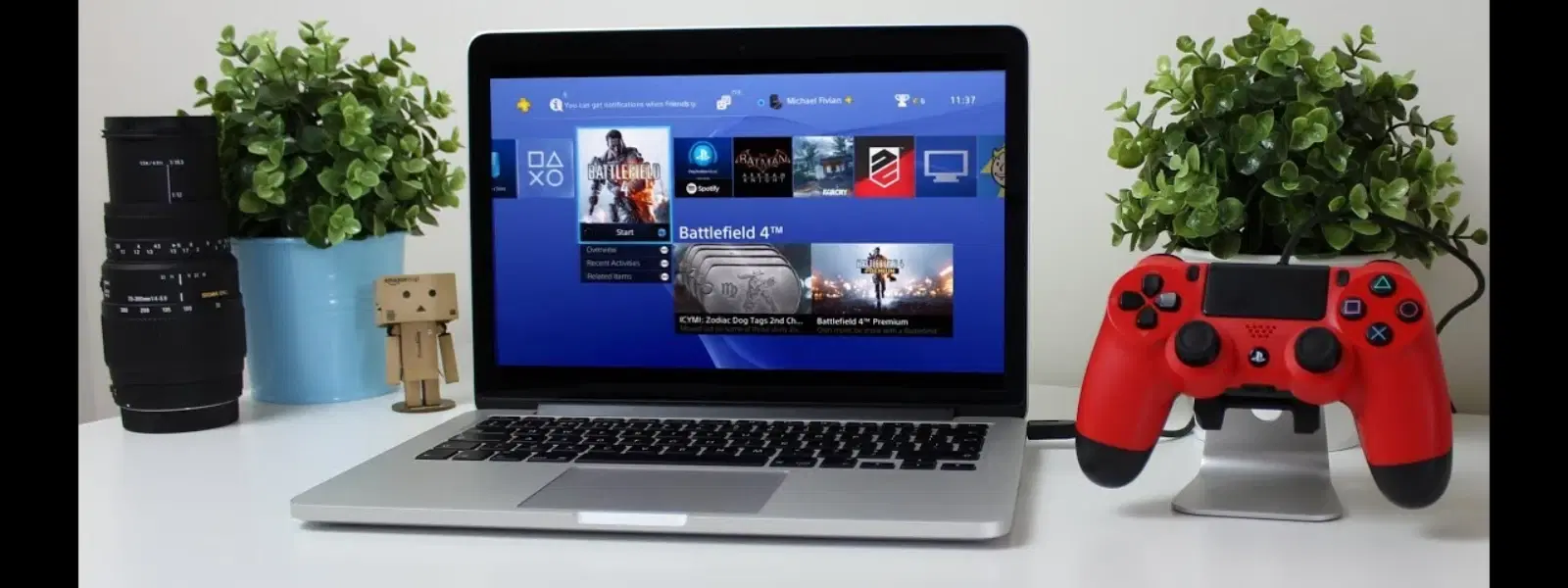
There are several steps you can take to optimize your Mac for gaming. Start by closing unnecessary applications, updating macOS and drivers, and freeing up storage space. Consider external hardware like high-resolution gaming monitors, game controllers, or cooling solutions for enhanced performance. These simple tweaks can boost how you game on Mac, ensuring a smoother and more enjoyable experience.
Insight Corner: "Did You Know Macs Are Becoming Gaming-Friendly?"
While Macs were once considered unsuitable for gaming, the new Apple Silicon chips have changed that narrative significantly. Game developers are increasingly optimising popular titles for macOS, making it easier than ever to game on a Mac.
Setting up your Mac for a gaming experience is straightforward. Begin by installing gaming platforms such as Steam or the Epic Games Store. Once these are in place, you can start downloading your chosen games. Connecting peripherals like keyboards, mice, and controllers can further enhance your gaming on Mac experience. This approach helps in creating a seamless transition from a standard work setup to a dedicated gaming station on your Mac.
An optimised gaming setup not only enhances performance but also ensures a comfortable play experience. Essential accessories include external GPUs (where supported), dedicated gaming monitors, and ergonomic chairs. Software tools such as FPS monitors and performance analyzers can also provide insights into your mac gaming performance, allowing you to fine-tune settings for the best experience.
Yes, you can play games on a MacBook Air. However, its performance is best suited for casual or less graphics-intensive games.
Yes, Steam supports macOS and offers a variety of games for Mac users. Check game requirements for best compatibility.
Some of the best free games for Mac include popular titles available on platforms like Apple Arcade and Steam.
Optimise your Mac by closing unnecessary apps, updating your system, and leveraging external hardware for improved performance.
While PCs often offer more advanced graphics options, modern Macs with Apple Silicon make for a reliable choice, particularly for casual and indie gaming.
Gaming on a Mac has evolved impressively over recent years. Thanks to significant advancements in hardware and software compatibility, many users now enjoy a seamless gaming experience on macOS. Whether you are curious about which are the best games for Mac or looking to optimise your mac gaming setup, there is much to explore. Embrace these insights and make informed decisions about how you play games on Mac, knowing that you can earn NeuCoins rewards through Tata Neu while shopping smartly for your tech and gaming needs.
