





Home Appliances
•04 min read


<p>Danger can overpower you at any time and your voice will not be enough in such situations to get the required aid. The amazing new <strong>Juvo PSB01 Personal Alarm</strong> is crafted for all ages and is a necessary precaution from all kinds of danger. It rings a very loud alarm at 120 dB as well as flashes the torch to warn people nearby about a danger. Whether you have a medical emergency or you are attacked by predators your voice may not be heard but this alarm will be enough to deter attackers or draw attention of people close by to give you the immediate assistance required.</p> <p><strong>Extremely Easy To Use</strong></p> <p>The <strong>Juvo PSB01 Personal Alarm</strong> is small and portable, can be attacked to even a keychain if you want. To start the siren all you need to do is separate or pull the metal key chain from the main black unit. The siren may go on for 1 1/2 hours in case nobody heard it in the first minutes. This is very important for girls returning home alone at night as it acts as a security anti-attack panic alarm that is sure to scare off a molester. Its easy portability accentuates its use.</p> <p><strong>Lights Your Way</strong></p> <p>The little and portable <strong>Juvo PSB01 Personal Alarm</strong> also features a small LED torch that helps you find your way in the dark. Don’t be scared of dark alleys when you have this with you because it is equipped to save you from all dangers.</p>

Imagine setting up your home theatre only to realise that your projector doesn’t connect to your laptop or sound system. The culprit? Choosing the wrong projector port. In today’s digital age, understanding your projector’s input options is essential for achieving a seamless viewing experience. This guide provides clear insights on different projector ports, explaining everything from the HDMI port for projector to the nuances of wireless projector connection. By the end of this read, you’ll be equipped with the knowledge needed to select the ideal cable types and connectors for a perfect home projector setup.
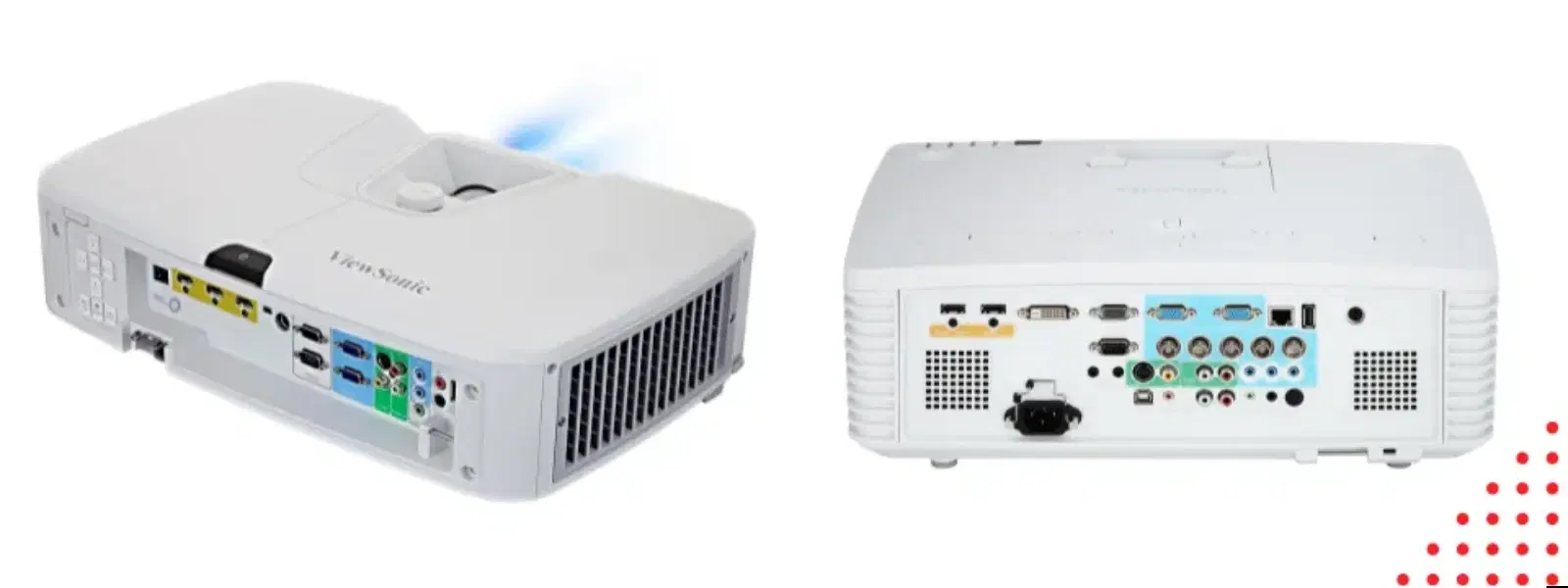
Projector ports are physical connection points found on projectors that enable you to link devices such as laptops, sound systems, or streaming gadgets to projectors. These ports play a crucial role by ensuring the projector is compatible with a wide range of devices, making them indispensable to anyone setting up a home entertainment system.
Many users wonder, “What is a projector port?” or “What is the projector cable port called?” In essence, each port serves as a gateway for video and audio data. Knowing which port to use not only improves compatibility but also helps maintain signal integrity to deliver an optimal viewing experience.
The HDMI port is the most popular choice for modern projectors. It is favoured for its ability to transmit high-definition video and audio through a single cable, delivering crisp visuals and immersive sound. For anyone keen on a straightforward, high-quality connection, the HDMI port is often the first recommendation.
Though considered older technology, the VGA port still finds relevance, particularly with legacy devices. While it may not support the high-definition quality of HDMI, it remains a viable option when dealing with older gadgets. A clear understanding of projector compatibility is crucial when using a VGA port for projector.
Many modern projectors come with a USB port designed for file playback or connecting wireless dongles. Whether you’re aiming to play media directly from a flash drive or establish a live connection, this feature adds versatility to your device connectivity.
Advancements in wireless technology allow for seamless connectivity without the clutter of cables. Wireless projector connection methods such as Wi-Fi and Bluetooth provide a clean setup perfect for stylish, modern homes. Opting for a wireless option can significantly enhance the overall aesthetics of your viewing space.

<p style="margin-left:0cm; margin-right:0cm">Keep away from breathing in harmful germs, dust and pollution by using the <strong>Arctic Fox N95 Gold Series</strong> <strong>Face Respirator Mask.</strong> The mask is designed specially ensuring that it fits comfortably on your face and covers all the essential parts of your face. The soft ear loops ensure the comfort-ability for longer use. It has a 3 mm foam material for comfort fit and air seal.</p> <p style="margin-left:0cm; margin-right:0cm">The <strong>Arctic Fox N95 Gold Series</strong> <strong>Face Respirator Mask</strong> is super breathable because of the comfortable fabric and is also splash resistant.</p> <p style="margin-left:0cm; margin-right:0cm">Whether you are travelling or for that matter, moving out of your house, wearing the <strong>Arctic Fox N95 Gold Series</strong> <strong>Face Respirator Mask </strong>will ensure security to your health by helping you keep the dust and germs out from inhaling it.</p>
For those investing in an immersive home theatre setup, projector audio output ports are indispensable. These ports enable you to connect to external sound systems, ensuring that your audio is as impressive as your visuals. Compatibility with advanced surround sound systems is key when making your choice.
Other less common ports such as Composite, Component, and DisplayPort are designed for particular use cases. While they may not be essential for every setup, understanding these projector input options can broaden your connectivity solutions, particularly when dealing with specialised devices.
Pro Tip from Tata Neu: Did you know that using an HDMI port for your projector ensures the highest video and audio quality? It’s the gold standard for modern home theatre setups.
Connecting projector to laptop is simpler when you have a clear understanding of the available cable types. The most commonly used options include HDMI, VGA, and USB. Each has its own advantages: HDMI offers high-definition connections, VGA is compatible with older systems, and USB ports can offer file playback or even act as a power source for wireless dongles. It is essential to check your laptop’s available ports and determine which cable type best matches your projector’s requirements.
It can be frustrating when a projector port in a laptop isn’t working as expected. Common issues include loose connections, outdated drivers, or incompatible cable types. Often, a simple cable check or updating your device’s driver can resolve the issue. When problems persist, referring to your projector’s manual or seeking expert advice can help you achieve seamless connectivity.
Before finalising your home projector setup, consider factors such as device compatibility, resolution, and audio requirements. Each projector cable type offers distinct benefits. For instance, when high-definition video is a priority, the HDMI port is hard to beat. Evaluating your devices and usage scenarios will help you decide whether a traditional strategy or wireless projector connection suits your lifestyle better.
Even the best projection system can be undermined by a clutter of unsightly cables. Practising effective cable management not only improves the visual appeal of your space but also minimises the risk of connection issues. For a sleek, modern look, consider utilising wireless connection options. Organised cables ensure that your viewing experience remains as enjoyable as using high-quality gadgets while you earn NeuCoins rewards on every purchase.
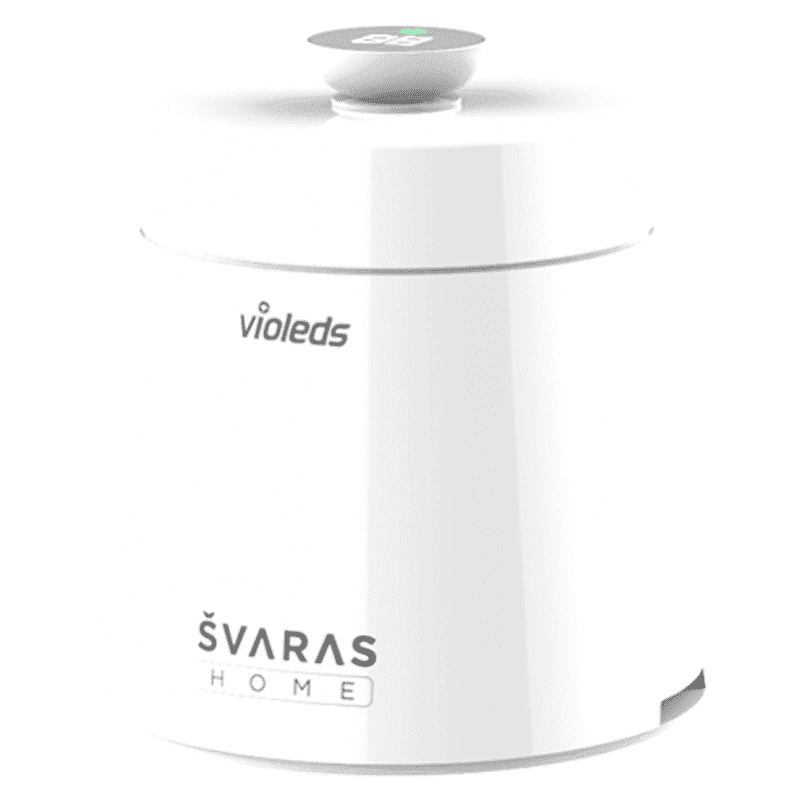
<p><b>HEUV Technology</b><br/><br/>Thanks to the HEUV technology, the SVARAS Home X2 Pro UV Steriliser effectively targets and eliminates a wide range of viruses and bacteria, including those responsible for illnesses such as the coronavirus. As a result, you can have peace of mind knowing that you can effectively protect yourself and your family from potential health threats.<br/><br/><br/><b>Enhanced Sterilisation</b><br/><br/>This rechargeable UV steriliser provides optimal sterilisation capabilities, which eliminates harmful germs. This high level of effectiveness makes it an ideal choice for homes, offices, and shops, ensuring that surfaces remain clean and safe. Thus, you can trust this steriliser to protect your health and the health of your loved ones by efficiently disinfecting various surfaces.<br/><br/><br/><b>User-Friendly Functionality</b><br/><br/>This home steriliser boasts convenient features that enhance its usability. It includes a voice alarm that signals when the sterilisation process is complete, ensuring you never forget to turn it off. Additionally, the device offers a safe automatic power-off feature, which enhances safety during operation. Convenient charging capabilities further simplify the user experience, which makes it easy to keep the steriliser ready for action.<br/><br/><br/><b>Eco-Friendly Design</b><br/><br/>Designed with sustainability in mind, this SVARAS steriliser promotes an eco-friendly lifestyle. It operates without mercury or harsh chemicals, which makes it safe for both users and the environment. This design choice allows you to maintain a clean living space while reducing your ecological footprint. Moreover, the sleek, modern appearance of the steriliser ensures that it complements any decor.</p>
Ensuring the right projector compatibility can significantly enhance your home entertainment experience. Whether you’re connecting to a laptop or a full-fledged sound system, every projector port from HDMI to USB plays a pivotal role. Understanding each type and prioritising compatibility saves you time and effort in troubleshooting, allowing you to focus on enjoying your favourite content.
At Tata Neu, the seamless integration of technology with convenience means that every purchase offers added value. Enjoy benefits such as NeuCoin earn on your transactions, along with express delivery when you order before 6 PM. Clear project planning combined with these perks enhances the joy of setting up your ideal home projector configuration.
A projector port is a physical connection point on a projector designed for linking devices like laptops, streaming gadgets, or sound systems to transmit video or audio signals.
For most modern setups, the HDMI port is the best choice due to its ability to deliver high-definition video and audio in one connection.
The USB port allows for file playback, powering specific wireless dongles, and connecting external storage devices directly to the projector.
The name varies depending on the technology – common examples include HDMI, VGA, or DisplayPort, each offering different benefits.
Yes, many projectors support wireless connections using technologies like Wi-Fi or Bluetooth, ensuring a clutter-free setup with fewer cables.
Understanding projector ports is key to a seamless home theatre experience. Whether opting for the high-definition capabilities of an HDMI connection or exploring the flexibility of wireless projector connection options, every port contributes to the success of your setup. By making informed decisions and employing effective cable management, you stand to gain not just in viewing quality but also in overall convenience. Learn more about optimising your tech setup and enjoy the added advantages every time you shop with Tata Neu.
