






Consumer Electronics
•03 min read


<p>Danger can overpower you at any time and your voice will not be enough in such situations to get the required aid. The amazing new <strong>Juvo PSB01 Personal Alarm</strong> is crafted for all ages and is a necessary precaution from all kinds of danger. It rings a very loud alarm at 120 dB as well as flashes the torch to warn people nearby about a danger. Whether you have a medical emergency or you are attacked by predators your voice may not be heard but this alarm will be enough to deter attackers or draw attention of people close by to give you the immediate assistance required.</p> <p><strong>Extremely Easy To Use</strong></p> <p>The <strong>Juvo PSB01 Personal Alarm</strong> is small and portable, can be attacked to even a keychain if you want. To start the siren all you need to do is separate or pull the metal key chain from the main black unit. The siren may go on for 1 1/2 hours in case nobody heard it in the first minutes. This is very important for girls returning home alone at night as it acts as a security anti-attack panic alarm that is sure to scare off a molester. Its easy portability accentuates its use.</p> <p><strong>Lights Your Way</strong></p> <p>The little and portable <strong>Juvo PSB01 Personal Alarm</strong> also features a small LED torch that helps you find your way in the dark. Don’t be scared of dark alleys when you have this with you because it is equipped to save you from all dangers.</p>

Ever wondered how to uncover your device's MAC address using the command prompt? Whether you are troubleshooting network issues or simply curious, locating your MAC address is easier than you think. In this guide, you will learn how to find your MAC address in CMD, understand why this unique identifier is important, and explore common scenarios and tools to help you along the way.
A MAC (Media Access Control) address is a unique identifier assigned to your device’s network interface card (NIC). It plays a vital role in network communication by ensuring that data reaches the correct device. When you learn how to check MAC address command line, you understand that this identifier is crucial for safely connecting your devices on a network.
Knowing how to find mac address in cmd helps in various scenarios. For example, when you set up MAC filtering on your router, troubleshoot connectivity issues, or simply identify devices on your network, having quick access to this information is essential. By learning how to retrieve mac address in cmd, you become more proficient in managing your network settings.
The Command Prompt, also known as CMD, is a powerful tool available in Windows. It allows you to perform network diagnostics and configuration tasks quickly. If you are exploring how to find mac address using command prompt, this tool is your go-to for a simple, text-based interface.
To open CMD on your Windows device, press Win + R and type cmd. For those using Windows 10 or Windows 11, the process is the same. Once opened, you are all set to enter commands that will help you check mac address in windows cmd.

<b>Why Buy Environics Device Disinfector</b><ul><li><b></b> for optimised disinfection</li><li><b></b> makes sure all the germs are killed</li></ul><p>To prevent harmful bacteria and fungi from getting in contact with you, buy <b>Environics Device Disinfector</b>. The usability of your device disinfector may be affected if its installation is complex. As this device disinfector has the it prevents the extra-spill and wastage of sanitizer. Your residence and office will stay clean and hygienic with products from this device disinfector that have 99.99% high resistance against germs and viruses. </p><p>The <b>Environics Device Disinfector's</b> price is cost-effective so you don't have to adjust your budget. The longer it takes for the device disinfector to disinfect, the longer you will have to wait. As a result of its efficient and effective operation, this device disinfector requires only to inject. Your device disinfector needs to have the latest technology to make sure it kills all the germs. As this device disinfector has the to prevent viruses, you can rest assured. Purchase the <b>Environics Device Disinfector</b> online at this instant!</p>
One of the simplest ways to display mac address in command prompt is by using the ipconfig /all command. This command shows detailed network configuration, including the physical address (MAC address) for each network adapter installed on your device. Simply type ipconfig /all into CMD and look for the line marked as "Physical Address" under your active network adapter. This method is a common windows cmd mac address guide that provides clear insights into your device's network setup.
If you need to locate mac address via command line on a remote system, the getmac command comes in handy. Please note that you may require administrative privileges and proper network access to perform this task. This is how you get mac address with cmd for systems beyond your local device.
Another useful command is arp -a, which can be used for MAC address discovery within your local network. While ipconfig /all displays detailed information, the arp -a command focuses on devices connected to your network. Knowing how to check mac address command line with such tools can help you better manage and secure your network.
Insight Corner: "Did You Know?"
Your MAC address is hardcoded into your device’s network interface card, making it unique to your hardware. This attribute ensures reliable identification on a network. However, it also means that any alterations require hardware replacements rather than simple software updates.
If you encounter an issue where CMD does not display your MAC address correctly, consider these solutions: ensure your network drivers are up to date and double-check your command syntax. Simple errors in typing commands like display mac address in command prompt could lead to incomplete output.
MAC addresses are typically displayed in a hexadecimal format, such as 00-1A-2B-3C-4D-5E. Recognising this pattern is beneficial when performing a mac address lookup command. Remember that each pair of characters represents a byte of information unique to your device.
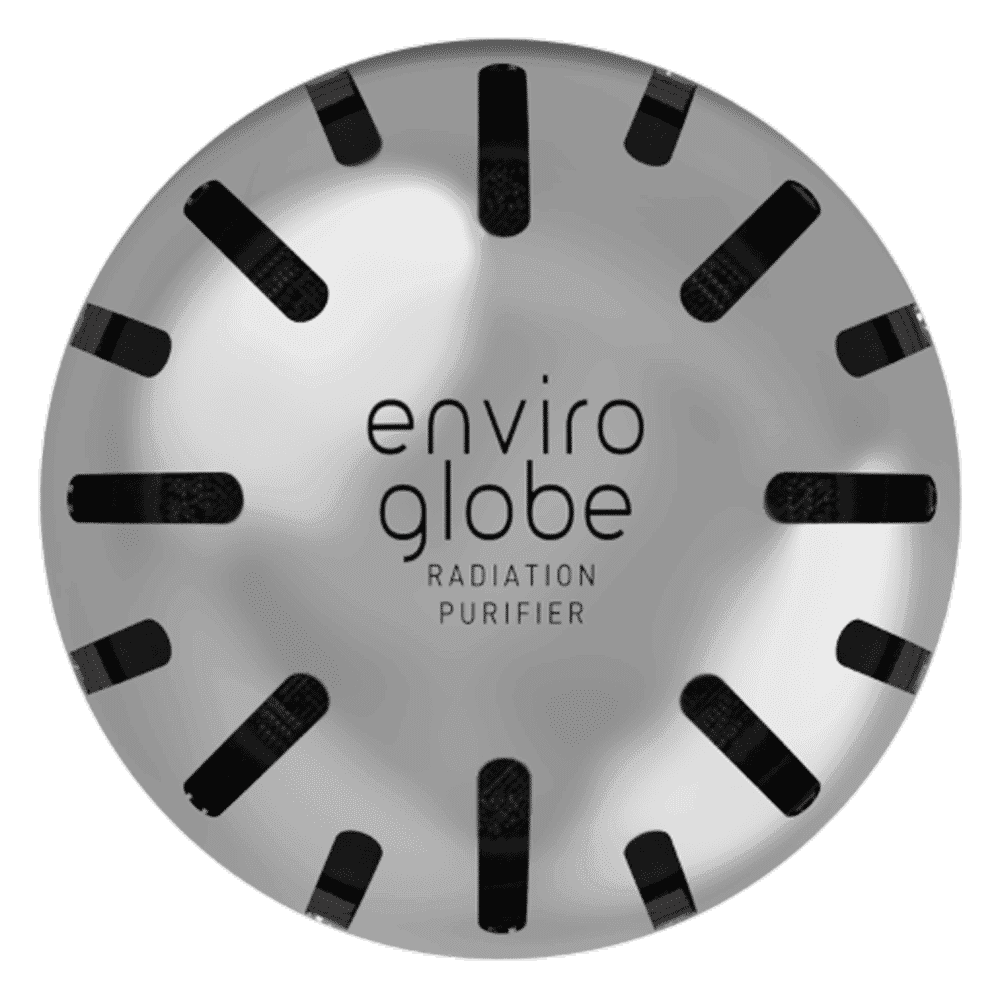
<p><strong>Why buy Environics Enviroglobe Anti Radiation Ball for House & Car</strong></p> <p> </p> <ul> <li><strong>Provides E-Smog and Radiation Protection</strong> for healthier homes and families</li> <li><strong>It Covers A Radius</strong> of 250 sq.ft protect you and your loved ones from harmful radiation</li> <li><strong>Clinically Tested EMF Harmonizer</strong> that provides us 360-degree protection from radiation sources that are beyond our control</li> </ul> <p> </p> <p>Buy the <strong>Environics Enviroglobe Anti Radiation Ball for House & Car</strong> which is based on Envirochip’s radiation protection technology that helps you protect you and your loved ones from harmful radiation within an area of 250 sq. feet. You can extend the range of protection by placing multiple Enviroglobes at equal distances from one another. It is a clinically tested EMF harmonizer and provides us 360-degree protection from radiation sources that are beyond our control. Electromagnetic Radiation (EMR) refers to the constant waves of the electromagnetic field (EMF) produced by wireless communication devices such as mobile phones, laptops, Wi-Fi routers, and other sources such as mobile towers and high-tension wirelines, etc. However, The human body is accustomed to random waves and hence the constant exposure to electromagnetic radiation causes serious biological disorders such as higher stress and fatigue, irritation, headache, weakened immunity, cancer, fertility issues to name a few. The technology used in Enviroglobe changes the nature of electromagnetic radiation from constant to random waveform making it human body-friendly.</p> <p> </p> <p>When you get <strong>Environics Enviroglobe Anti Radiation Ball for House & Car</strong> online, you also get awesome companion for your home. It comes with Internationally tested and certified technology. No need of batteries or adaptors, you can simply charge by placing it under the sunlight, for only a couple of minutes every week. Enviroglobe is simple to use. Simply place it at your desk, table, living room, bedroom, car, office space, absolutely wherever you want, and get a radiation protected zone of up to 250 sq. feet. It provides e-smog and radiation protection for healthier homes and families. Purchase <strong>Environics Enviroglobe Anti Radiation Ball for House & Car</strong> online, now!</p>
Open CMD, type ipconfig /all, and locate the "Physical Address" under your network adapter details.
Yes, by using the getmac command with proper administrative privileges, you can check mac address in windows cmd on remote systems.
A MAC address uniquely identifies a device on a local network. In contrast, an IP address helps to route data across different networks globally.
You can follow the same steps as in Windows 10; simply open CMD, type ipconfig /all, and search for the "Physical Address" field.
Most local MAC address lookups using ipconfig /all do not require admin privileges, but remote queries using getmac might.
MAC addresses are essential for configuring networks, ensuring security and troubleshooting issues. By following this guide, you now have a clear understanding of how to find mac address in cmd using different commands like ipconfig /all and getmac. Whether you are managing your own network or looking into remote systems, this practical knowledge will aid your IT troubleshooting and overall network management. At Tata Neu, we believe in empowering you with actionable insights to shop smartly and progress in every aspect of life, just as our seamless offerings and NeuCoin rewards inspire confidence and convenience with every transaction.
